How to build a WordPress redirect map after a redesign
URL structure changing on a WordPress rebuild? Learn how to build a redirect map, export 301s for Redirection or Rank Math, and avoid the post-launch traffic…
verifiedReviewed by Tommy Smith,Content Director
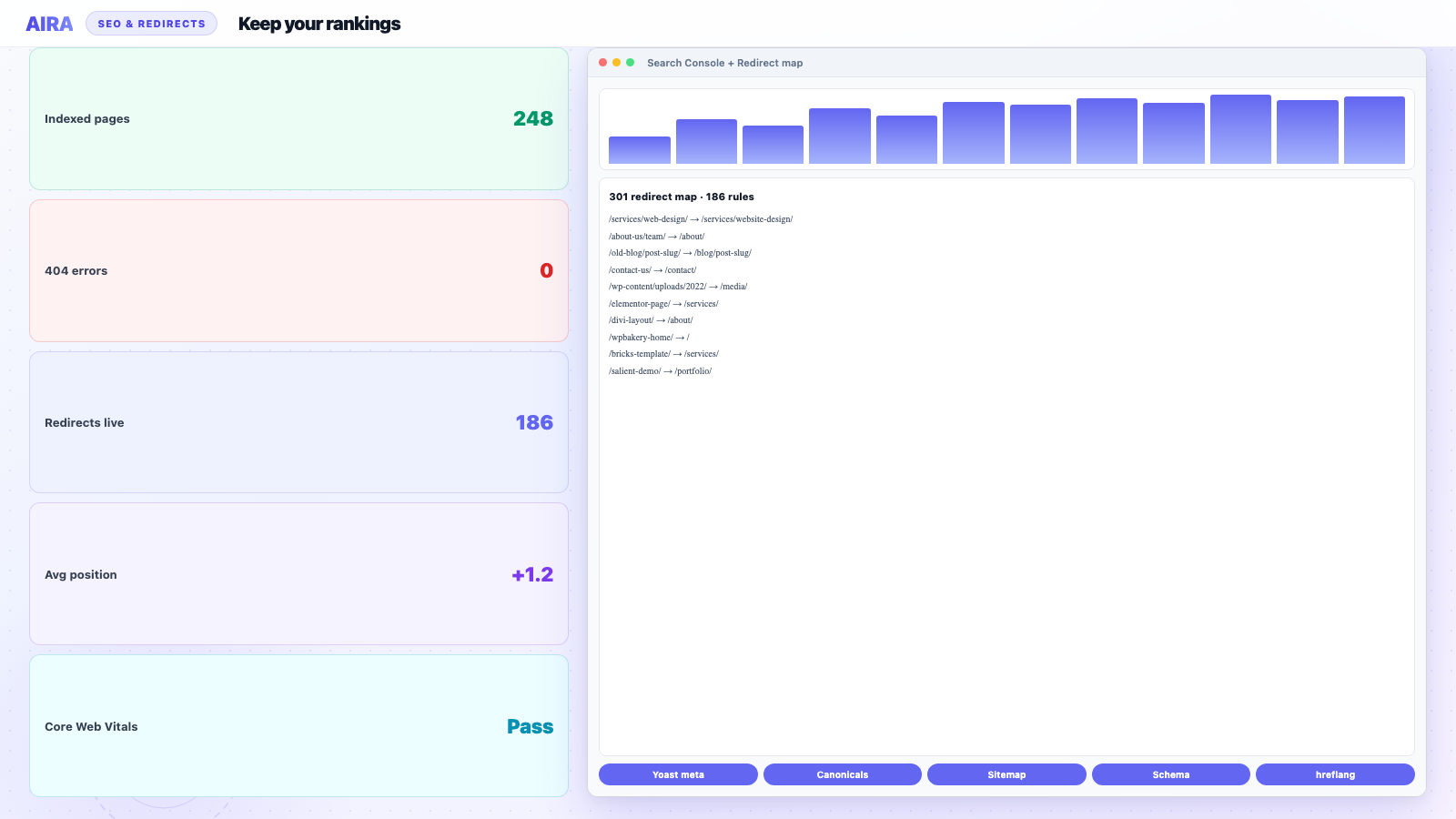
Build a redirect map listing every old URL and its new destination before launch. Implement 301s for all indexed pages, update internal links to point at final URLs directly, and verify with a crawl after go-live.
Who this is for
- Agencies: Any redesign changing slugs, CPT permalinks, or removing legacy landing pages.
- Freelancers: Small business sites where the client renames /services/ pages without telling you.
- Developers: Engineers importing 301 rules into Redirection, Rank Math, or server config.
Steps at a glance
- Export all indexed URLs from Search Console and the old sitemap.
- Map old → new paths during discovery — not launch week.
- Implement 301s on staging and test top 20 landing URLs.
- Submit new sitemap and monitor Coverage for 4 weeks post-launch.
Search engines don't care that your new design looks better — they care whether the URL they ranked still resolves. When a WordPress rebuild changes slugs, folder structure or post types, every old URL needs a deliberate destination. A redirect map is that list: old path → new path, ready to import as 301s before you flip the switch.
Step 1 — Crawl the old site for every indexable URL
Start from the old sitemap and a full crawl. You want every URL that has backlinks, ranks, or appears in Search Console — not just the pages in the main nav. Include blog posts, landing pages, PDFs if they were indexed, and legacy paths from old campaigns.
- arrow_rightPull the sitemap.xml from the old site as your baseline.
- arrow_rightCross-check Google Search Console's Pages report for URLs with impressions you might have missed.
- arrow_rightExclude admin, feed, and low-value archive pages you don't intend to carry over — but document the decision.
Step 2 — Decide the destination for each URL
For each old URL, assign one of three outcomes: unchanged (no redirect needed), moved (301 to the new equivalent), or retired (301 to the closest parent or a dedicated replacement page). Avoid chaining redirects — old → interim → new — and never 302 a permanent move.
Step 3 — Format and import the map
Most agencies end up with a CSV: source URL or path, destination URL or path, redirect type (301). The Redirection plugin accepts CSV import. Rank Math and Yoast Premium have their own redirect tools. For server-level control, translate the map into .htaccess or nginx rules.
| Old path | New path | Action |
|---|---|---|
| /services/web-design/ | /services/website-design/ | 301 |
| /about-us/team/ | /about/ | 301 |
| /blog/old-slug/ | /blog/old-slug/ | None — unchanged |
| /promo-2024/ | /services/ | 301 — retired campaign |
Tools for building the map
- arrow_rightScreaming Frog or Sitebulb: crawl the old site; export all URLs with status codes.
- arrow_rightGoogle Search Console: Pages report with impressions — catches URLs not in the sitemap.
- arrow_rightAhrefs / Semrush (if available): top linked URLs you can't afford to 404.
- arrow_rightAnalytics landing pages: high-traffic entry points beyond the main nav.
- arrow_rightMigration bundle redirect CSV: auto-generated old → new pairs from your content crawl.
Implementing redirects on WordPress
Redirection plugin (most common)
Import your CSV via Tools → Redirection → Import. Format: source URL, target URL, regex flag (0 for plain paths). Test five URLs per redirect pattern before bulk import — a wrong regex can redirect your entire site to the homepage.
Rank Math / Yoast Premium
Both have built-in redirect managers. Rank Math accepts CSV import under Redirections; Yoast Premium's redirect manager is more manual. Pick one home for redirects — don't maintain rules in two plugins.
Server-level (.htaccess / nginx)
For high-traffic sites or thousands of rules, server-level redirects are faster than PHP. Translate your CSV to RewriteRule lines (Apache) or return 301 directives (nginx). Keep the plugin copy as a readable backup the client can edit.
Step 4 — Verify before and after launch
- 1On staging, spot-check 20+ high-traffic URLs from the map.
- 2Use a redirect checker or curl -I to confirm single 301 hops — no chains.
- 3After launch, submit the new sitemap in Search Console.
- 4Watch Coverage/Pages and the 404 report daily for the first two weeks.
- 5Re-crawl to confirm internal links point at final URLs, not old paths.
- 6Follow the post-launch monitoring guide through week four.
A good content migration generates the redirect map as part of the crawl — old page paths mapped to where that content lands on the new build. AIRA includes this in the bundle alongside your ACF block import. For the full SEO picture, see how to rebuild without losing rankings.
CPT, WooCommerce and taxonomy redirects
Marketing pages are only half the redirect map on agency rebuilds. Custom post type singles (/work/acme-rebrand/), archive pagination (/work/page/2/), product URLs (/product/old-sku/), and category bases (/product-category/services/) each need explicit rows. Crawl the old CPT sitemap separately — see CPT migration guide. WooCommerce slug changes (/products/ vs /product/) multiply redirect count fast; prioritise top-revenue SKUs and categories from Analytics before long tail.
Regex vs exact-match redirects
Exact-match redirects are safest for launch. Regex helps patterns like /blog/(.*) → /insights/$1 when you rename an entire folder — but a sloppy regex 301s your whole site to one URL. Test regex rules on staging with twenty sample paths including edge cases (trailing slash, query strings, uppercase). Document every regex in the handover doc with plain-English explanation — clients add rules later and break things without context.
Worked example: 180 URL agency rebuild
A creative agency rebuild changes /services/web-design/ to /services/website-design/, merges three dated campaign landers into /services/, and renames /blog/ to /insights/. Redirect map: 142 exact-match rows, 2 regex rules for /blog/(.*), 4 retired PDFs to parent pages, 12 unchanged URLs documented explicitly. Import via Redirection plugin on staging Thursday; DNS cutover Saturday; Screaming Frog redirect check Sunday — zero chains, three missing rules caught from Search Console 404 log Monday. Redirect QA: one dev-day on a project where content migration ran four days.
Building the map from Search Console, not just the sitemap
Sitemaps lie by omission. They list what you intend to index, not what Google has historically crawled, bookmarked, or earned backlinks to. On every agency rebuild, cross-reference three sources: the old sitemap, Screaming Frog or Sitebulb crawl export, and Google Search Console's Pages report filtered by impressions in the last 16 months. URLs with impressions but no sitemap entry are the ones that cause post-launch panic — old campaign landers, PDFs, paginated archives, and parameterised filter URLs.
- arrow_rightExport GSC Pages with clicks and impressions — sort by impressions descending.
- arrow_rightMerge with Ahrefs or Semrush top linked URLs if the client has access.
- arrow_rightFlag URLs in Analytics as landing pages with more than 100 sessions in the last year.
- arrow_rightAdd legacy paths from old printed materials, email campaigns, and partner sites — clients remember these after launch, not during discovery.
Redirect map columns that prevent launch-week surprises
A two-column CSV (old, new) is enough for Redirection plugin import. A five-column spreadsheet is enough for an agency handover that survives staff turnover. Add metadata now; you will thank yourself when the client asks about /services-old/ in eight months.
| Column | Purpose | Example |
|---|---|---|
| Old URL (absolute or path) | Import source | /services/web-design/ |
| New URL | 301 target | /services/website-design/ |
| Action | 301 / 410 / unchanged | 301 |
| Traffic tier | Priority for testing | Top 20 GSC |
| Notes | Why it changed | Merged into hub page |
| Owner | Who verified | Initials + date |
Staging redirects versus production cutover
Redirects on staging use staging domains — testing old production URLs against staging targets requires a hosts file trick or a pre-launch redirect audit tool that accepts absolute URLs. Most agencies import the redirect map to staging twice: once to validate rules before DNS moves, and again on production after confirming the CSV has not drifted. Keep the CSV in Git alongside the project; clients add ad-hoc redirects in the plugin admin that never sync back to your repo unless you document the process.
- 1Import redirect CSV to staging; test top 50 GSC URLs with curl -I or a redirect checker.
- 2Confirm single-hop 301 — no chains through an interim /coming-soon/ page.
- 3After DNS cutover, re-test the same 50 URLs on production within two hours.
- 4Run Screaming Frog in redirect mode on production during launch weekend.
- 5Monitor GSC Crawl stats and 404 reports daily for the first fortnight — see post-launch monitoring.
CDN, hosting and plugin redirect conflicts
Redirects can live in four places on a WordPress rebuild: the Redirection or Rank Math plugin, .htaccess or nginx config, Cloudflare page rules, and the old host during transition. Pick one authoritative layer for each URL pattern. Duplicated rules in plugin and server config cause loops; Cloudflare rules that contradict WordPress rules produce intermittent 302s that are miserable to debug.
- arrow_rightCloudflare: bulk redirect rules for domain-level changes (www, HTTPS); WordPress plugin for path-level content redirects.
- arrow_rightKinsta / WP Engine: platform redirect tools override .htaccess — check host docs before importing hundreds of rules.
- arrow_rightMultilingual: hreflang pairs need stable final URLs — redirect old locale paths before updating hreflang tags.
- arrow_rightWooCommerce: product slug changes need redirects before Google Shopping feeds update — broken product URLs fail silently in Merchant Centre.
When to 410 instead of 301
Not every old URL deserves a destination. Thin tag archives, duplicate campaign pages, and spammy legacy paths should 410 (gone) or 404 deliberately — not redirect to the homepage. Google treats mass homepage redirects as soft 404s. Document retired URLs in the redirect map with action 410 so the client understands the decision. For URLs with genuine inbound links, prefer a relevant parent page over a hard 404.
Redirects connect to the rest of the rebuild
Redirects preserve SEO; they do not fix broken nav or forms. After importing your map, run menu migration and internal link checks. CPT and product URL changes multiply row count — see CPT migration and WooCommerce rebuild. Full SEO picture: rebuild without losing SEO.
Frequently asked questions
How many 301 redirects is too many?expand_more
There's no hard limit — large sites routinely run thousands. What hurts SEO is redirect chains, 302s used for permanent moves, and old URLs that 404 instead of redirecting. Keep each old URL to a single hop to its final destination.
Do I need redirects if only the design changed?expand_more
If every URL is identical on the new site, you don't need content redirects. You still need to verify that trailing slashes, HTTPS, and www settings match — otherwise technically 'unchanged' URLs can still break.
What should I redirect deleted pages to?expand_more
Never redirect everything to the homepage — Google treats that as a soft 404. Send retired pages to the closest relevant parent (old service page → services hub) or a replacement page that answers the same intent. True 404s are acceptable for spam or duplicate pages you deliberately removed.
Should I redirect paginated archive URLs (/category/page/2/)?expand_more
If the archive structure changes, yes — each paginated URL that received impressions needs a 301 to the equivalent page on the new archive or to the parent archive if pagination was removed. Crawl paginated series explicitly; sitemaps often omit page 2+.
How do I handle redirect loops between www and non-www?expand_more
Fix canonical host choice first in WordPress settings and Cloudflare, then import path redirects. Loop symptoms: curl shows more than five hops or alternates between www and non-www. Resolve at server/CDN level before adding plugin rules.
Can I import redirects before content goes live?expand_more
On staging, yes — for testing. On production, importing redirects to URLs that 404 until launch creates a false sense of completion. Sequence: content drafts ready, redirects imported, test, then publish and DNS cutover in one coordinated window.
What redirect plugin do agencies standardise on?expand_more
Redirection is the most common for CSV import and regex support. Rank Math Pro and Yoast Premium include redirect modules — consolidate on whichever SEO plugin the client already uses. One plugin owns redirects; do not maintain parallel tables.
Do query strings matter in redirect rules?expand_more
Yes for campaign URLs (/landing/?utm_source=partner) and faceted shop filters. Redirection plugin can ignore or match query strings per rule. Test with and without query parameters on your top Analytics landing pages.

Ryan Hale
Head of Front End Development
Ryan Hale is Head of Front End Development at AIRA, where he leads the team building the engine that migrates WordPress sites into native ACF blocks. He has spent more than a decade building and rebuilding WordPress sites for agencies, with deep, hands-on expertise in Advanced Custom Fields, Gutenberg block development, and large-scale content migrations that protect search rankings. He writes about ACF, moving off page builders like Elementor and Divi, and the practical craft of shipping fast, maintainable WordPress rebuilds.
Reviewed to our editorial guidelines.