WordPress custom post type migration: the agency guide
Migrating WordPress custom post types on a rebuild — portfolio, case studies, team, testimonials, CPT registration, archive templates, ACF field mapping, and…
verifiedReviewed by Tommy Smith,Content Director
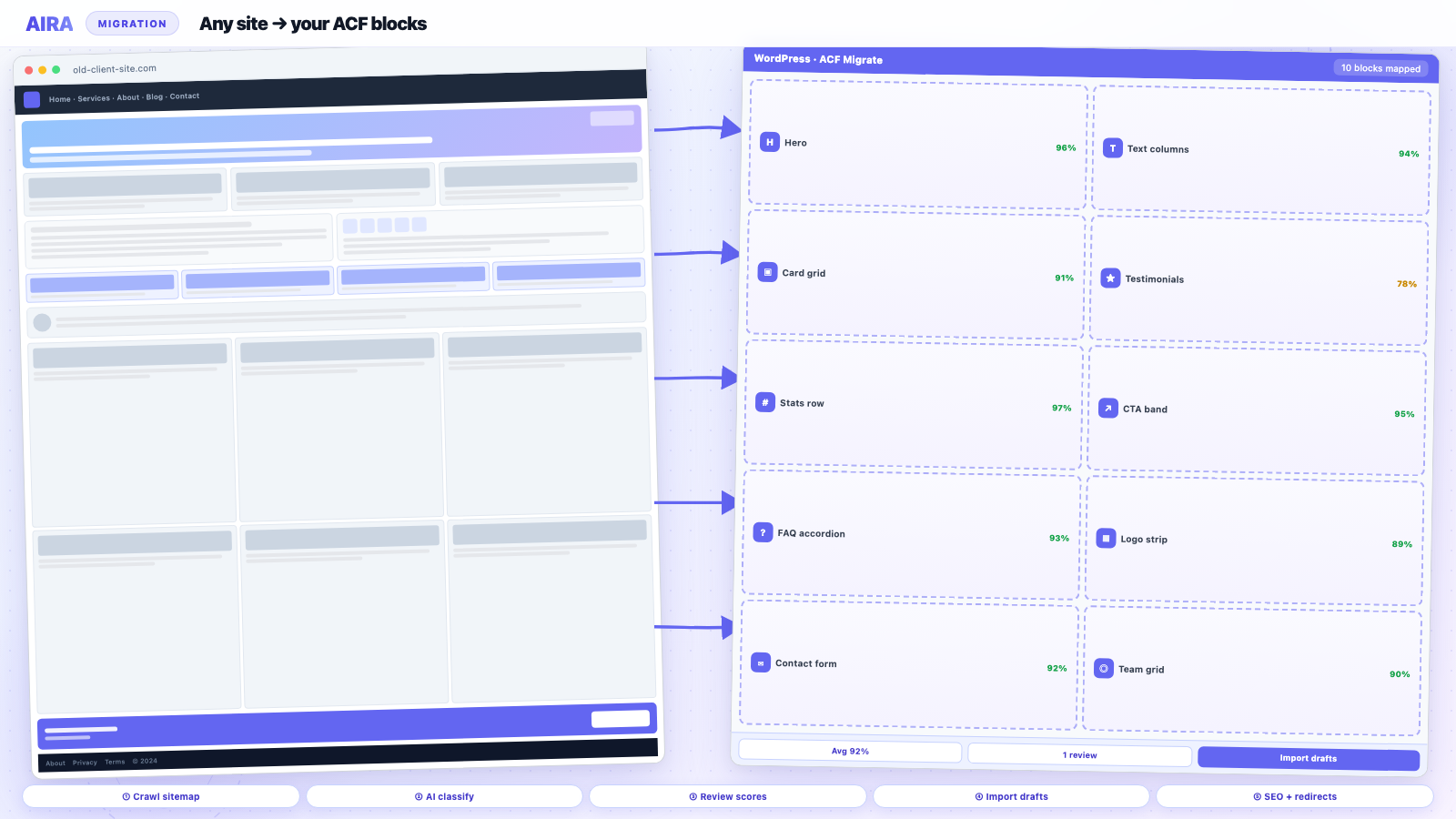
CPT migration combines WXR or WP-CLI bulk import for records with crawl mapping for builder-built singles. Register CPTs and matching ACF field groups before import, remap relationship field IDs by slug, rebuild archive templates, and 301 every old CPT URL including feeds and paginated archives.
Who this is for
- Agencies: Sites with portfolio, case studies, team, or resource CPTs alongside marketing pages.
- Freelancers: Rebuilds where the client assumes 'posts will just move' — they won't without CPT work.
- Developers: Theme authors registering post types, archives, and ACF field groups on the new build.
Steps at a glance
- Audit every post_type and its archive/single templates on the old site.
- Register CPTs and field groups on the new theme before data import.
- Migrate records (WXR, WP-CLI, or targeted crawl) and rebuild templates.
- Redirect old CPT URLs and validate archives in staging.
Custom post types are how WordPress agencies model content that does not fit the standard post or page bucket: case studies, team members, testimonials, offices, FAQs as structured entries, download resources, events, and portfolio pieces. They live in wp_posts with a different post_type value, usually have their own ACF field groups, and often power archive and single templates your theme registers. When you rebuild a client site on a new ACF block theme, page migration alone leaves every CPT entry behind — or worse, imports them without the theme code that knows how to render them. This guide covers CPT migration end to end: planning the content model, moving data, rebuilding templates, and handling the URL and SEO implications agencies routinely underestimate.
CPT migration vs page migration
AIRA and similar crawl-and-map tools target rendered pages — URLs that return HTML in a browser. A single case study at /work/acme-rebrand/ is a crawlable URL. The case study post type archive at /work/ is crawlable. Individual team members at /team/jane-smith/ are crawlable if the old theme exposed them. What is not crawlable as page sections: the raw CPT admin entries sitting in wp-admin, relationship fields pointing between posts, and taxonomy structures that only exist in the database. CPT migration therefore combines URL-level content mapping for public singles with database-level export/import for the full corpus when volume is high.
| CPT pattern | Migration approach | Complexity |
|---|---|---|
| Public singles + archive | Crawl singles; rebuild archive template | Medium |
| Admin-only CPT (no public URL) | WXR or DB export/import | Low–medium |
| CPT with relationships | Export + remap post IDs | High |
| CPT powering page builder grids | Crawl grid pages + migrate CPT separately | High |
| Retire CPT on new site | 301 singles to hub; document content loss | Low |
Step 1: Decide the new content model
Rebuilds are the right moment to fix CPT sprawl. Old sites accumulate post types from retired plugins, deprecated themes, and one-off client requests. Inventory every registered post_type on the old site — wp post list or register_post_type scan in code — and decide for each: keep with same slug, keep with renamed slug, merge into standard posts, merge into pages, or retire.
Common CPT decisions
- arrow_rightPortfolio / case_study → keep; often central to agency client sites.
- arrow_rightteam → keep or merge into About page repeater if team is small and static.
- arrow_righttestimonial → often becomes ACF repeater on homepage rather than standalone CPT.
- arrow_rightoffice / location → keep for multi-location businesses; map to store locator block.
- arrow_rightevent → keep if events are active; retire if calendar abandoned years ago.
- arrow_rightattachment-like resource CPT → consider Media Library + download block instead.
Step 2: Register CPTs and taxonomies on the new site
Add register_post_type calls in your theme or a must-use plugin. Match rewrite slugs deliberately — changing /portfolio/ to /work/ requires redirects for every indexed single and the archive. Register taxonomies (project_type, industry, department) before importing terms. If the old site used a CPT UI or Pods, export the registration code rather than hand-rewriting from memory.
Step 3: Migrate CPT data
WXR export/import
WordPress Tools → Export supports selecting a custom post type. Export file includes posts, terms, and post meta. Import on staging with the WordPress importer. Attachment IDs and post_parent relationships may need remapping scripts. Best for: clean CPTs without page-builder content in the body field.
WP-CLI
wp post list --post_type=case_study and SQL exports give developers precise control. Useful when merging post types or transforming meta during import. Document every CLI script in the project repo for repeatability.
Crawl singles via AIRA
When case study singles were built in Elementor or Divi, crawl each public URL and map sections into your case_study ACF block template — hero, challenge, solution, results stats, image gallery. Import as the case_study post type if your bundle supports post type targeting, or import as drafts and bulk-reassign post_type in admin. Volume tip: crawl top twelve case studies by traffic; bulk WXR the remainder if bodies are simple.
ACF field mapping on CPTs
CPT field groups attach by location rule — post type equals case_study. Field keys (_client_name, _project_year) must be identical on old and new installs for meta to survive import. If you rename fields during the rebuild, write a migration script: get_post_meta old key → update_post_meta new key. Relationship fields store post IDs — after import, run a remapping pass matching old and new posts by slug.
| Field type | Migration note |
|---|---|
| Text / textarea / WYSIWYG | Survives WXR if keys match |
| Image / file | Remap attachment IDs or sideload by URL |
| Relationship / post_object | Remap IDs by slug lookup after import |
| Taxonomy | Import terms first; assign on post import |
| Repeater / flexible content | Keys must match; count rows in QA |
| Google Map | Lat/lng copy directly |
Rebuild archive and single templates
CPT content without templates is invisible. Build single-{post_type}.php or use ACF block-based single templates in your theme. Archive template needs pagination, filter UI if the old site had AJAX filters, and empty states. Salient portfolio, Avada portfolio, and Bricks query loops all had custom archive behaviour — document what the old archive did and replicate or simplify.
URL redirects for CPT changes
- arrow_rightSame slug, same post_name: often no redirect needed if domain unchanged.
- arrow_rightCPT rewrite slug changed (/portfolio/ → /work/): 301 archive and every single.
- arrow_rightMerged into pages: 301 each single to the most relevant static page.
- arrow_rightRetired CPT: 301 to services hub or blog; do not 404 indexed case studies.
- arrow_rightFeed URLs: /work/feed/ may need redirect if subscribers exist.
Builder-specific CPT notes
Salient portfolio and Avada Fusion portfolios store grid layouts as shortcodes on pages while CPT entries hold project meta. Migrate both layers. Elementor loop grids pull CPT posts dynamically — crawling the grid page captures rendered cards, not the underlying CPT field structure; prefer WXR for the CPT records themselves.
QA for CPT migrations
- 1Every public single returns 200 with correct template.
- 2Archive pagination works; filter parameters do not 404.
- 3Relationship fields resolve — related case studies link correctly.
- 4Featured images and og:image on CPT singles.
- 5Schema markup (CreativeWork, Article) validates in Rich Results Test.
- 6Admin list table shows expected post count vs old site.
- 7No orphaned post meta from deactivated plugins.
Cross-reference migration QA checklist, redirect map guide, and ACF JSON export for field group setup.
Pods, Toolset, and legacy CPT plugins
Sites built with Pods or Toolset Types register CPTs in plugin data, not always in theme code. Export registration settings before deactivating — rebuild as native register_post_type in the theme for long-term maintainability. Toolset relationships and Views shortcodes do not survive theme migration; map Views to native archive templates and ACF block queries. Budget extra QA when the old site rendered CPT lists via [wpv-view] shortcodes embedded in page builder pages.
Faceted search and AJAX filters
Portfolio archives with Isotope filters, FacetWP, or Search & Filter Pro depend on taxonomy term slugs and JavaScript that re-queries on selection. If you rename project_type terms during migration, filter URLs and AJAX endpoints break silently. Document active filter parameters from the old site; replicate term structure or add redirects from old filter query strings. Test filter combinations on mobile — touch events and lazy-loaded grids cause separate bugs from desktop.
Legal and compliance for CPT data
Team CPTs may include personal data (email, phone) subject to GDPR. Case studies may reference clients under NDA — verify publishing permissions before bulk import. Retiring a team CPT but leaving member singles indexed creates awkward 404s for people searches — noindex retired singles or 301 to team hub with explanation.
Post-migration CPT maintenance
Train clients on adding new case studies through the ACF field group — not by cloning old builder pages. Provide a one-page 'add a project' doc with required fields, image dimensions, and SEO checklist per CPT single. Hook SEOPress templates for CPT singles so editors do not hand-write titles on every entry.
Worked example: agency portfolio CPT
A design agency site has eighty case_study CPT entries with ACF fields: client_name, industry taxonomy, hero_image, challenge (WYSIWYG), results_stats repeater, and gallery. Old singles were Elementor-built; archive used an Elementor loop grid. Migration plan: WXR export all eighty posts with meta and terms; crawl top fifteen case studies for layout-rich singles into the new case_study block template; rebuild archive as ACF block query with industry filter; 301 /portfolio/ to /work/; remap relationship field 'related_projects' via WP-CLI slug lookup. QA: every industry filter combination, gallery lightbox, and OG image on share. CPT work: four days alongside marketing page migration — not zero.
When CPT migration should block launch
If case studies are the primary sales asset and even three flagship singles 404, delay launch. If team CPT is decorative and About page has manual bios, team singles can wait. Agree launch criteria with the client in writing — 'all /work/ URLs must resolve' is a harder gate than 'homepage approved.'
Syncing CPT counts with client expectations
Clients remember 'we have about sixty case studies' — importers report fifty-four because six were draft or private on the old site. Run post counts by status before sign-off. Missing entries may be trashed spam, duplicate drafts, or posts under a deprecated post_type the client forgot. Transparency in the handover meeting prevents 'you lost our work' conversations.
ACF Blocks for CPT singles vs classic templates
Two patterns: PHP single-case_study.php with the_field() calls, or full Gutenberg editing with ACF blocks allowed only on CPT singles. Block-based singles let editors tweak layout per case study; template-based singles enforce consistency. Migration mapping differs — block singles can import as block markup; template singles populate meta fields only. Decide before migration, not during QA.
Related guides for a complete CPT rebuild
CPT migration sits alongside other rebuild work — not instead of it. Builder-built singles: crawl per Elementor, Divi, or Salient portfolio guides. Images in ACF gallery fields: media library migration. URLs: redirect map. Launch gates: migration QA checklist and post-launch monitoring. Full pipeline: how to migrate into ACF blocks.
Frequently asked questions
Can AIRA migrate custom post types?expand_more
AIRA crawls public URLs and maps rendered content into your ACF blocks. Use it for CPT singles built in page builders. Pair with WXR or WP-CLI for bulk CPT record import and relationship field remapping. For eighty identical CPT records with simple fields, WXR alone is faster than eighty crawl credits.
Should testimonials stay a CPT or become a repeater?expand_more
Under roughly twelve testimonials with rare changes, a homepage repeater is simpler. Larger libraries, filtering, or dedicated testimonial archive pages justify a CPT.
What happens to CPT URLs if I forget redirects?expand_more
Indexed case studies and portfolio pieces 404 — often high-value backlinks and sales collateral. Always crawl the old CPT sitemap and map every single URL before decommissioning the old theme.
Do ACF field groups migrate automatically?expand_more
Field group definitions migrate via JSON export/import. Post meta values migrate via WXR or custom scripts. Both must use matching field keys on the destination site.

Ryan Hale
Head of Front End Development
Ryan Hale is Head of Front End Development at AIRA, where he leads the team building the engine that migrates WordPress sites into native ACF blocks. He has spent more than a decade building and rebuilding WordPress sites for agencies, with deep, hands-on expertise in Advanced Custom Fields, Gutenberg block development, and large-scale content migrations that protect search rankings. He writes about ACF, moving off page builders like Elementor and Divi, and the practical craft of shipping fast, maintainable WordPress rebuilds.
Reviewed to our editorial guidelines.



