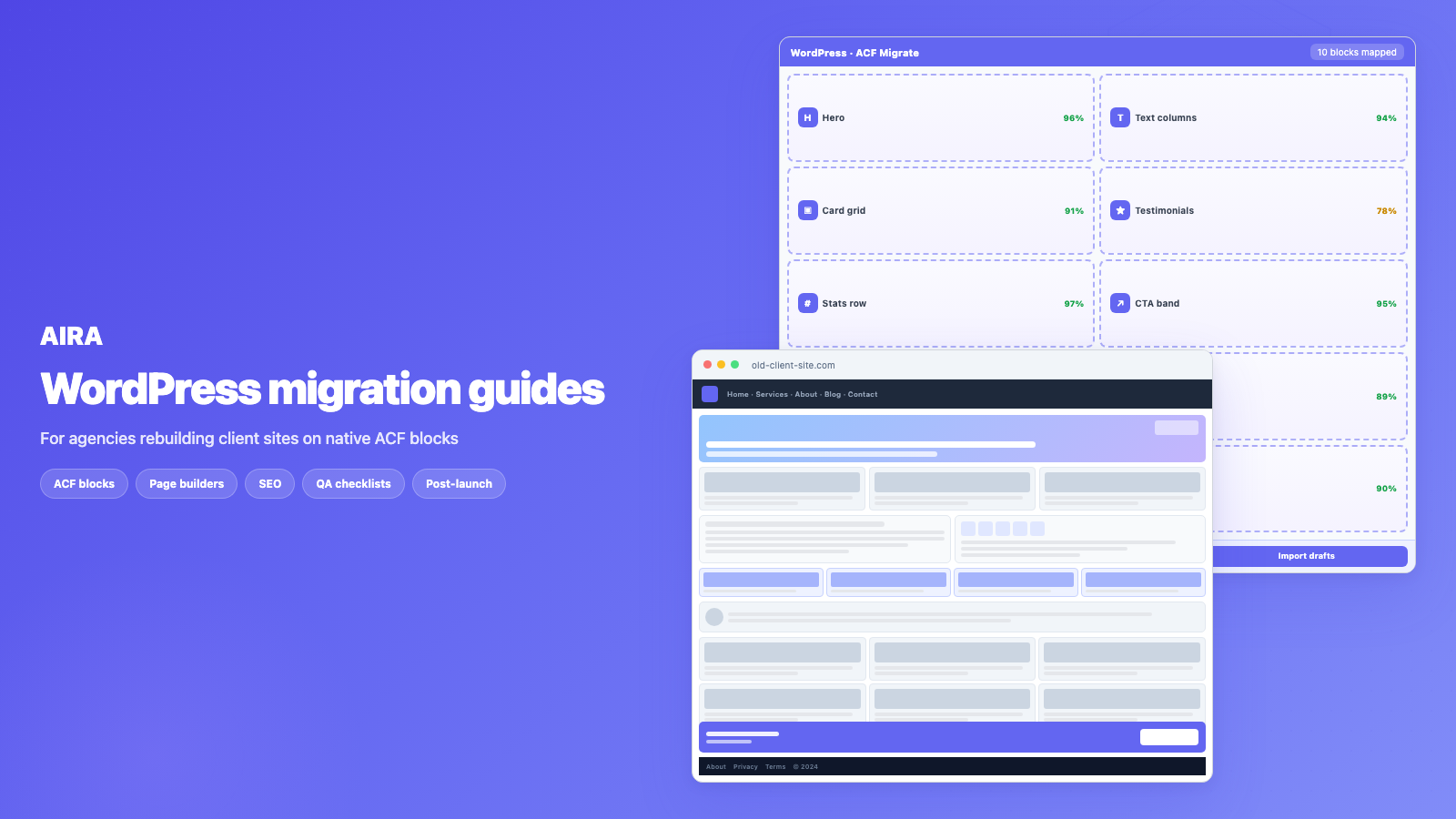
Migrating from Divi to native Gutenberg & ACF blocks
Leaving Divi for native Gutenberg and ACF blocks? What breaks when you deactivate Divi, how to map modules to blocks, and a step-by-step agency migration…
verifiedReviewed by Tommy Smith,Content Director

Divi stores layout in shortcodes and post meta — copy-paste fails on rebuild. Crawl the rendered site, classify sections into your ACF blocks, review confidence scores, and import native block drafts instead of pasting Divi markup.
Divi builds fast, but it leaves a mark: every module is stored as a Divi shortcode, so your content is locked to the builder. Agencies move clients onto native Gutenberg blocks backed by ACF for the same reasons they leave any page builder — leaner output, better performance, no builder runtime to ship, and content their editors can actually maintain. If you have inherited a Divi site for a rebrand, this is the playbook we use.
Why agencies leave Divi
- arrow_rightPerformance: Divi enqueues its own CSS and JS on every page, inflating DOM size and hurting Core Web Vitals.
- arrow_rightLock-in: content lives in [et_pb_section] shortcodes — deactivate Divi and pages collapse.
- arrow_rightLicence cost: Elegant Themes licences scale across a client portfolio.
- arrow_rightEditor friction: content teams work in Divi Visual Builder while blog posts may sit in Gutenberg — two editors, two workflows.
- arrow_rightMaintenance: theme updates and Divi compatibility testing eat into margins on long-term support contracts.
What happens if you just deactivate Divi
This is the trap. Divi stores layouts as shortcodes like [et_pb_section]…[/et_pb_section] inside the post content. Switch it off and those shortcodes do not render — they show up as raw text or vanish, leaving blank pages. You cannot simply turn Divi off and swap the theme. The content has to be migrated out of the shortcode format first.
Some teams try exporting Divi layouts or using Divi's own portability tools. Those move layouts between Divi installs — they do not produce native Gutenberg blocks or ACF field values. The only reliable source is the rendered front-end page: what visitors and Google actually see.
How Divi stores content
| Storage location | What it holds | Migration approach |
|---|---|---|
| post_content | Divi shortcodes wrapping text and modules | Crawl rendered output, not raw shortcodes |
| post meta (_et_pb_*) | Layout JSON, section settings, module config | Ignore for content — render meta drives front-end |
| Divi Library | Saved sections, rows, modules | Inventory separately; may not appear in page crawl |
| Theme Builder | Headers, footers, templates | Rebuild as theme template parts |
| Theme options | Colours, fonts, button styles | Rebuild in new theme — do not migrate |
Divi modules to ACF blocks mapping
| Divi module | ACF block target | Notes |
|---|---|---|
| Fullwidth Header / Slider | Hero or hero slider block | One repeater row per slide |
| Blurb / Icon | Features or card grid | Icon + heading + body per row |
| Testimonial | Testimonial repeater | Avatar, quote, name, role |
| Accordion / Toggle | FAQ block | One row per panel |
| Gallery / Image | Gallery or image-text block | Sideload all images |
| Call To Action | CTA block | Heading, body, button link |
| Contact Form | Rebuild in Gravity Forms / WPForms | Do not migrate handler blindly |
| Blog / Portfolio | Archive template or posts grid | Dynamic query on new theme |
A clean Divi-to-ACF migration
- 1Audit the Divi site: page count, Theme Builder templates, Divi Library items, custom post types.
- 2Register your target ACF block library on the new build and export the field groups as JSON.
- 3Crawl the live Divi pages so the fully rendered content is what gets classified.
- 4Map each Divi section to its matching ACF block; anything ambiguous falls back to an editable text block so nothing is lost.
- 5Review confidence scores, fix the few that need it, and import as drafts.
- 6Rebuild Theme Builder templates (header, footer) on the new theme before removing Divi.
- 7Run QA, load redirects, preserve SEO metadata, then deactivate Divi on staging and confirm nothing breaks.
Pre-migration checklist
- 1Full backup of live site (files + database).
- 2Staging environment with new theme and ACF block library active.
- 3ACF JSON export committed and uploaded to migration tool.
- 4URL map for any slug changes (services → what-we-do, etc.).
- 5Inventory of Divi Theme Builder templates and global sections.
- 6List of forms, popups, and dynamic modules needing manual rebuild.
- 7Client sign-off on design QA expectations — layout will match new blocks, not pixel-perfect Divi.
Theme Builder and global layouts
Divi Theme Builder controls headers, footers, archive templates, and 404 pages outside post_content. A page-body migration will not capture these. Inventory every Theme Builder assignment in Divi → Theme Builder before you crawl. Rebuild headers and footers as PHP template parts on the new theme. Archive and single templates for custom post types need explicit planning — they will not land automatically in a bundle import.
Common Divi migration mistakes
- arrow_rightCopying rendered HTML into a Classic block — preserves Divi wrapper divs and inline styles.
- arrow_rightMigrating from shortcodes in the editor — field values do not extract from [et_pb_blurb] attributes.
- arrow_rightAssuming Divi Library items migrated because pages did — library items are separate.
- arrow_rightForgetting Divi split testing and conditional content — may not appear in standard crawl.
- arrow_rightDeactivating Divi before import is complete — you lose the rendered source.
- arrow_rightNo fallback block in the mapping spec — ambiguous sections get dropped instead of preserved.
- arrow_rightSkipping redirect map when slugs change — Divi permalink structures often differ from clean URL rebuilds.
Performance gains to expect
Divi pages routinely carry 40–120+ DOM nodes per section and hundreds of kilobytes of builder CSS. Native ACF blocks output only what your template enqueues. Run Lighthouse on the same page before and after on identical hosting — the mobile score improvement is your client conversation. See WordPress page builder performance problems for the full metrics breakdown.
SEO preservation
Divi does not protect your SEO — your migration process does. Carry over titles, meta descriptions, canonicals, and heading structure. Set up 301 redirects for any URL changes. Integrate with Yoast or Rank Math on the new build. The full checklist is in rebuild without losing SEO.
The result is a site built from your own blocks, with Divi removed entirely. The approach is the same one we use migrating off Elementor — only the source markup differs. AIRA crawls Divi pages, classifies sections into your ACF blocks, and produces a bundle for import.
Divi module edge cases
Some Divi modules need explicit handling beyond the standard mapping table. Divi counters and number counters map to a stats repeater block — one row per stat. Divi person modules map to team repeaters. Divi code modules contain raw HTML or scripts — review manually; do not blindly import. Divi map modules need a dedicated map block or an embedded iframe field. Divi video sliders combine video URLs and poster images — extract both into your hero slider repeater.
Phased migration approach
You do not have to migrate every page in one pass. A sensible phasing for large Divi sites: batch one covers homepage, top-level services, and about page. Batch two covers remaining service pages and landing pages. Batch three covers blog archive templates and utility pages. Each batch imports as drafts, gets QA'd, and publishes before the next batch starts. Divi stays active until the last batch is verified — never deactivate early.
Client communication template
Set expectations before you start. Tell the client: content and structure carry over; visual styling comes from the new design system; some Divi-specific effects (parallax, scroll animations, divider shapes) will not replicate; forms and popups need rebuilding; the homepage will need the most review time. Provide a side-by-side staging link early. Clients who see populated ACF blocks in Gutenberg understand the migration faster than clients who only see a project timeline.
Post-migration Divi cleanup
- 1Deactivate Divi on staging — confirm every page still renders.
- 2Search database for remaining [et_pb_ shortcodes — should be zero in migrated pages.
- 3Remove Divi from plugins list on production after cutover.
- 4Cancel Elegant Themes licence if no longer needed.
- 5Update editor training docs — Gutenberg + ACF fields only.
- 6Archive old Divi Library exports for reference, then delete from server.
Working with Divi child themes
Many agency-built Divi sites use child themes with custom modules, injected CSS, and overridden module templates. The child theme does not change how content is stored — shortcodes in post_content are the same — but custom modules may render markup the classifier has never seen. Crawl a few pages using custom modules first and check confidence scores before committing to a full sitemap crawl. Document any custom module that maps to a bespoke ACF block you may need to register.
Divi and multilingual sites
WPML and Polylang Divi sites add a layer: each language may have separate page versions with different Divi layouts. Crawl each language's sitemap separately. Field values migrate per page, but your block library and field keys stay the same. URL structure for language prefixes (/en/, /fr/) needs redirect mapping per language. Do not assume translating the homepage layout in Divi means the English crawl covers the French version.
When to quote manual QA time
Automated classification handles 85–95% of Divi sections on typical brochure sites. The remaining 5–15% needs human review: nested rows with mixed modules, custom CSS sections, split tests, and conditional display. Quote review time as a line item — typically 15–30 minutes per inner page and 2–4 hours for the homepage. Clients who understand this upfront do not panic when you send a staging link that needs their sign-off before publish.
Divi licence and long-term cost
Elegant Themes licences renew annually. For an agency managing eight Divi client sites, that is eight renewals, eight compatibility tests after Divi updates, and eight support queues when a Divi update breaks a custom module. Migrating to ACF blocks removes the per-site builder licence and consolidates support around your own code. Include three-year licence savings in the rebuild business case — clients respond to concrete numbers.
AIRA workflow summary for Divi
- 1Build ACF block library; export JSON.
- 2Upload JSON to AIRA; submit Divi site sitemap.
- 3Review classified sections; fix low-confidence blocks.
- 4Download bundle.json; import as drafts via ACF Migrate plugin.
- 5QA on staging; publish incrementally.
- 6Deactivate Divi; load redirects; monitor Search Console.
Divi split testing and conditional content
Divi supports A/B split testing and display conditions (user role, logged in, cookie). The crawler sees whichever variant renders on crawl day — not all variants. If the client ran split tests, confirm which variant is the winner before crawling. Conditional sections hidden from anonymous crawlers will not appear in the bundle — inventory them in Divi and decide whether to migrate manually or drop them.
For most agency rebuilds, the combination of rendered-page crawl, ACF block mapping, confidence review, and draft import handles Divi sites reliably. The approach is proven across hundreds of Divi exits — the variable is review time on complex homepages, not whether the migration is possible.
Divi migration is not a plugin toggle — it is a content extraction job. Treat it like one and you will not lose pages on launch day.
What to read next on this rebuild
Divi shortcodes in blog posts and CPT singles often survive long after marketing pages are rebuilt — see shortcode cleanup after migration. Portfolio and project layouts frequently combine Divi pages with a separate CPT; scope both in the CPT migration guide. The page builder exit guide covers SEO and redirects across every builder, not just Divi.
Frequently asked questions
Can I just disable Divi and keep my content?expand_more
No. Divi stores layouts as shortcodes in your post content, so disabling it leaves raw shortcodes or blank pages. You need to migrate the rendered content into native blocks before removing Divi.
Will my Divi pages look the same after migrating to ACF blocks?expand_more
The content and structure carry over, but styling comes from your new theme's ACF blocks rather than Divi. Budget for design QA — the payoff is lighter, faster, fully owned markup with no builder dependency.
Does Divi export work for migrating to ACF?expand_more
Divi's portability export moves layouts between Divi installs. It does not produce ACF field values or native Gutenberg block markup. Section-level mapping from the rendered page is the correct path.
What about Divi Theme Builder headers and footers?expand_more
Theme Builder templates live outside page content. Rebuild them as theme template parts on the new build. Inventory all Theme Builder assignments before deactivating Divi.
How long does a Divi to ACF migration take?expand_more
A 30–50 page Divi site typically takes one to three days for automated mapping and review, plus design and block development time. Homepage and complex landing pages need disproportionate review time.
Can I migrate Divi blog posts?expand_more
Yes, if posts were built in Divi. Standard WordPress posts without Divi modules migrate more easily via WXR. Divi-built posts need the same crawl-and-map approach as pages.
What confidence scores should I worry about?expand_more
Review anything below 80% before import. Low-confidence sections are usually ambiguous layouts — multi-column blurb rows, nested modules, or custom CSS sections. Reassign the block type or fix fields in the review UI.
Do I need to keep Divi active during the crawl?expand_more
Yes. The crawl reads the rendered front-end. Deactivate Divi first and pages render as shortcode text — the classifier has nothing useful to read.
How do I handle Divi contact forms?expand_more
Rebuild forms in Gravity Forms, WPForms, or Fluent Forms on the new site. Do not migrate Divi's form handler — connect the new form to the CTA block or a dedicated form block.
Will removing Divi break WooCommerce pages?expand_more
Only if shop pages were built with Divi modules. Standard WooCommerce templates may need rebuilding on the new theme regardless. Audit cart, checkout, and product pages separately.
Can agencies standardise on one block library after Divi?expand_more
That is the main driver. One ACF block library across clients means one migration spec, one editor training doc, and one support playbook. See our agency workflow for how teams scale this.

Ryan Hale
Head of Front End Development
Ryan Hale is Head of Front End Development at AIRA, where he leads the team building the engine that migrates WordPress sites into native ACF blocks. He has spent more than a decade building and rebuilding WordPress sites for agencies, with deep, hands-on expertise in Advanced Custom Fields, Gutenberg block development, and large-scale content migrations that protect search rankings. He writes about ACF, moving off page builders like Elementor and Divi, and the practical craft of shipping fast, maintainable WordPress rebuilds.
Reviewed to our editorial guidelines.