How to rebuild a WordPress site without losing SEO
Preserve Google rankings when rebuilding WordPress — 301 redirects, metadata, canonicals, internal links, structured data and post-launch Search Console…
verifiedReviewed by Tommy Smith,Content Director
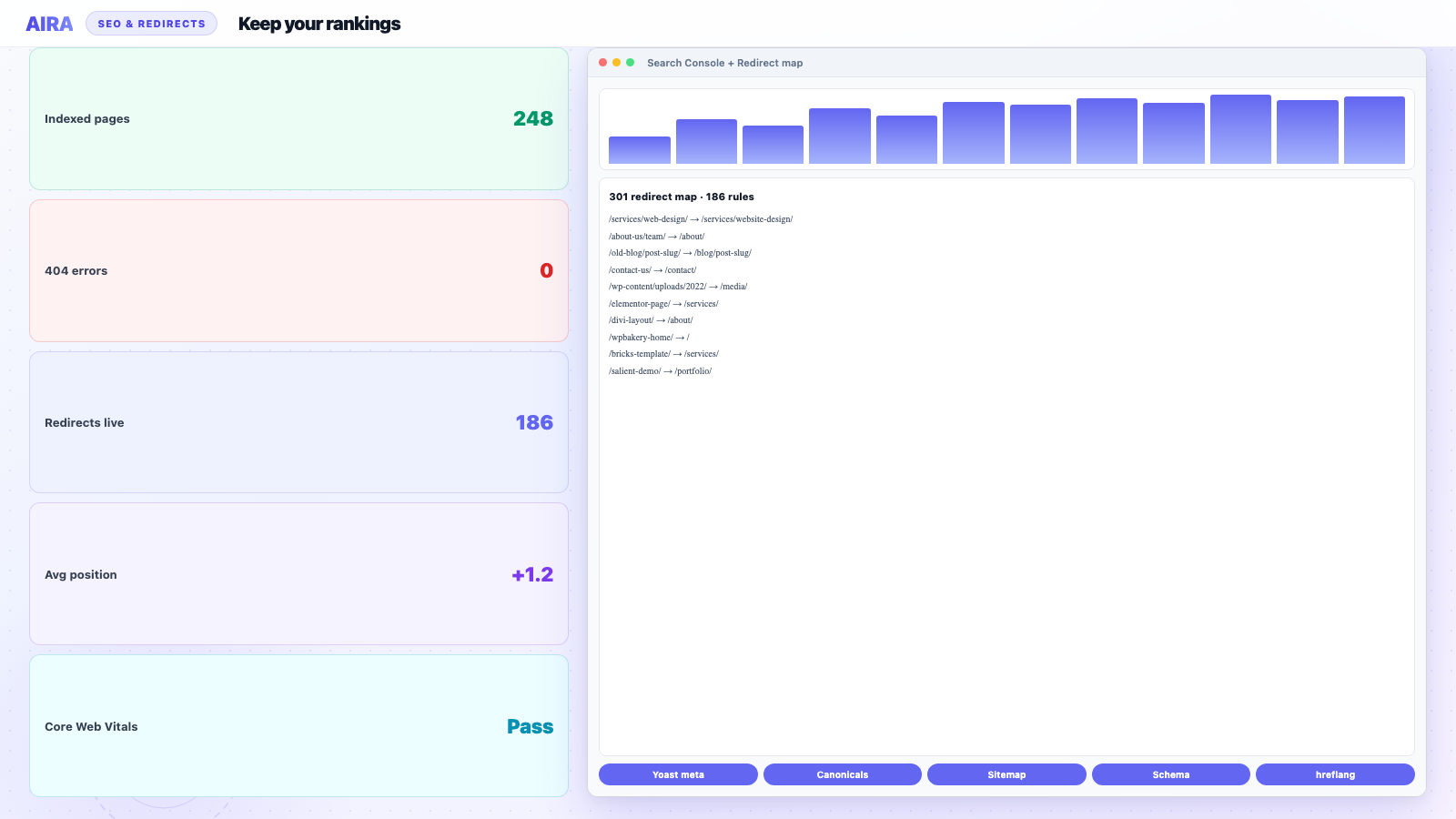
Preserve SEO on a WordPress rebuild with a complete 301 redirect map, matching titles and meta descriptions, canonical tags, rewritten internal links, intact structured data, and Search Console monitoring for four weeks post-launch.
The most common way a redesign goes wrong is invisible on launch day and obvious three weeks later, when organic traffic falls off a cliff. Search engines have years of equity tied to your existing URLs, titles, internal links and structured data. Rebuild without a plan to carry that forward and you start from scratch — on the client's timeline, on their budget, with their account manager on the phone. Treat every rebuild as a migration first and a redesign second.
1. Map every old URL to a new one
Before launch, crawl the old site and export every indexable URL — pages, posts, categories, tags, custom post types, paginated archives. For each URL, decide: same path on new site, new path with 301, merge into another page, or deliberate removal (410).
Full workflow: how to build a redirect map after redesign. Even trailing-slash or case differences count as URL changes.
2. Preserve titles, descriptions and canonicals
Page titles and meta descriptions influence rankings and click-through rate. Carry them into Yoast or Rank Math on the new site — do not regenerate from scratch unless you have a deliberate SEO strategy change.
- arrow_rightExport or migrate Yoast/Rank Math post meta with content — preserve Yoast SEO.
- arrow_rightSet self-referencing canonical on every indexable URL.
- arrow_rightAvoid duplicate titles across merged pages.
- arrow_rightKeep focus keyphrases where they still reflect page intent.
- arrow_rightVerify Open Graph and Twitter cards if social traffic matters.
3. Keep heading structure and internal links
On-page structure signals what each page is about. Migration is a common moment H1s multiply or disappear into block fields.
- arrow_rightOne clear H1 per page; logical H2/H3 hierarchy below it.
- arrow_rightRewrite internal links to new paths — do not rely on redirect chains for on-site navigation.
- arrow_rightPreserve high-value anchor text; avoid collapsing links to generic 'click here'.
- arrow_rightUpdate XML sitemap and internal links to new URL patterns together.
4. Do not lose structured data
If the old site had Organisation, Article, FAQ, Product, LocalBusiness or Breadcrumb schema, rebuild it on the new theme. Rich results earned over months can vanish when markup disappears — sometimes before rankings move, making diagnosis harder.
- arrow_rightAudit rich result types in Search Console before migration.
- arrow_rightMap schema sources: SEO plugin, theme, custom code, ACF blocks.
- arrow_rightValidate with Google Rich Results Test on staging.
- arrow_rightFAQ blocks in content need FAQPage schema if you target FAQ snippets.
5. Technical SEO foundations
- arrow_rightRobots.txt allows key paths; blocks only what should be blocked.
- arrow_rightHTTPS enforced; no mixed content on migrated images.
- arrow_rightHreflang correct on multilingual rebuilds.
- arrow_rightPagination and archive URLs handled in redirect map.
- arrow_rightCore Web Vitals: migration is not an excuse for a slower launch — compare Lighthouse before and after on same hosting.
6. Verify after launch
- 1Submit new XML sitemap in Google Search Console.
- 2Check Coverage/Pages report for spikes in 404s or 'Page with redirect' on final URLs.
- 3Spot-check top 50 URLs by traffic: old URL 301s to correct new URL.
- 4Re-crawl site; confirm no orphaned pages or broken internal links.
- 5Monitor rankings and impressions for four weeks — post-launch monitoring.
- 6Run migration QA checklist items for SEO specifically.
Treat a rebuild as a migration first and a redesign second. The design is what users notice on day one; the migration is what protects the traffic that pays for it.
Content migration and SEO
SEO preservation is not only redirects. When content moves from Elementor, Divi or Avada into ACF blocks, word count, keyword placement and image alt text can shift accidentally. Compare staging to old site on high-value URLs — not pixel-perfect design compare, but title, H1, meta, word count and link count.
Crawl-and-map migrations that rewrite links and carry metadata beat copy-paste for SEO outcomes. See AI WordPress content migration and ACF blocks migration guide.
When rankings dip anyway
A small temporary fluctuation after a large migration can be normal while Google recrawls. Sustained drops usually mean missing redirects, wrong canonicals, noindex accidentally applied, or substantial content/URL changes on money pages. Diagnose with Search Console URL Inspection and redirect chain tools — not by guessing.
Pair this checklist with the full WordPress migration checklist and rebuild timeline planning when scoping agency work.
Redirect implementation options
| Method | Pros | Cons |
|---|---|---|
| Redirection plugin | Editor-friendly, log visible | Plugin dependency |
| Rank Math / Yoast redirects | Already installed for SEO | Less flexible at scale |
| .htaccess / nginx rules | Fast at edge | Requires server access |
| CDN redirect rules | Global, low latency | Separate from WP admin |
Indexation and noindex pitfalls
New themes sometimes ship with 'discourage search engines' left on from staging. staging noindex meta copied to production nukes visibility. Check Settings → Reading and page-level noindex in SEO plugin on launch day. Compare indexed page count in Search Console week over week.
Analytics and reporting continuity
GA4 property and GTM container IDs should persist across rebuild unless deliberately replatforming analytics. Document UTM conventions and goal events before launch — comparing year-on-year traffic fails if launch week has a tracking gap. Mark launch date as an annotation in Analytics.
Local SEO and location pages
Multi-location businesses often have city landing pages with LocalBusiness schema. Carry NAP consistency (name, address, phone) exactly — 'improving' copy during migration can harm local packs. If location URL structure changes (/locations/bristol/ → /bristol-office/), each needs a 301 and Google Business Profile links may need client updates.
Blog and archive URL changes
Moving blog from /blog/post-name/ to /post-name/ is a common redesign 'simplification' that breaks thousands of indexed URLs. If you must do it, redirect every post, every category, every tag, every date archive and every pagination URL. Export the full crawl before change — blog migrations cause more 404 spikes than homepage redesigns.
Stakeholder SEO sign-off before launch
Create a one-page SEO sign-off sheet for client or in-house SEO lead: top 20 URLs with old title, new title, old meta, new meta, redirect Y/N, pass/fail. Side-by-side staging vs live screenshot optional for brand teams. No launch until sign-off — or explicit written acceptance of title changes on money pages. This prevents 'why did our rankings drop on /services/' conversations when someone renamed H1s during block migration without telling SEO.
International and hreflang rebuilds
Hreflang clusters must stay internally consistent after URL changes. One wrong language alternate breaks the whole cluster in Search Console. Map every language URL in the redirect spreadsheet alongside English. WPML and Polylang export hreflang metadata — verify it renders on staging view-source before launch.
Competitive and branded search during rebuild
Branded queries usually recover fastest if redirects and homepage metadata are correct. Non-branded money terms lag while Google reprocesses internal links and content signals. Set client expectation: branded recovery days to weeks; competitive terms may fluctuate longer.
Monitor Search Console Performance filtered by top ten queries weekly post-launch. A drop on branded terms suggests technical failure (wrong redirect, noindex). A drop only on competitive terms may be normal volatility — diagnose before panic-changing titles.
SERP feature and rich result recovery
FAQ, HowTo and Product rich results tied to old markup may drop before rankings move. Validate rich result types in Search Console Enhancements report pre and post launch. Rebuild FAQ blocks with valid FAQPage schema on new templates — not just visual accordions. Video schema and breadcrumb schema often lived in old SEO plugin config; export and reimport plugin settings where supported. Allow two to six weeks for rich result reprocessing; clients may see fewer enhanced listings temporarily even when blue-link rankings hold.
Screenshot Search Console Performance overview the day before launch — baseline for the post-migration conversation if impressions dip week two.
Summary
SEO-safe rebuilds need URL map, 301s, metadata carry-over, direct internal links, schema rebuilt, and four weeks monitoring. Design impresses on day one; redirects and titles protect the traffic that funds the project.
Backlink profile external links still point at old URLs — that is what 301s are for. Internal links are your responsibility entirely. Disavow and outreach are unchanged by rebuild unless domain name changes — domain migration is a harder problem than redesign on same domain.
Communicating SEO risk to stakeholders
Use traffic band scenarios: best case flat week one, likely case five to fifteen percent branded fluctuation, worst case incomplete redirects. Boards tolerate planned risk with numbers; they panic at unexplained dips.
Schedule a thirty-day SEO review meeting in the project plan before launch — not booked reactively when someone sees a chart.
Keep pre-migration Search Console export of top pages and queries in project folder — comparison deck for twelve-month retrospective with client.
Treat SEO preservation as non-negotiable scope, not a favour to the marketing team — rebuild contracts that cut redirects to save budget cut revenue next quarter.
If legal or compliance pages exist, preserve URLs exactly or redirect with permanent 301 — never soft-delete policies Google still indexes.
SEO checklist complete means redirects live, metadata matched, internal links direct, schema validated, sitemap submitted, and monitoring calendar booked — not "we will watch rankings."
Assign one named SEO owner for the four-week post-launch window — shared responsibility becomes nobody checks Search Console until the client escalates.
Run Rich Results Test on staging FAQ and Product templates before launch — schema regressions are invisible in visual QA until Search Console Enhancements drops.
Add launch date to the redirect plugin notes field — future you will wonder why /old-services/ redirects exist without context.
Book the four-week monitoring review before launch week — calendars fill and SEO retros get skipped.
Share the SEO sign-off sheet with the client's marketing lead and your project sponsor — aligned expectations prevent launch-week arguments about title tag tweaks.
SEO guides by plugin and content type
This guide is the overview — plugin-specific field migration lives in Yoast preservation, Rank Math preservation, and SEOPress preservation. Redirect mechanics: redirect map after redesign. CPT and portfolio URLs need their own redirect rows — see CPT migration. Multilingual hreflang: WPML and Polylang migration.
Frequently asked questions
Do I need 301 redirects if my URLs do not change?expand_more
If a URL is identical on the new site, no redirect is needed. You only need 301s for paths that change. Audit carefully — trailing slash, www vs non-www, and case differences count.
How long until rankings recover after a migration?expand_more
With redirects, metadata and structure preserved, most sites stabilise within a few weeks. Sloppy migrations can take months — or never fully recover.
Will a redesign hurt SEO even with the same URLs?expand_more
It can — if titles, headings, content depth, internal links or schema change materially. Same URL is necessary but not sufficient.
What is the most common SEO mistake on WordPress rebuilds?expand_more
Incomplete redirect maps — especially category archives, old blog pagination, and PDF URLs that still receive traffic.
Should I change page titles during a rebuild?expand_more
Only with intentional SEO strategy. Carrying existing titles preserves historical performance data and click-through patterns clients already have.
How do I preserve Yoast or Rank Math data?expand_more
Migrate post meta with content bundles or export/import SEO tables. Verify on staging before launch. Dedicated guide: preserve Yoast SEO during migration.
Do internal links matter if redirects work?expand_more
Yes. Redirects add latency and dilute equity passed between pages. Rewrite internal links to final URLs — see broken internal links guide.
When should I submit the new sitemap?expand_more
Within 24 hours of launch, after verifying staging redirects and spot-checks pass. Resubmit if major URL batches go live later.
Can I improve SEO during a rebuild?expand_more
Yes — fix thin content, improve Core Web Vitals, add schema. But separate 'migration preservation' from 'SEO improvement' so you do not accidentally change URLs and titles on money pages without redirects.
What should I monitor post-launch?expand_more
Search Console Coverage, indexed pages count, 404 spikes, redirect chains, top query impressions, and server logs for crawl errors. Active monitoring for four weeks minimum.
Does staging need to be noindex?expand_more
Yes — staging should block crawlers via noindex and/or authentication. Accidental indexing of staging duplicates hurts production SEO.

Ryan Hale
Head of Front End Development
Ryan Hale is Head of Front End Development at AIRA, where he leads the team building the engine that migrates WordPress sites into native ACF blocks. He has spent more than a decade building and rebuilding WordPress sites for agencies, with deep, hands-on expertise in Advanced Custom Fields, Gutenberg block development, and large-scale content migrations that protect search rankings. He writes about ACF, moving off page builders like Elementor and Divi, and the practical craft of shipping fast, maintainable WordPress rebuilds.
Reviewed to our editorial guidelines.