The WordPress migration checklist (free download)
The complete WordPress migration checklist for agencies — inventory, URL mapping, ACF content migration, SEO, redirects and post-launch verification. Free…
verifiedReviewed by Tommy Smith,Content Director
Before migrating WordPress: inventory every URL, map old to new paths, back up both sites, migrate content into ACF blocks as drafts, preserve SEO metadata and redirects, then verify links and rankings for four weeks after launch.
A site migration goes wrong in the gaps — the redirect nobody set, the meta description that got regenerated, the page that quietly 404s three weeks after launch. The fix is not talent or luck. It is a checklist you run every time, whether the site has five pages or five hundred. Below is the one we work through on every WordPress rebuild; grab the printable version to tick off as you go.
The five stages of a clean migration
Every migration moves through the same five stages. Skipping straight to 'move the content' is what causes the post-launch traffic dip. Treat these as gates: do not start stage three until stage two is signed off.
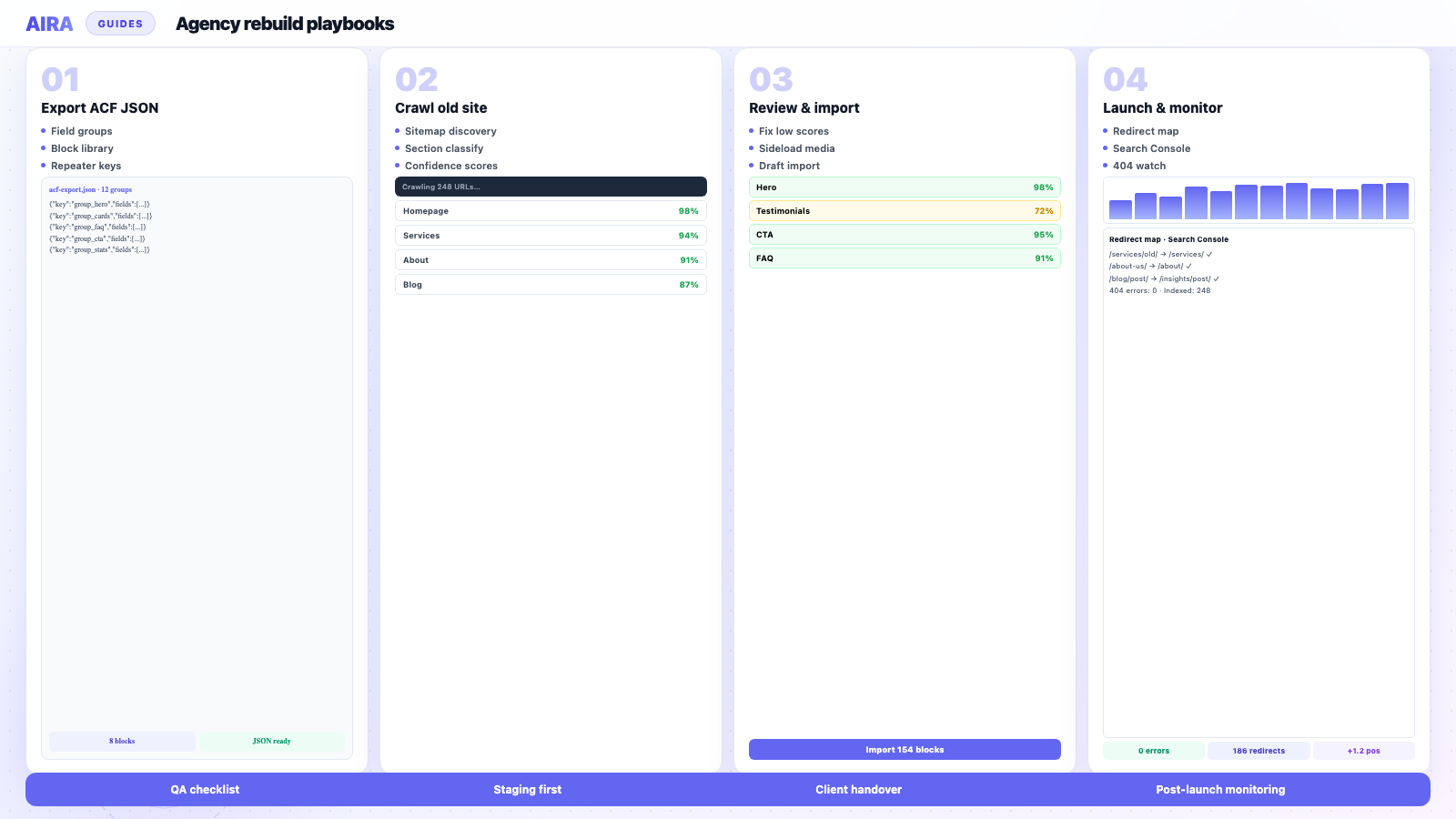
- 1Before you start — confirm the stack, export your ACF field groups, and back everything up.
- 2Inventory and URL mapping — crawl the old site and decide where every URL lands.
- 3Migrate the content — classify each section into the right ACF block and import as drafts.
- 4Protect your SEO — carry over metadata, set 301s, rebuild structured data.
- 5Launch and verify — submit the sitemap, check redirects, and watch Search Console.
The WordPress Migration Checklist
A printable, five-stage checklist covering everything from URL mapping to post-launch verification — so nothing slips through the cracks on your next rebuild.
- check_circlePre-flight & backup checks
- check_circleInventory and URL mapping
- check_circleContent migration into ACF blocks
- check_circleThe full SEO-preservation list
- check_circleLaunch-day & 4-week verification
Stage 1: Before you start
Rushing past preparation is how you migrate the wrong environment or discover mid-project that the new build is missing a block type for half the homepage.
- arrow_rightConfirm WordPress, PHP and hosting requirements on staging and production.
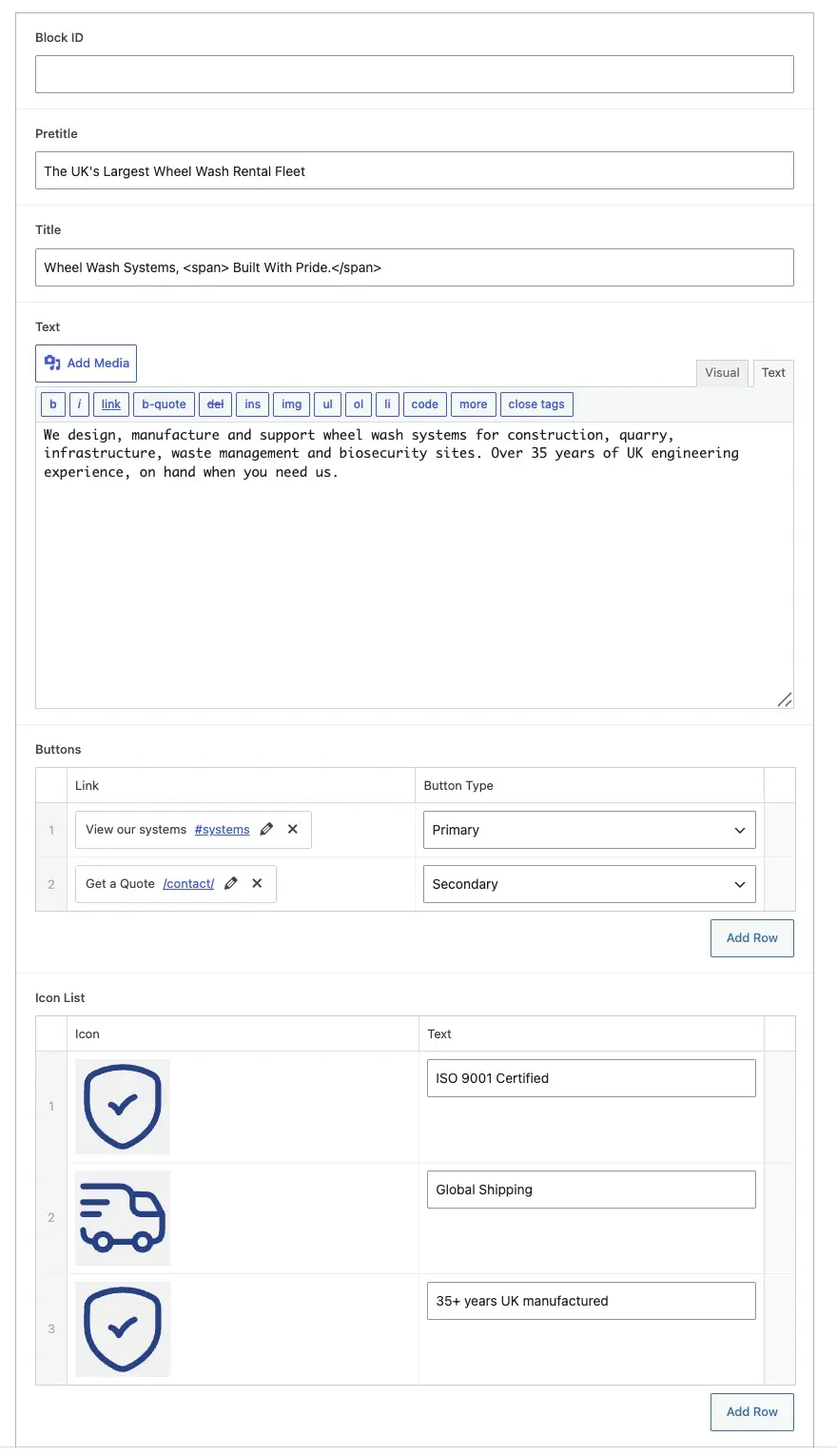
- arrow_rightExport ACF field groups as JSON — see ACF JSON export explained.
- arrow_rightFull backup of old site: database, uploads, wp-config. Store off-server.
- arrow_rightDocument active plugins, especially SEO, forms, caching and security.
- arrow_rightAgree URL structure with the client before design locks navigation.
- arrow_rightSet up staging that mirrors production PHP version and permalink settings.
- arrow_rightIdentify integrations: CRM, analytics, payment gateways, email.
Stage 2: Inventory and URL mapping
You cannot redirect what you have not listed. Crawl the old site and export every indexable URL — pages, posts, categories, tags, custom post types, paginated archives and PDFs if they rank.
- 1Crawl with Screaming Frog, Sitebulb or your migration tool.
- 2Export sitemap and compare against crawl — find orphans.
- 3For each URL, assign: keep same path, new path, merge with another page, or 410/remove.
- 4Build redirect map CSV: old path, new path, status code. See redirect map guide.
- 5Flag high-traffic and high-converting URLs for side-by-side QA after migration.
- 6Note pages with query strings or faceted URLs — they often need explicit rules.
Stage 3: Migrate the content
Content migration is where builder shortcodes, broken images and mangled layouts appear. The goal is drafts on staging that an editor can open in Gutenberg — not a one-shot live import.
- arrow_rightRegister target ACF blocks on staging; confirm JSON matches production plan.
- arrow_rightCrawl rendered front-end pages, not raw shortcode soup in the database.
- arrow_rightClassify each section into a block; low-confidence sections fall back to editable text.
- arrow_rightImport as drafts — never straight to publish.
- arrow_rightSideload images into the new Media Library; verify attachments.
- arrow_rightRewrite internal links to new paths during import.
- arrow_rightPreserve categories, tags and custom fields where the new structure supports them.
- arrow_rightRun shortcode cleanup after builder deactivation.
Full workflow: how to migrate a WordPress site into ACF blocks. Leaving Elementor, Divi, WPBakery or Avada? Use the builder-specific guides — the checklist stages are the same, only the source markup differs.
Stage 4: Protect your SEO
Search engines have years of equity tied to your URLs, titles and links. Carry it over deliberately.
- 1Migrate Yoast or Rank Math titles, descriptions and canonicals per page — Yoast preservation guide.
- 2Import 301 redirect map into Redirection, Rank Math or server config.
- 3Maintain one H1 per page and logical heading hierarchy.
- 4Rebuild structured data: Organisation, Article, FAQ, Product as applicable.
- 5Set self-referencing canonicals on every indexable URL.
- 6Update robots.txt and XML sitemap for new paths.
- 7Keep or improve Core Web Vitals — migration is not an excuse for a slow launch.
Companion reading: rebuild a WordPress site without losing SEO.
Stage 5: Launch and verify
Launch day is an exam, not a finish line. Run the migration QA checklist before DNS moves.
- arrow_rightPre-launch crawl on staging: 404s, redirect chains, broken images.
- arrow_rightSpot-check top 20 URLs by traffic side by side with old site.
- arrow_rightTest forms, search, menus and ecommerce checkout on mobile.
- arrow_rightDNS cutover with TTL lowered in advance.
- arrow_rightSubmit XML sitemap in Google Search Console.
- arrow_rightSpot-check old URLs return 301 to correct destinations.
- arrow_rightWeek one: second crawl, fix stragglers, monitor Coverage report.
- arrow_rightWeeks 2–4: post-launch monitoring for rankings and crawl anomalies.
Why a checklist beats memory
Migrations are bursty work — three in a month, then none for a quarter. That cadence is exactly when details get forgotten. A written checklist turns a high-stakes, infrequent task into a routine one.
- arrow_rightMakes invisible steps — redirects, canonicals, structured data — impossible to skip.
- arrow_rightWorks as a handover artefact; a teammate can pick up mid-project.
- arrow_rightDoubles as a client-facing scope document so expectations are set upfront.
- arrow_rightCreates an audit trail for regulated clients who need documented process.
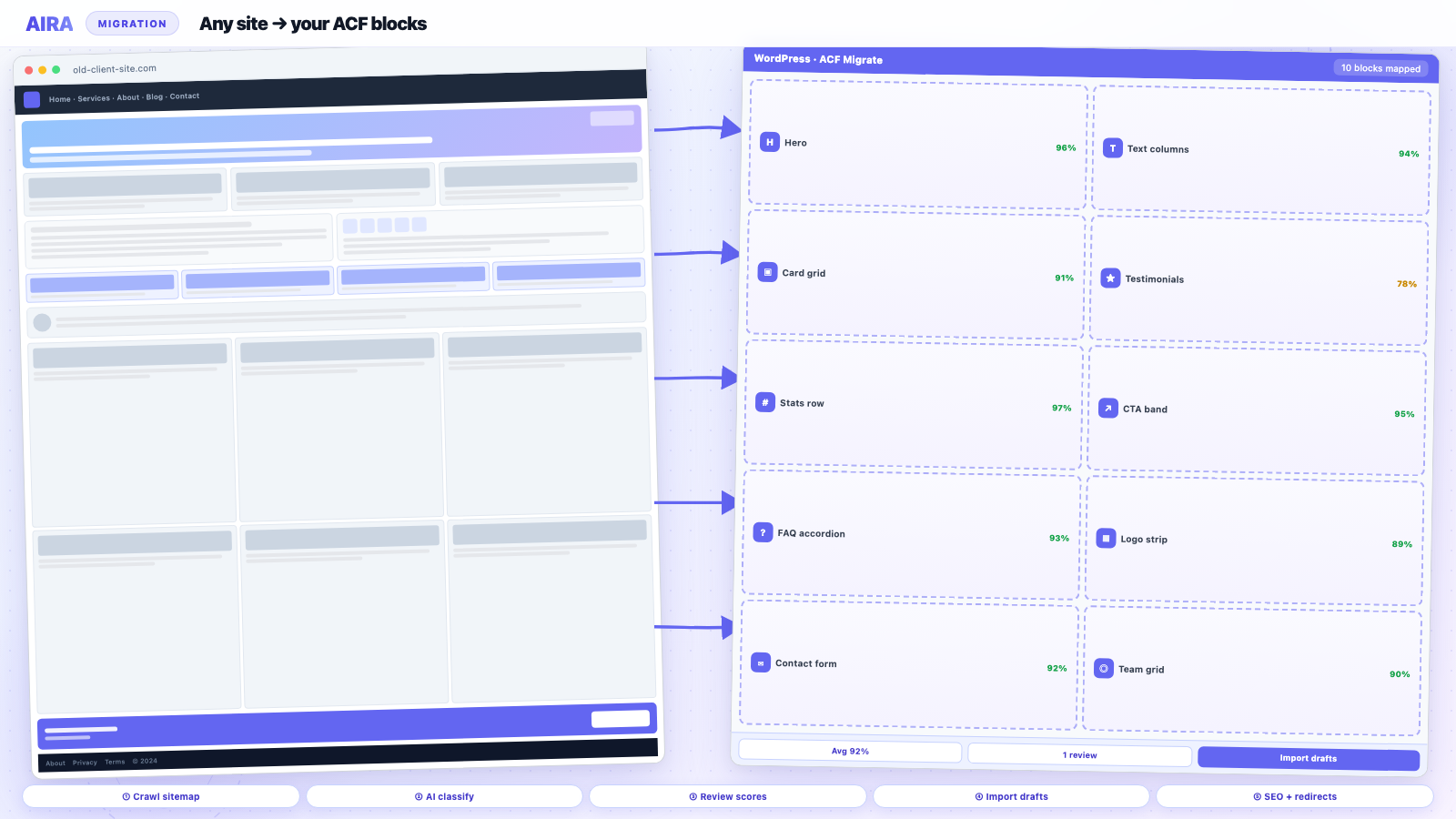
If you want to automate the heaviest stages — crawling, classifying content into ACF blocks, sideloading media and generating the redirect map — that is what AIRA does. The checklist still applies; AIRA handles the slow parts so your team focuses on review and launch.
Checklist by site type
Marketing site (page builder source)
Add builder-specific migration guides to stage three. Budget extra review on homepage and landing pages. Plan header, footer and global elements as template parts — they do not live in page body migration alone.
Ecommerce (WooCommerce)
Product URLs, category archives, cart and checkout testing are launch blockers. Redirect every product and category slug. Verify schema for Product and BreadcrumbList.
Multisite or multilingual
Per-site inventory, hreflang, and language-specific redirects. WPML adds migration volume — extend timelines in stage three, not launch weekend.
Pre-migration backup checklist (detail)
Backups are stage one for a reason. A migration without a restorable old site is a one-way door.
- 1Full database export (mysqldump or host backup tool).
- 2wp-content/uploads directory — often larger than the database.
- 3wp-config.php and .htaccess for rewrite rules reference.
- 4List of active plugins with versions.
- 5DNS and SSL certificate expiry dates.
- 6Export redirect rules from Redirection or Rank Math on old site.
Redirect map quality checks
Before importing redirects to production, validate the CSV on staging:
- arrow_rightNo redirect loops (A → B → A).
- arrow_rightNo chains longer than one hop for internal navigation targets.
- arrow_right404 old URLs you care about each have a destination or deliberate 410.
- arrow_rightTrailing slash behaviour matches new site permalink settings.
- arrow_rightWWW and non-WWW consolidated to one canonical host.
Post-launch monitoring schedule
| When | What to check |
|---|---|
| Launch day | Top 20 URLs, forms, checkout, sitemap submitted |
| Day 3 | Search Console Coverage for new 404s |
| Week 1 | Full crawl, fix internal links and images |
| Week 2 | Query impressions vs pre-launch baseline |
| Week 4 | Redirect log review, client sign-off on migration |
Detailed monitoring steps: post-launch monitoring guide.
Roles and ownership
| Task | Typical owner | Sign-off |
|---|---|---|
| URL inventory | SEO lead / developer | Client acknowledges sitemap |
| Redirect map | Developer | SEO lead |
| Content migration | Developer + AIRA review | Content editor |
| Forms / ecommerce QA | Developer | Client |
| Launch DNS | DevOps / host | Project manager |
Named owners prevent 'I thought you were checking redirects' conversations on launch night. The checklist is also a RACI document if you fill in names beside stages.
Staging environment checklist
- arrow_rightPHP version matches production target.
- arrow_rightPermalink structure matches production plan.
- arrow_rightACF JSON synced from dev to staging.
- arrow_rightSEO plugin installed and configured (no staging noindex on pre-launch copy).
- arrow_rightRobots.txt blocks crawlers until launch rehearsal complete.
- arrow_rightBasic auth or IP allowlist if client staging is public URL.
Documentation to leave behind
A migration is not complete when the site goes live — it is complete when the client can operate without calling you for every redirect question. Deliver a handover pack: final redirect CSV, URL mapping spreadsheet, list of manual-review pages, plugin changelog, staging credentials, Search Console property access, and annotated sitemap. Include which ACF blocks map to which old page sections for their top ten templates. Agencies that skip documentation earn repeat migration support at zero revenue. The checklist doubles as the table of contents for that pack — tick boxes, then export the ticks into the client wiki.
Common launch-week failures
- arrow_rightRedirect plugin not flushed — rules exist but server cache serves old 404.
- arrow_rightSSL certificate on new host not matching www/non-www choice.
- arrow_rightForm notifications still pointing at old site email templates.
- arrow_rightCaching plugin minifying HTML differently on production vs staging QA.
- arrow_rightSearch Console property still verified on old host only.
- arrow_rightClient publishing on old site during DNS propagation.
Stage-by-stage time budgets
| Stage | Medium site (40 pages) | Who |
|---|---|---|
| Before you start | 0.5–1 day | Lead dev |
| Inventory & URL map | 1–2 days | SEO + dev |
| Content migration | 1–10 days | Dev + editor |
| SEO preservation | 1–2 days | SEO |
| Launch & verify | 2–3 days | Whole team |
Use these budgets in proposals. If inventory finishes in four hours, you gain buffer for QA — do not absorb it as free design time. The checklist is a scope tool as much as a quality tool.
Working with clients during migration
Set a weekly migration status email: pages migrated, pages in review, redirects loaded, blockers. Clients who see progress tolerate longer timelines. Silence reads as stagnation — especially when their old site still looks better than staging.
Name a single client decision-maker for URL mapping and content sign-off. Committee review adds calendar time, not quality. Escalation path when they disagree on redirect targets should be in the SOW.
Offer a staging walkthrough before launch week — screen-share top pages, forms and mobile nav. Surprises on launch day are almost always failures of communication, not technology.
Checklist for agency project managers
Project managers without WordPress depth can still run this checklist with a technical buddy. Your job is sequencing and sign-off: no launch ticket until redirect CSV is attached, no content freeze exception without change order, no client demo on staging until QA pass one completes. Translate technical blockers into client language — "internal links on six service pages still point at old domain" not "ACF link field meta stale." The printable PDF version exists so PMs can literally tick boxes in stand-ups. Pair with the rebuild timeline guide when building the MS Project or Linear timeline so migration stage is not a single day squeezed between dev complete and launch.
Version the checklist PDF in your project folder with the date — clients reference outdated checklists from Google and miss new SEO steps you added last quarter.
Final sign-off before DNS
The last checklist gate is a named approver — tech lead plus client — ticking: redirects tested, top URLs compared, forms send, analytics fires, sitemap submitted, rollback plan documented. No tick, no DNS. Agencies that treat launch as a team high-five without sign-off sheet inherit weekend fire drills.
Keep the completed checklist in the project Drive folder — it is evidence of process for ISO, public sector tenders, and insurance if a migration dispute arises.
Deep dives for each checklist stage
The checklist is the spine — these guides are the detail per stage. Inventory and URLs: redirect map. Content: migrate into ACF blocks and how to use AIRA. CPTs and portfolios: custom post type migration. SEO: rebuild without losing SEO. Launch: QA checklist and post-launch monitoring.
Frequently asked questions
Is the WordPress migration checklist really free?expand_more
Yes — enter your email and you get the printable PDF immediately. We send occasional migration tips; unsubscribe any time.
Does this checklist only apply to ACF migrations?expand_more
Most stages apply to any WordPress migration. The content stage is geared toward ACF blocks, but inventory, SEO and launch are universal.
When should I start the migration checklist?expand_more
At project kick-off — before design sign-off. URL mapping and inventory in stage two inform information architecture on the new build.
What is the most commonly skipped checklist item?expand_more
Internal link rewriting. Teams set redirects for external traffic but leave content pointing at old paths, creating redirect chains. Fix links during import, not after launch.
How long does a full migration take using this checklist?expand_more
Four to eight weeks for a typical 30–60 page agency rebuild, depending on design scope and whether content is manually rebuilt or crawl-and-mapped. Migration QA and monitoring are included in that range.
Do I need a staging site for every migration?expand_more
Strongly recommended. Staging lets you run the full checklist without visitors seeing broken pages, and gives you a safe place to crawl, import drafts and fix links before DNS moves.
What tools do I need for the inventory stage?expand_more
A crawler (Screaming Frog, Sitebulb), spreadsheet or CSV for URL mapping, and access to Google Search Console and Analytics for traffic prioritisation.
Should redirects be live before or after content migration?expand_more
Build and test the redirect map on staging first. Import redirects to production at launch alongside DNS cutover. Old URLs should 301 to new destinations from minute one live.
How do I verify the migration succeeded?expand_more
Pre-launch staging crawl with zero critical 404s, side-by-side check of top URLs, post-launch Search Console monitoring for four weeks, and a second full crawl at week one.
Can I use this checklist for theme-only changes?expand_more
Yes — a theme change is a migration in disguise if layouts are builder-heavy. Use stages three and four even when URLs stay the same; presentation changes still break content and SEO signals.
What is the difference between this checklist and the QA checklist?expand_more
This checklist covers the full migration lifecycle. The QA checklist is stage five in detail — every pre-launch test with pass/fail criteria. Run both; they overlap at launch verification.

Ryan Hale
Head of Front End Development
Ryan Hale is Head of Front End Development at AIRA, where he leads the team building the engine that migrates WordPress sites into native ACF blocks. He has spent more than a decade building and rebuilding WordPress sites for agencies, with deep, hands-on expertise in Advanced Custom Fields, Gutenberg block development, and large-scale content migrations that protect search rankings. He writes about ACF, moving off page builders like Elementor and Divi, and the practical craft of shipping fast, maintainable WordPress rebuilds.
Reviewed to our editorial guidelines.