How to change your WordPress theme without losing content
Switch WordPress themes without losing content, layouts or SEO. What survives a theme change, what breaks with page builders, and the safe staging workflow…
verifiedReviewed by Tommy Smith,Content Director
Posts, pages and media survive a WordPress theme change — page-builder layouts, theme shortcodes and widget areas do not. Rebuild on staging, map content into the new theme's blocks, preserve URLs and metadata, then QA before go-live.
Changing your WordPress theme feels risky because the underlying question is 'will I lose everything?'. The honest answer: your raw content is safe, but the way it is arranged usually is not. Posts, pages and uploads live in the database independent of the theme. Presentation — layouts, headers, builder shortcodes, widget areas — is theme and plugin territory. Knowing the difference is what separates a smooth theme switch from a weekend of re-doing every page.
What survives a theme change — and what does not
Your theme controls presentation, not your core WordPress data model.
- arrow_rightSafe: posts, pages, media library, categories, tags, users and comments.
- arrow_rightAt risk: page-builder layouts (Elementor, Divi, WPBakery, Bricks), theme-specific shortcodes, widget areas and custom menus tied to theme locations.
- arrow_rightOften lost quietly: custom fields rendered only by old theme templates, homepage sections built with theme options, and global styles from the previous theme panel.
- arrow_rightSEO data: titles and meta in Yoast/Rank Math survive in post meta — but only help if the new theme outputs them correctly.
Theme switch vs full rebuild
A literal theme switch — activate new theme on same install — works for simple blogs using core blocks. Agencies rarely do this on client sites with builders. The safe client delivery is a rebuild on staging: new theme, new block library, content migrated deliberately, then cutover with redirects if URLs change.
Treat a theme change on a layout-heavy site as a content migration in disguise. The same rules apply: inventory, map, import, preserve SEO, verify internal links.
The safe way to switch themes
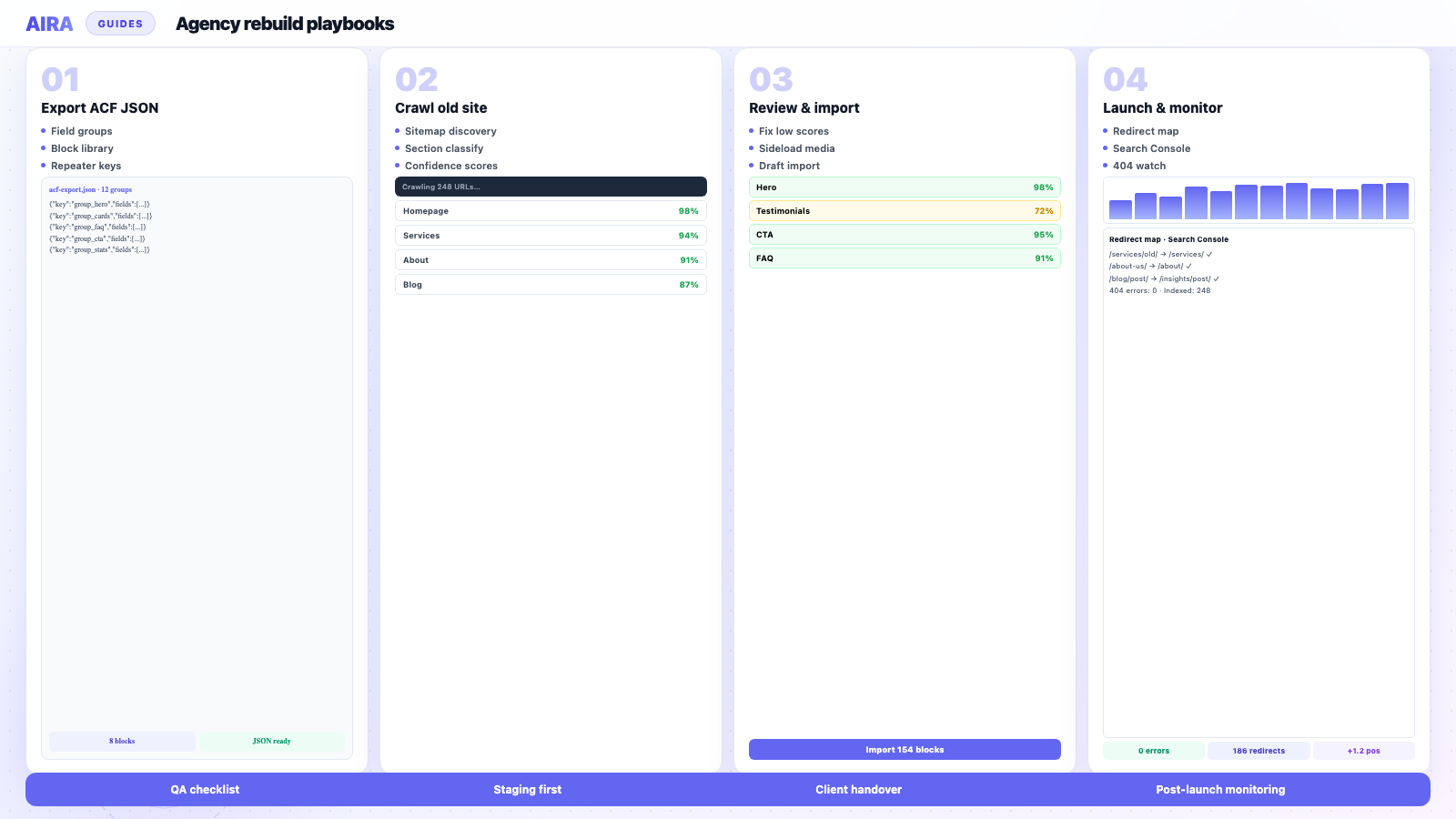
- 1Work on a staging copy — visitors never see a half-built page.
- 2Audit what the current theme does: builder pages, theme options, widgets, menus.
- 3Build new theme templates and ACF blocks first — somewhere for content to land.
- 4Map each section from old pages into the new structure; import as drafts.
- 5If URLs change, build redirect map before launch.
- 6QA every template — home, single, archive, 404, search — on mobile.
- 7Go live; submit sitemap; monitor Search Console for four weeks.
Page builders and theme-specific shortcodes
If the current site uses Elementor, Divi, Fusion Builder or WPBakery, switching themes without migration leaves broken pages. You must extract content from rendered HTML:
- arrow_rightElementor to ACF blocks
- arrow_rightDivi to ACF blocks
- arrow_rightAvada / Fusion to ACF blocks
- arrow_rightWPBakery to ACF blocks
- arrow_rightBricks to ACF blocks
Theme-specific shortcodes — sliders, icon boxes, proprietary row/column tags — fail the same way. Run shortcode cleanup after deactivating the old theme.
Menus, widgets and theme options
Navigation menus persist in the database but theme location assignments may not map to the new theme. Widget areas often disappear entirely on block themes. Export menu structure manually; rebuild widgets as block template parts or ACF blocks in footer/header.
Theme options — colours, fonts, layout toggles — do not transfer. Document brand tokens before switch; reapply via theme.json or your design system on the new build.
SEO when changing themes
Even when URLs stay identical, you can lose rankings if titles change, H1 structure breaks, or schema disappears. Carry over Yoast/Rank Math meta — preserve Yoast during migration. Verify one H1 per page and logical heading order after content lands in new blocks.
When AIRA and ACF blocks fit
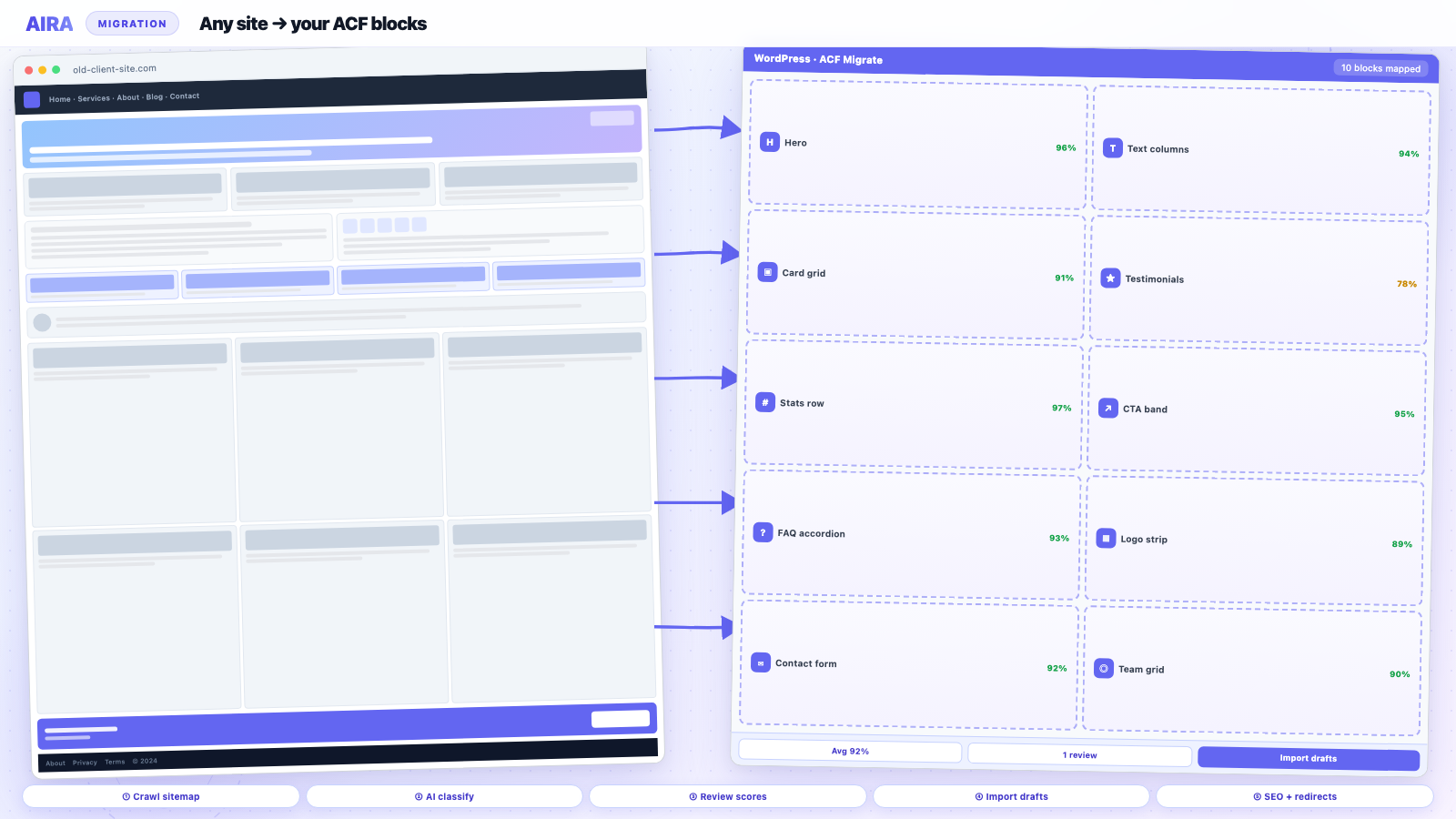
If the new theme is built on Advanced Custom Fields, section-by-section re-mapping is exactly what AIRA automates — reading live old pages and classifying into your new blocks. Full process: migrate WordPress to ACF blocks. Use the migration checklist and staging workflow for the surrounding project.
Client communication
Set expectation early: 'Your words and images are safe; layouts will be rebuilt to match the new design.' Show a before/after of one migrated page on staging. Quote migration separately from design — see rebuild timeline guide.
Block themes vs classic PHP themes
Switching from a classic PHP theme to a block theme (or hybrid) changes how headers, footers and templates work — site editor vs PHP files. Widget areas disappear; template parts live in the database. Plan template rebuild time even when URLs and page count stay the same.
Child themes and customisations
Child theme custom CSS and overridden template files do not transfer to a new parent theme. Audit functions.php hooks, custom post types registered in the theme, and any hard-coded queries in old templates — move CPT registration to a site plugin before decommissioning the old theme.
Rollback plan
Keep the old theme and a full backup until post-launch monitoring completes. Rollback is rare but possible within 48 hours if redirects and DNS are documented. After two weeks indexed on the new site, rollback creates more SEO confusion than fixing forward.
Custom post types and archives
Themes sometimes register custom post types — portfolio, team, testimonials. If CPT code lives in the old theme's functions.php, posts still exist in the database but archives 404 when the theme is gone. Move CPT registration to a site functionality plugin before switch. Map archive templates on the new theme and add redirects if archive slugs change.
Media and featured images
Featured images and media library entries survive theme changes. Featured image display depends on new theme templates — verify singles and archives render thumbnails. Hard-coded image sizes in old theme templates do not transfer; regenerate thumbnails if custom image sizes were theme-specific.
Plugin dependencies beyond the theme
Themes are only one layer. Slider plugins, custom font loaders, and page-builder add-ons tied to the old theme may leave orphaned shortcodes after switch. Audit Plugins → Installed before migration: deactivate theme-bundled plugins deliberately on staging and crawl for broken shortcodes. Move required functionality into site plugins or new block implementations. WooCommerce, membership and LMS plugins survive theme change but their templates may not — plan template override paths on the new theme.
Accessibility and theme change
Theme changes often alter colour contrast, focus states and skip-link behaviour. Re-run accessibility spot checks on header, main nav and form pages after switch — WCAG regressions are common when new theme defaults replace Avada's bundled accessibility tweaks. Content survives; accessible presentation must be rebuilt in new CSS.
When a literal theme switch is enough
Simple blogs using core blocks, minimal custom CSS, and no page builder can sometimes activate a new block theme in an afternoon. Export customiser settings you care about; reassign menus to new theme locations; verify widgets moved to block template parts.
That path is rare in agency client work. The moment you see Elementor, Divi, Fusion, WPBakery or Bricks in Plugins — plan full migration, not activation. The client question "can we just change the theme?" deserves an honest builder audit before you answer.
Hosting and caching during theme change
Theme changes often coincide with host moves. Do not change theme, host and URL structure simultaneously if avoidable — triple variables make SEO diagnosis impossible. If you must, sequence: migrate content on staging on new host, verify redirects and links, then DNS — not DNS first with broken staging URLs in content. Clear all caches after theme activation: object cache, page cache, CDN, browser. Stale cache makes clients think content is missing when it is only cached old theme output.
Document the old theme name and version in the handover wiki — future developers need to know what shortcodes might still hide in legacy posts.
Summary
Content survives theme changes; layouts usually do not. Staging, audit builders, map to new blocks, preserve SEO, QA templates — same playbook as a rebuild. Literal theme switch only works for simple core-block sites.
Favicon, site icon and social preview image live in theme customiser or site identity — export before switch. Missing favicon after go-live is a small detail clients photograph and send to their board. WordPress site icon is easy to forget when focused on forty page layouts.
Editor training checklist
Cover: opening a page in Gutenberg, editing ACF block fields, adding a new block from library, uploading images to Media Library, updating menus, requesting redirect when slug changes. Thirty minutes live beats a PDF manual.
Record the session — clients onboard new marketing hires who were not on the launch call.
Add theme change or rebuild to client wiki under "site history" with date, old theme, new theme, and migration method — invaluable when a new agency inherits the site in three years.
When clients ask to change themes without a rebuild budget, show them one deactivated builder page in the editor — that single screenshot reframes the conversation.
Theme migration projects need the same content freeze discipline as full rebuilds — unfrozen copy on the old theme during staging QA invalidates side-by-side comparisons.
Include theme and builder names in your support ticketing custom fields — future tickets about "broken layout" are faster when you know the site migrated from Divi in 2026.
Screenshot the old theme customiser colour and typography settings before decommission — designers reference them when tuning the new theme.json palette.
Log the theme switch date in your PM tool — support tickets spike for two weeks post-launch while editors learn the new interface.
Frequently asked questions
Will I lose my pages if I change my WordPress theme?expand_more
No — pages, posts and media stay in the database. You can lose layout: page-builder designs, theme shortcodes and theme options do not carry over, so layout-heavy pages need rebuilding in the new theme.
Do I need a staging site to change themes?expand_more
Strongly recommended. Staging lets you build and test without visitors seeing broken pages, and confirm content and SEO before going live.
Can I preview a new theme without affecting my live site?expand_more
Use a staging clone or WordPress's customiser preview on simple sites. Builder-heavy sites need a full staging environment — customiser preview will not migrate layouts.
What happens to Elementor pages when I change themes?expand_more
Elementor pages keep working only if Elementor stays active. A new non-Elementor theme still needs Elementor for those pages — or migrate content out of Elementor into the new theme's blocks first.
Do widgets transfer to a new theme?expand_more
Often no — widget areas are theme-defined. Block themes use template parts instead. Plan to rebuild footer/sidebar content as blocks.
Will my SEO be affected by a theme change?expand_more
Yes, if heading structure, metadata or schema change. URLs staying the same is not enough. Preserve titles, descriptions and canonicals; verify structured data on the new theme.
Should I deactivate the old page builder before switching?expand_more
Not until content is migrated. Deactivating early breaks rendered pages and gives crawlers broken HTML. Migrate first, deactivate at launch.
How long does a theme change take for a business site?expand_more
Simple blog: hours. Layout-heavy 30-page site with new ACF theme: four to eight weeks including design, migration and QA — same as a rebuild.
Can I switch themes without downtime?expand_more
Yes with a staging-to-production push: build complete on staging, DNS or go-live at off-peak, redirects ready. Visitors should see the finished site, not work-in-progress.
Is changing themes the same as migrating to a new WordPress install?expand_more
Often agencies migrate to a clean install for performance and plugin hygiene. Content still needs mapping; URLs and SEO rules apply the same way.

Ryan Hale
Head of Front End Development
Ryan Hale is Head of Front End Development at AIRA, where he leads the team building the engine that migrates WordPress sites into native ACF blocks. He has spent more than a decade building and rebuilding WordPress sites for agencies, with deep, hands-on expertise in Advanced Custom Fields, Gutenberg block development, and large-scale content migrations that protect search rankings. He writes about ACF, moving off page builders like Elementor and Divi, and the practical craft of shipping fast, maintainable WordPress rebuilds.
Reviewed to our editorial guidelines.