WordPress staging migration: the agency workflow
How UK agencies run WordPress rebuilds on staging — environment setup, migration order, QA gates, launch cutover, and the checklist before pushing a migrated…
verifiedReviewed by Tommy Smith,Content Director
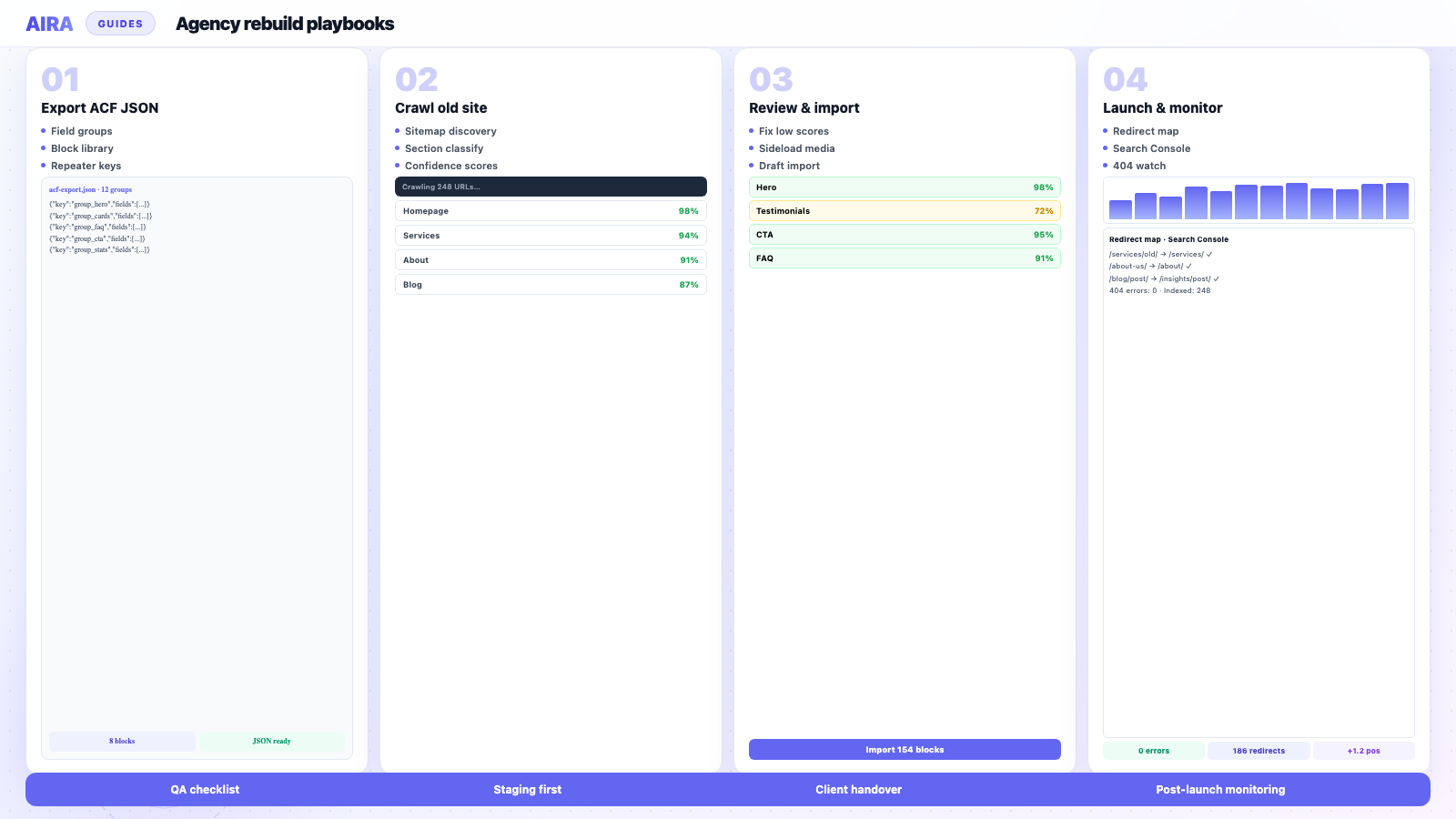
Set up staging to match production, register ACF blocks first, crawl the live old site, import drafts, load redirects and SEO meta, run QA gates, then cut over with post-launch monitoring for four weeks.
Staging is not optional on client rebuilds — it is where you find the broken image, the missing redirect and the testimonial block that mapped to the wrong field before a visitor does. A clear staging migration workflow is what separates agencies that launch quietly from ones that spend the first fortnight firefighting.
This is the workflow we recommend for ACF block rebuilds: environment setup, migration order, QA gates, and launch cutover. It applies whether you are leaving Elementor, Divi, Beaver Builder, or a Classic Editor site — the staging discipline is the same even when the source builder differs.
Set up the staging environment first
- arrow_rightMatch PHP version, memory limits and permalink structure to production.
- arrow_rightRegister the full ACF block library and import field groups from JSON before any content lands.
- arrow_rightInstall the same SEO plugin (Yoast or Rank Math) and redirect tool you will use in production.
- arrow_rightBlock staging from indexing — noindex, HTTP auth, or a staging-only robots.txt.
- arrow_rightConfigure SMTP so form and order emails actually send during QA.
Staging environment options
| Approach | Best for | Watch out for |
|---|---|---|
| Host staging subdomain | Most agency rebuilds | Must block indexing; match PHP/MySQL to prod |
| Local (Local WP, DDEV) | Block development | Crawl old site from live URL, not localhost |
| Separate staging install | High-traffic or ecommerce | Sync WooCommerce test data carefully |
| Pre-prod on same server | Quick theme swaps | Resource contention; accidental DNS slip |
The migration order that works
- 1Export ACF field groups and build the mapping spec against the new block library.
- 2Crawl the live old site (not staging) — production URLs are what search engines know.
- 3Import content as drafts; sideload media and rewrite internal links during import.
- 4Generate and load the redirect map on staging.
- 5Migrate SEO metadata — titles, descriptions, canonicals — page by page or via the bundle.
- 6Editorial QA: every template, every block, mobile check.
- 7Technical QA: redirect spot-checks, sitemap, structured data, Core Web Vitals.
- 8Launch: DNS/hosting cutover, submit sitemap, monitor Search Console for two weeks.
Phase-by-phase breakdown
Phase 1: Foundation (week 1)
New theme scaffold, ACF block registration, field groups in JSON, staging environment live. No content import yet. Verify every block inserts, saves, and renders on a test page. See how to register ACF blocks.
Phase 2: Crawl and import (days, not weeks)
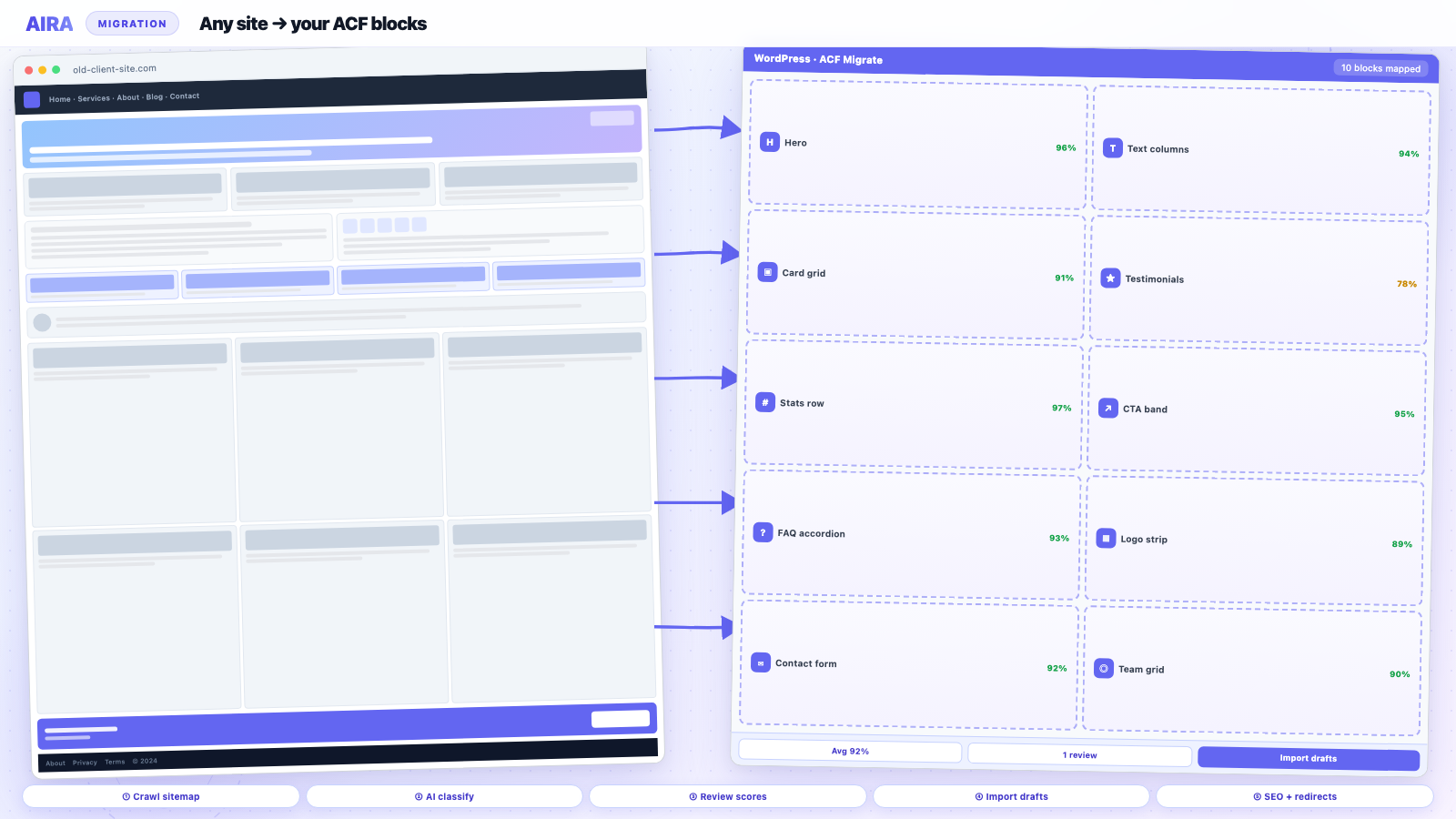
Crawl production URLs, classify into blocks, review confidence scores, import as drafts. Editors begin review in parallel with ongoing theme polish — you do not need pixel-perfect design to migrate content into drafts. See import ACF Migrate bundle.
Phase 3: Redirects and SEO
Load redirect map. Verify Yoast metadata on top URLs. Crawl staging for broken internal links and broken images.
Phase 4: QA gates
Hard stops before go-live: zero 404s on top 50 URLs, all images from new Media Library, internal links pointing at final destinations, forms sending email, and one fresh pair of eyes on primary nav. Full checklist: migration QA.
Phase 5: Launch and monitor
Cutover during low-traffic window. Smoke test immediately. Submit sitemap. Begin post-launch monitoring — Search Console, analytics, and client-reported issues through week four.
Common staging mistakes
- arrow_rightCrawling a stale staging copy of the old site instead of production.
- arrow_rightIndexing left on — staging ranks in Google before launch.
- arrow_rightDifferent permalink structure on staging (breaks redirect testing).
- arrow_rightSMTP not configured — forms 'work' in admin but never notify anyone.
- arrow_rightRobots.txt on staging that accidentally ships to production at cutover.
- arrow_rightSkipping mobile QA because 'we will check on launch day'.
- arrow_rightBulk-publishing unaudited drafts on launch morning.
QA gates before go-live
Treat these as hard stops: zero 404s on the top 50 URLs from the old sitemap, all images loading from the new Media Library, internal links pointing at new paths, and at least one person who has never seen the project clicking through every primary nav item. The full list lives in the migration QA checklist.
Launch cutover and handover
- 1Final backup of old site; export redirect map and migration bundle for records.
- 2DNS/hosting switch during low-traffic window; team on standby two hours.
- 3Smoke test: homepage, contact form, checkout (if applicable), top 10 URLs.
- 4Submit sitemap; begin post-launch monitoring.
- 5Handover doc: what changed, where redirects live, how to edit ACF blocks.
Client communication during staging
Share staging early for content review, not just design approval. Editors who review their own pages on staging catch mapping errors before launch. Set expectations: staging URL is password-protected, not public, and may have rough edges until the final QA pass. A structured review spreadsheet — page URL, reviewer, sign-off date — beats a vague 'let us know if anything looks wrong'.
Team roles during staging
| Role | Responsibility | When |
|---|---|---|
| Developer | Block library, theme templates, redirect import | Weeks 1–3 |
| Migration lead | Crawl, review, import, mapping fixes | Week 2–3 |
| Editor / client | Content review on staging drafts | Week 3–4 |
| SEO lead | Meta diff, redirect verification, sitemap | Week 3–4 |
| PM | QA gates, launch scheduling, handover doc | Week 4–5 |
Rollback plan
Before cutover, document how to revert: DNS back to old server, or restore from pre-launch backup. Keep the old site hosting active for 48 hours after launch — not indefinitely, but long enough to switch back if checkout breaks or redirects fail catastrophically. The pre-launch staging clone is your reference for what the new site should look like; the old site backup is your rollback.
Parallel workstreams
Staging workflow is not strictly sequential. While design polishes the homepage, migration can crawl and import inner pages as drafts. While developers build archive templates, editors review imported service pages. Redirect mapping can start as soon as the URL inventory exists — before all content is imported. Parallelising is how a six-week rebuild becomes four; waiting for pixel-perfect design before starting migration is how it becomes eight.
Staging URL and absolute link problems
Staging uses a different domain — staging.client.com or a host subdomain. Imported content may contain staging URLs in links and images. Before cutover, run search-replace on the database to swap staging domain for production domain — or configure the migration tool to write production URLs from the start. Missing this step means internal links and image src values point at staging after launch, which breaks when staging is password-protected or taken offline.
When to publish: incremental vs big bang
Big bang launch — everything goes live on cutover day — suits smaller sites under 30 pages with full QA sign-off. Incremental publish — launch core pages first, batch-publish remaining drafts over two weeks — suits large sites or clients with limited review bandwidth. Either way, redirects for changed URLs must be live before the first page publishes. Never publish new URLs without redirect rules for their old equivalents.
Staging checklist before first crawl
- 1ACF Pro active; all blocks registered and visible in inserter.
- 2Field groups synced from acf-json — see ACF JSON export.
- 3ACF Migrate importer plugin installed (Tools → ACF Migrate).
- 4Yoast or Rank Math active — ready to receive SEO fields on import.
- 5Redirection plugin installed — ready for redirect CSV import.
- 6SMTP configured — forms and test emails work.
- 7Staging blocked from indexing — verified with site: search.
- 8Permalink structure matches production.
Post-launch staging hygiene
After cutover, reclone staging from production within a week so staging reflects live content. Delete or password-protect the pre-launch staging clone once rollback window closes. Remove staging noindex only from the staging environment — never ship staging robots.txt to production. A common accident: production robots.txt blocks /wp-admin/ correctly but still contains Disallow: / from the staging file.
Ecommerce staging considerations
WooCommerce staging needs test payment mode, anonymised customer data on clones, and a full checkout test before launch. Product data on same-install rebuilds is already live — do not import test products over real inventory. See rebuild WooCommerce on ACF blocks for the two-track approach. Schedule ecommerce cutovers outside peak sales periods and confirm with the client when their lowest traffic window falls.
Documentation and handover
The staging workflow ends with a handover document: staging URL and credentials, how to preview drafts, where redirects live, which SEO plugin is canonical, how to edit ACF blocks, and the post-launch monitoring schedule. Include the migration bundle and redirect CSV in the project archive. Six months later when the client asks why /old-services/ redirects, the answer should be in the handover — not in a former employee's inbox.
Agencies that skip staging launch firefighting in week one. The workflow is not bureaucracy — it is how you catch the testimonial mapped to the wrong field, the redirect pointing at a 404, and the contact form that submits but never emails. Every gate in this guide exists because someone launched without it and spent the next fortnight apologising.
Build the staging workflow into your proposal as a named phase with deliverables — not an implied part of 'development'. Clients understand 'staging QA week'; they do not understand 'we need another few days' discovered the day before launch.
The printable pre-migration version lives in our WordPress migration checklist. Content migration: ACF blocks guide or approaches compared.
What to verify on staging before DNS
Staging is where you run the migration QA checklist for real — not a skim. Priority checks: redirect map spot-tests, broken images, forms, and CPT archive URLs from CPT migration. Content import walkthrough: how to migrate into ACF blocks.
Frequently asked questions
Should I migrate content on staging or production?expand_more
Always staging. Importing drafts, testing redirects and fixing mapping errors on a staging URL keeps the live site untouched until you are ready to launch. Pushing a half-migrated site live is how agencies lose client trust.
How do I keep staging and production in sync after launch?expand_more
Post-launch, staging becomes a preview environment for future changes — not a second source of truth. Content edits happen on production (or a fresh staging clone). Do not treat pre-launch staging as something you 'merge' into live; launch is a cutover, then reclone staging from production.
How long should staging stay up after launch?expand_more
Keep the pre-launch staging clone for at least two weeks as a rollback reference. After that, delete it or reclone from production. Do not leave an indexed staging subdomain live indefinitely — it is a duplicate-content risk.
When should I crawl the old site — before or after staging is ready?expand_more
After your ACF block library is registered on staging. You need the destination schema before classification. You can crawl the old production site in parallel with theme development — the crawl does not require the new theme to be finished.
How do I block staging from Google?expand_more
Use HTTP authentication, a noindex meta tag via your SEO plugin, or disallow all in staging robots.txt. Verify with site:staging.client.com in Google — it should return nothing. Double-check robots.txt at cutover so staging rules do not ship to production.
Can editors work on staging before launch?expand_more
Yes — that is the point. Import as drafts, assign editors to review their pages, and publish incrementally as each page passes QA. Do not bulk-publish everything on launch morning without review.
What is the minimum staging QA before launch?expand_more
Top 50 URLs from the old sitemap return 200, images load from new Media Library, contact form sends email, redirects work for changed URLs, and mobile layout is acceptable on homepage plus two inner pages. The full checklist is longer — see migration QA.
Should staging use the same domain or a subdomain?expand_more
Subdomain (staging.client.com) or separate staging URL is standard. Permalink structure must match production so redirect testing is valid. Absolute URLs in content will need rewriting at cutover if staging domain differs.
How do I handle WooCommerce on staging?expand_more
Use test payment gateway mode. Copy or sync product data if staging is a separate install. Run a full test order before launch. See rebuild WooCommerce on ACF blocks for the two-track workflow.
What goes in the launch handover document?expand_more
What changed (theme, builder removed, URL changes), where redirects are managed, how to edit ACF blocks, staging URL for future preview, post-launch monitoring schedule, and who to contact for the first 30 days.

Ryan Hale
Head of Front End Development
Ryan Hale is Head of Front End Development at AIRA, where he leads the team building the engine that migrates WordPress sites into native ACF blocks. He has spent more than a decade building and rebuilding WordPress sites for agencies, with deep, hands-on expertise in Advanced Custom Fields, Gutenberg block development, and large-scale content migrations that protect search rankings. He writes about ACF, moving off page builders like Elementor and Divi, and the practical craft of shipping fast, maintainable WordPress rebuilds.
Reviewed to our editorial guidelines.