How to register ACF blocks in WordPress (agency guide)
Register ACF blocks with acf_register_block_type(), attach field groups, set up local JSON, avoid common mistakes, and prepare your block library for content…
verifiedReviewed by Tommy Smith,Content Director
Register ACF blocks with acf_register_block_type() on acf/init, attach field groups via Block location rules, save local JSON to acf-json/, test every block on staging, then export JSON before any migration crawl.
Every ACF migration ends in blocks that have to already exist on the destination site. If your hero block, card grid and testimonial slider are not registered with the right field keys, there is nowhere for migrated content to land — no amount of crawling or AI classification can fix missing blocks. Registering ACF blocks is the foundation step of every rebuild, and it is simpler than building core Gutenberg blocks in React. This guide is the practical agency walkthrough: registration code, field groups, local JSON, testing, and the mistakes that cause imports to fail silently.
We have registered block libraries for dozens of client rebuilds and debugged imports where field keys did not match. The pattern is always the same: blocks first, fields second, JSON export third, migration fourth. Skip or reorder those steps and you pay for it in empty Gutenberg blocks and a week of manual fixes.
What you need before you start
- arrow_rightACF Pro — ACF blocks require the Pro licence. Budget for it on every client site.
- arrow_rightWordPress 6.4+ with the block editor enabled on the post types you will migrate.
- arrow_rightA theme or dedicated blocks plugin to house registration code, templates and acf-json/.
- arrow_rightField groups defined in ACF for each block's editable fields — text, image, repeater, link.
- arrow_rightStaging environment that mirrors production block registration before any import.
Register a block with acf_register_block_type()
Call acf_register_block_type() on the acf/init hook. A minimal registration needs a unique name (acf/hero), human title, render_template path, category, icon, and supports array. The block name is what Gutenberg stores in post_content — and what your migration classifier targets. If registration says acf/hero but your field group location rule points at acf/hero-banner, the fields never appear and imports write to a block editors cannot edit.
Minimal registration example
In your blocks plugin or theme functions file, hook acf/init and register each block. Point render_template at a PHP file in your theme or plugin that outputs semantic HTML. Set mode to preview or auto depending on whether you want in-canvas preview. Keep supports lean — align wide/full only where the design needs it.
Registration checklist per block
- 1Unique block name — namespace/block-name format (acf/hero, acf/card-grid).
- 2PHP render template that outputs semantic, accessible HTML — not div soup.
- 3Field group with location rule: Block is equal to your exact block name.
- 4Local JSON saved to acf-json/ and committed to Git.
- 5Block appears in Gutenberg inserter under your custom category.
- 6Test: insert block, fill every field including repeaters, save, reload — values persist.
- 7Front-end preview matches editor expectations on staging.
block.json vs acf_register_block_type()
ACF blocks register via PHP — acf_register_block_type() is the standard agency approach. Newer ACF versions support block.json alongside ACF registration, but you do not need a React build step. Core block.json blocks are a different path entirely. For bespoke client sites with repeaters and PHP teams, acf_register_block_type() remains the pragmatic default. Compare approaches in ACF blocks vs core Gutenberg blocks.
Attach field groups to blocks
In ACF admin, create a field group and set the location rule to Block is equal to your registered block name. The fields you define — text, image, repeater, link, WYSIWYG — become the slots migrated content fills. Field keys (field_64a1f…) are what WordPress stores values against, not the human-readable field names. Templates use get_field('hero_heading') but the database stores against field_64a1f…. Migration tools must target keys from your JSON export.
Field design for migration-friendly blocks
- arrow_rightUse an image field for images, a link field for buttons, a WYSIWYG for prose — match type to content.
- arrow_rightRepeaters for uniform lists: cards, FAQs, team members, logo strips, stats rows.
- arrow_rightAvoid nesting flexible content inside blocks unless you have a clear reason — discrete blocks migrate cleaner.
- arrow_rightLabel fields descriptively — classifiers and editors both read labels.
- arrow_rightKeep field keys stable once a migration spec is built. Renaming creates new keys and orphans data.
Theme vs plugin: where to register
| Approach | Best for | Watch out for |
|---|---|---|
| Theme functions.php | Single-theme client sites | Blocks disappear if theme changes |
| Dedicated blocks plugin | Agency portfolios, handover | Must stay active before import |
| MU-plugin | Forced activation on multisite | Harder for clients to deactivate accidentally |
Most agencies maintain a standard blocks plugin deployed across clients. The theme handles layout shells; the plugin handles the block library and acf-json/. On handover, the client keeps their blocks even if you swap themes in three years.
Standard block library for migrations
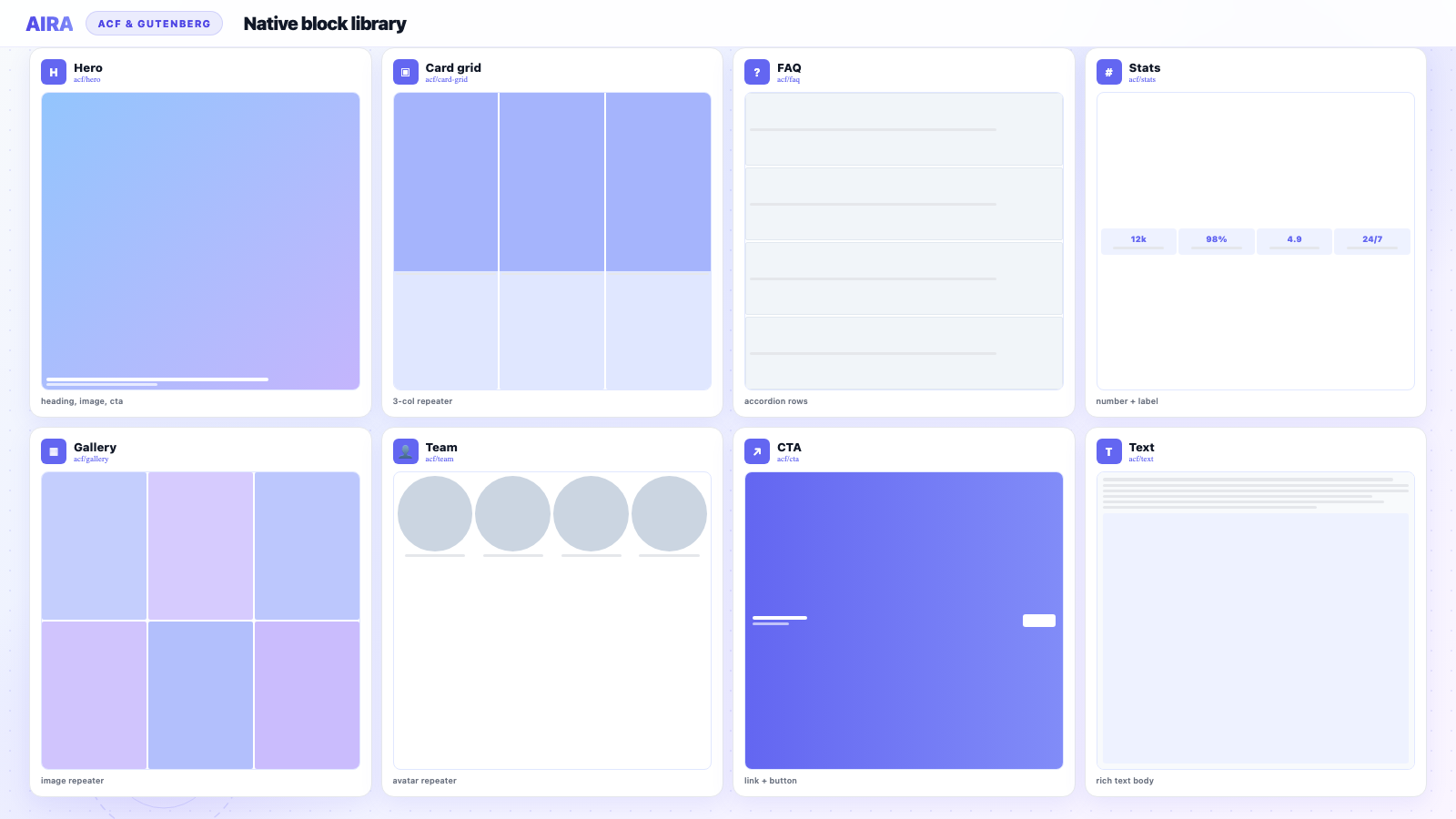
Most agency sites need the same core blocks before migration can start: hero, text/rich-text, card grid, stats, testimonial, FAQ, CTA, gallery, logo strip, team, contact, and media-text. Register these first — migrating into a half-built library means reclassifying when you add blocks later. If you are mapping sections from an old site, see how to map website sections to ACF blocks while you design the library.
Common registration mistakes
- arrow_rightBlock name mismatch between registration and field group location rule — fields never show.
- arrow_rightField keys changed after migration spec was built — re-export JSON and regenerate bundle.
- arrow_rightBlocks registered in theme on local but field groups only exist on production — staging import fails.
- arrow_rightRepeater sub-field keys inconsistent between environments — rows import but sub-fields empty.
- arrow_rightForgot acf/init hook — blocks never register and inserter stays empty.
- arrow_rightRegistered blocks but no render_template — block inserts but front-end is blank.
- arrow_rightDuplicate block names across two plugins — unpredictable which template renders.
Testing blocks before migration
- 1Insert each block type in Gutenberg on staging.
- 2Fill every field including all repeater rows — use realistic content lengths.
- 3Save, reload the editor — confirm values persist in sidebar fields.
- 4Preview front-end — headings, images, links, repeaters all render.
- 5Check responsive breakpoints — especially hero images and card grids.
- 6Export field groups as JSON (or confirm acf-json/ files updated).
- 7Upload export to your migration tool only after this pass is green.
Prepare for migration
Registration is step one of a longer workflow. Once blocks are tested: export field groups as JSON, install the same block library on staging, verify the ACF Migrate plugin can see registered blocks, then crawl the old site. The full sequence is in how to migrate a WordPress site into ACF blocks and how to use AIRA. AIRA pricing is per-page — one credit per page committed.
Block categories and editor UX
Register a custom block category (e.g. 'Client Sections') so editors find your blocks quickly. Use block allow-lists on page templates to prevent freestyle layout drift — only hero, text, cards, CTA on marketing pages, for example. Pair with a one-page editor guide: which block for which section. Good registration is not just code — it is handover.
Repeater blocks: the migration hot spot
Team, FAQ, testimonial and card blocks live or die on repeater structure. Each sub-field needs a stable key. Test with three or more rows before export. Migration classifiers count repeater rows from rendered HTML — if your block expects six FAQ items and the classifier merges them into one row, you catch it in review, not after publish. Document expected row counts per block type in your mapping spec.
Environment sync before import
- 1Same ACF Pro version on local, staging, and production.
- 2Same blocks plugin active on the environment where import runs.
- 3acf-json/ deployed via Git; click Sync in ACF admin after deploy.
- 4No field groups edited in production admin without syncing back to JSON.
- 5Spot-check one block per type after every deploy.
Block supports and editor settings
The supports array in acf_register_block_type() controls what Gutenberg features each block exposes. Most ACF section blocks should disable custom HTML editing to prevent editors breaking templates. Enable align wide or full only on blocks designed for it — hero and gallery, not text cards. Set mode to preview when your PHP template renders accurately in the editor; use edit mode when sidebar fields are clearer. anchor support helps in-page links on long marketing pages.
Example supports configuration
- arrow_rightHero block: align wide, anchor, no custom HTML.
- arrow_rightText block: anchor only — editors need WYSIWYG in ACF fields, not block custom HTML.
- arrow_rightCard grid: no alignment — layout controlled by template CSS.
- arrow_rightGallery: align wide/full if design uses full-bleed images.
Inner blocks: when to use them
ACF blocks can allow inner blocks — useful for a Section wrapper where editors add core paragraph and heading blocks inside. For migration-heavy agency sites, prefer discrete blocks with explicit fields over freeform inner blocks. Inner blocks are harder to classify automatically because content structure varies page to page. If you do use inner blocks, document them in your mapping spec as manual-review sections.
Icons, categories and inserter UX
Set a dashicon or custom SVG icon per block so editors recognise types in the inserter. Group all client blocks under one category — Client Sections, Site Blocks, or the client name. Hide blocks from the inserter on post types that should not use them via block registration options. The goal is an inserter with twelve purposeful choices, not forty confusing variants.
Multisite and multi-environment registration
On WordPress multisite, register blocks in a network-activated plugin so every subsite shares the library. Per-site field group variations are rare — prefer one library with conditional fields. When staging uses a different domain, block registration is unchanged but image sideloading during import needs the old site reachable. Test one subsite import before batch-processing twenty.
Handover documentation template
- 1Block catalogue screenshot with names and purposes.
- 2Per-block field guide: what each field controls on the front end.
- 3Which templates allow which blocks (allow-list reference).
- 4Repeater expectations: typical row counts per block type.
- 5Who to contact when a new block type is needed (change request).
Blocks that are not registered are blocks that do not exist. Migration tools cannot invent field keys you never defined.
Next steps: ACF JSON export explained, flexible content vs blocks, import bundle guide, and the full migration workflow.
Frequently asked questions
Do ACF blocks need a block.json file?expand_more
No — ACF blocks register via acf_register_block_type() in PHP. You can optionally use block.json with ACF's block registration API in newer versions, but the PHP template plus ACF field group pattern is the standard agency approach.
Can I register ACF blocks in a plugin instead of the theme?expand_more
Yes — and it is often better for client handover. A custom blocks plugin keeps the library portable if the theme changes. Ensure the plugin is active on staging before you import migrated content.
How do I test blocks are ready for migration import?expand_more
Manually insert each block type, fill every field including repeaters, save, and reload. If values persist and the front-end renders correctly, the field keys match what WordPress expects. Then export JSON — that is the file your migration tool reads.
What hook do I use to register ACF blocks?expand_more
acf/init. Registering earlier hooks runs before ACF is ready and blocks will not appear. Wrap all acf_register_block_type() calls inside a function hooked to acf/init.
Why do my ACF block fields not show in the editor?expand_more
Almost always a location rule mismatch. The field group must target Block is equal to the exact registered block name — including the acf/ namespace prefix.
How many blocks should I register before migrating?expand_more
At minimum: hero, text, cards, stats, testimonial, FAQ, CTA, gallery, logo strip, team, and contact. Register every block the new design uses. Half-built libraries force reclassification when you add blocks later.
Can I rename an ACF block after content is imported?expand_more
Renaming the block registration name breaks existing post_content block comments. If you must rename, plan a find-replace migration on post_content or re-import affected pages.
Do ACF blocks work with the Site Editor?expand_more
ACF blocks work in the post editor and can appear in templates. Full-site editing integration is smoother with native block.json blocks, but most agency client sites use classic themes plus post editor — where ACF blocks are the norm.
What is the relationship between block name and field keys?expand_more
The block name (acf/hero) identifies the block in Gutenberg. Field keys (field_64a1f…) identify where values are stored in post meta. Both must align with your JSON export and registration code for imports to work.
Should I use ACF flexible content or discrete blocks?expand_more
Discrete ACF blocks for most agency sites. They are easier to restrict, migrate, and style. Flexible content suits legacy templates — see [ACF flexible content vs blocks](/blog/acf-flexible-content-vs-acf-blocks).
How does AIRA use my registered blocks?expand_more
You upload your ACF JSON export. AIRA learns block names, field keys, and repeater structures, then classifies rendered page sections into those blocks. Registration must be complete before the crawl.

Ryan Hale
Head of Front End Development
Ryan Hale is Head of Front End Development at AIRA, where he leads the team building the engine that migrates WordPress sites into native ACF blocks. He has spent more than a decade building and rebuilding WordPress sites for agencies, with deep, hands-on expertise in Advanced Custom Fields, Gutenberg block development, and large-scale content migrations that protect search rankings. He writes about ACF, moving off page builders like Elementor and Divi, and the practical craft of shipping fast, maintainable WordPress rebuilds.
Reviewed to our editorial guidelines.