ACF flexible content vs ACF blocks: which to build with?
Flexible content fields or ACF blocks? How each affects the editor, migration, performance and agency workflows — and what changes when you move content…
verifiedReviewed by Tommy Smith,Content Director
Flexible content is one field with layout rows in a meta box; ACF blocks are discrete Gutenberg sections. Blocks align with modern editor workflows and migrate cleaner. Flexible content suits stable legacy sites — blocks suit new rebuilds.
For years, ACF flexible content was the agency default for page building — a single flexible field on a page template, layouts added as rows in a repeater-like UI. ACF blocks put each layout in the native Gutenberg inserter instead. Both are valid; the choice affects how editors work, how your theme renders, and — critically — how painful migration is. This guide is the practical comparison for teams deciding what to build with in 2026, and what to do when the old site uses one model and the new build uses the other.
Flexible content: one field, many layouts
Flexible content lives on a page template (or post type) as one field. Editors pick layouts from a dropdown and fill sub-fields. Rendering is a PHP loop in template-parts — if layout == hero, include hero.php. It predates Gutenberg's block editor and still powers thousands of agency builds. Content stores in post meta under the flexible field key, not as block comments in post_content.
ACF blocks: native Gutenberg sections
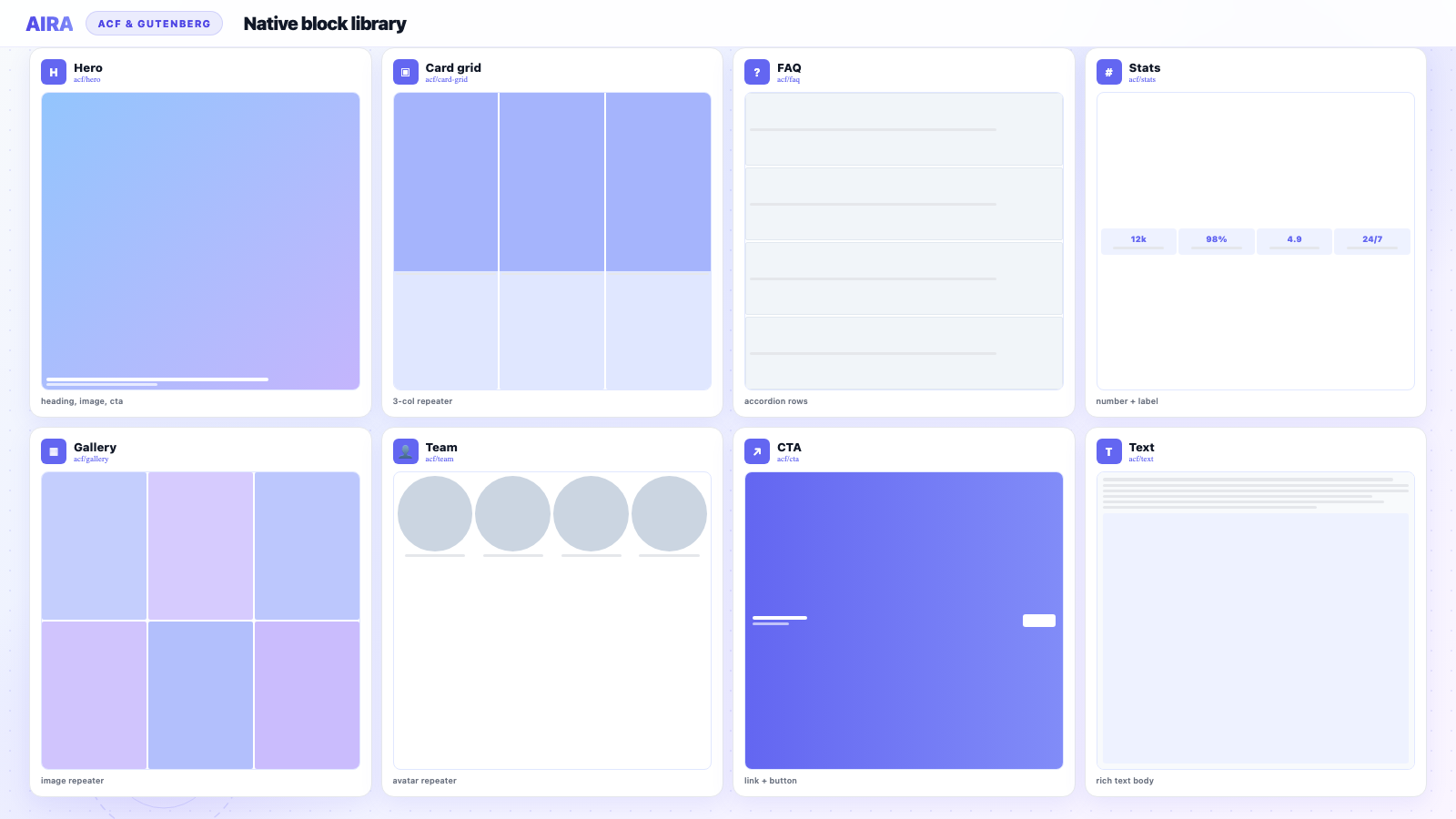
Each layout is a registered block with its own field group. Editors insert, reorder and delete blocks in the standard Gutenberg canvas. Rendering is a block template. This is where most new ACF rebuilds land in 2026 — especially teams that want editors in one interface without a sidebar meta box competing with the block editor.
| Flexible content | ACF blocks | |
|---|---|---|
| Editor UI | ACF meta box / sidebar | Gutenberg block canvas |
| Reordering | Drag layouts in flexible UI | Drag blocks in editor |
| Per-section preview | Theme-dependent | Block-level in editor |
| Storage | Post meta under flexible key | Block comments + field meta |
| Migration target | Maps to layout sub-fields | Maps to block field keys |
| Restricting sections | Limit layout choices | Block allow-list per template |
Editor experience in practice
Flexible content trains editors to think in layouts — add a Hero row, add a Cards row. It works, but it feels like a separate system bolted onto WordPress. ACF blocks feel native — insert Hero, insert Cards, drag to reorder in the canvas. For client handover, blocks reduce support tickets because editors are already learning Gutenberg for blog posts.
Migration implications
Migrating into flexible content means classifying each old section into a layout row and filling the correct sub-fields. Migrating into ACF blocks means classifying into block types and writing to block field keys. The source page is the same; the destination schema differs. Your ACF JSON export defines which universe you are targeting — and the mapping spec must match it exactly.
Flexible content to blocks
This is the most common agency migration path in 2026: legacy flexible-content site rebuilt with discrete blocks. Each flexible layout row becomes one Gutenberg block in post_content. Layout handles (layout_hero) should mirror block names (acf/hero) for readable specs. See how to register ACF blocks for the destination setup.
When to choose each
- arrow_rightChoose flexible content when: the site has one primary page template, editors are trained on ACF meta boxes, and you are maintaining an existing flexible library.
- arrow_rightChoose ACF blocks when: editors expect Gutenberg, you want per-section in-canvas preview, or you are building a reusable block library across clients.
- arrow_rightMigrate flexible → blocks when: you are rebuilding the theme anyway and want to modernise the editor.
- arrow_rightStay on flexible when: the site is stable, editors are happy, and a rebuild would be change for change's sake.
Performance and front-end output
Neither flexible content nor ACF blocks inherently hurts performance — both render server-side PHP. SEO depends on heading structure, metadata and URLs, not whether the editor used flexible rows or blocks. Page builders hurt Core Web Vitals; ACF-based approaches do not. See page builder performance problems.
Migrating from flexible content to blocks
- 1Export the flexible content field group's layout definitions — layout names map to block types.
- 2Register equivalent ACF blocks with matching field structures (sub-fields → block fields).
- 3Crawl old pages; classify each flexible layout row into the corresponding block.
- 4Import as drafts — flexible rows become individual Gutenberg blocks in post_content.
- 5Retire the flexible content field from the page template once every page is migrated.
- 6Run QA and post-launch monitoring.
Can you use both on one site?
Technically yes — flexible content on one template, ACF blocks on another. Practically it confuses editors: two different ways to add sections. Most agencies pick one model per site. If you inherit a hybrid, plan to consolidate on rebuild.
Flexible content inside blocks?
Some teams nest flexible content inside a block — usually a mistake for migration. Discrete blocks with repeaters are easier to classify, restrict, and map. Reserve flexible content for rare cases where a single section can stack varied sub-layouts.
Agency portfolio strategy
Standardise on ACF blocks for new builds. Maintain flexible-content sites until redesign justifies migration. A saved AIRA spec on your standard block library makes flexible → blocks migration near-instant on the next project. Agencies treating the block library as a product asset migrate faster and quote more accurately.
Decision checklist
- 1New build or maintaining legacy? New → blocks. Legacy stable → maybe stay flexible.
- 2Editor training budget? Blocks align with Gutenberg training they already need.
- 3Migration planned? Blocks are the cleaner destination.
- 4Reusable library across clients? Blocks + acf-json plugin pattern wins.
- 5Client insists on meta box UI? Flexible content may be the path of least resistance.
Rendering differences under the hood
Flexible content renders via a template loop: get_field('page_sections') then foreach layout. ACF blocks render via block templates registered per block type. Both output HTML — the difference is editor storage and how migrations target values. Flexible content values live under one meta key; block values distribute across block field keys in post meta tied to block instance IDs.
Version control and deploy
Both approaches use acf-json for field definitions. Flexible content layout definitions change when you add a layout in admin — commit JSON immediately. Block field groups change the same way. On deploy, sync JSON before running migration import. The destination schema must match the export that built the bundle.
Client training comparison
| Training topic | Flexible content | ACF blocks |
|---|---|---|
| Adding a section | Add layout row in meta box | Insert block in canvas |
| Reordering | Drag rows in flexible UI | Drag blocks in editor |
| Deleting a section | Delete layout row | Select block, remove |
| Preview | Preview whole page | Per-block preview in canvas |
| Common mistake | Wrong layout from long list | Wrong block from inserter |
Cost of switching mid-project
Deciding flexible vs blocks late is expensive. If you build flexible content then switch to blocks mid-build, you rewrite field groups, templates, and any migration spec already generated. Decide at project kickoff and document in the scope. Changing destination format after crawl means regenerating the bundle from scratch.
Real migration: flexible content site to blocks
A 35-page site built on one flexible field with fourteen layout types. Rebuild target: discrete ACF blocks. Process: map each layout handle to a block (layout_hero → acf/hero), register blocks, export JSON, crawl rendered pages. Each flexible row becomes one Gutenberg block in post_content. Retire the flexible field after QA. Editors immediately prefer the block canvas. Migration took one afternoon with review — rebuilding the flexible library as new blocks took three days.
When flexible content is still the right call
- arrow_rightMaintaining a stable 2019 site where editors know the layout dropdown by heart.
- arrow_rightSingle page template with twenty layouts and no rebuild budget.
- arrow_rightClient explicitly rejects Gutenberg — rare but real.
- arrow_rightInternal admin tools where editor UX matters less than dev speed.
Blocks inside full-site editing contexts
Teams adopting block themes and FSE often still choose ACF blocks for designed marketing sections while using core blocks for editorial content. Flexible content does not integrate cleanly with FSE templates — another reason new builds default to discrete ACF blocks. If your roadmap includes block themes, start with ACF blocks now to avoid a second migration later.
Summary recommendation
For new agency builds in 2026: default to ACF blocks. Maintain flexible content sites until a rebuild justifies migration. When migrating flexible to blocks, mirror layout handles, register equivalent blocks, crawl, import, retire the flexible field. The editor upgrade alone is worth the project to most clients — cleaner UI, less training debt, faster future migrations.
Talk to your editors before you decide
Ask editors which interface they prefer before committing to a rebuild format. If they love flexible content and the site is stable, do not migrate for technology's sake. If they struggle with the meta box and already use Gutenberg for posts, blocks are an easy sell.
Whichever you build with, the crawl-and-classify workflow is the same: read the old page, match sections to your destination structure, import as drafts. See ACF JSON export explained, how to register ACF blocks, ACF blocks vs core Gutenberg blocks, and full migration workflow.
Flexible content was the right answer in 2018. ACF blocks are the right answer for most agency rebuilds in 2026.
Frequently asked questions
Can I use flexible content and ACF blocks on the same site?expand_more
Yes, but it confuses editors — two different ways to add sections on different templates. Most agencies pick one model per site. New builds tend toward ACF blocks.
How do layout handles map to block names?expand_more
Mirror names where possible: flexible layout_hero becomes acf/hero block. Document the mapping in your spec so reviewers recognise classifications instantly.
Is flexible content being deprecated?expand_more
No — ACF still actively maintains flexible content. But block-first workflows align with Gutenberg and are where new agency tooling focuses. Flexible content is not going away; blocks are the default for new work.
Does flexible content hurt SEO compared to blocks?expand_more
No — both render server-side PHP output. SEO depends on heading structure, metadata and URLs, not the editor format. Migration quality matters more than the source format.
How do I migrate flexible content rows to ACF blocks?expand_more
Register equivalent blocks, export JSON, crawl old pages, classify each flexible row into the matching block, import as drafts. Each row becomes one Gutenberg block.
Which is faster to build?expand_more
Comparable for experienced teams. Blocks feel faster for discrete sections with repeaters. Flexible content can be faster when one template has twenty layout options editors already know.
Where is flexible content data stored?expand_more
In post meta under the flexible field key — serialized layout rows and sub-field values. ACF blocks store block comments in post_content plus field values in meta.
Can AIRA migrate flexible content sites?expand_more
Yes — crawl the rendered front-end and classify sections into your destination blocks or flexible layouts, depending on your JSON export target.
Should new agency builds use flexible content in 2026?expand_more
Most new builds should use discrete ACF blocks for Gutenberg alignment and cleaner migration. Flexible content remains valid for maintaining legacy sites.
What about flexible content vs repeaters inside blocks?expand_more
Use repeaters inside discrete blocks for uniform lists (cards, FAQs). Use flexible content only when a single field must stack varied layout types — rare in modern block-first builds.
Do blocks work better with migration tools?expand_more
Generally yes — discrete block types with clear field keys classify more reliably than nested flexible layout trees.

Ryan Hale
Head of Front End Development
Ryan Hale is Head of Front End Development at AIRA, where he leads the team building the engine that migrates WordPress sites into native ACF blocks. He has spent more than a decade building and rebuilding WordPress sites for agencies, with deep, hands-on expertise in Advanced Custom Fields, Gutenberg block development, and large-scale content migrations that protect search rankings. He writes about ACF, moving off page builders like Elementor and Divi, and the practical craft of shipping fast, maintainable WordPress rebuilds.
Reviewed to our editorial guidelines.