How to migrate a website to ACF Gutenberg blocks (2026 guide)
Step-by-step guide to migrate a website to ACF Gutenberg blocks — export field groups, crawl the old site, convert content to ACF blocks, and import drafts…
verifiedReviewed by Tommy Smith,Content Director
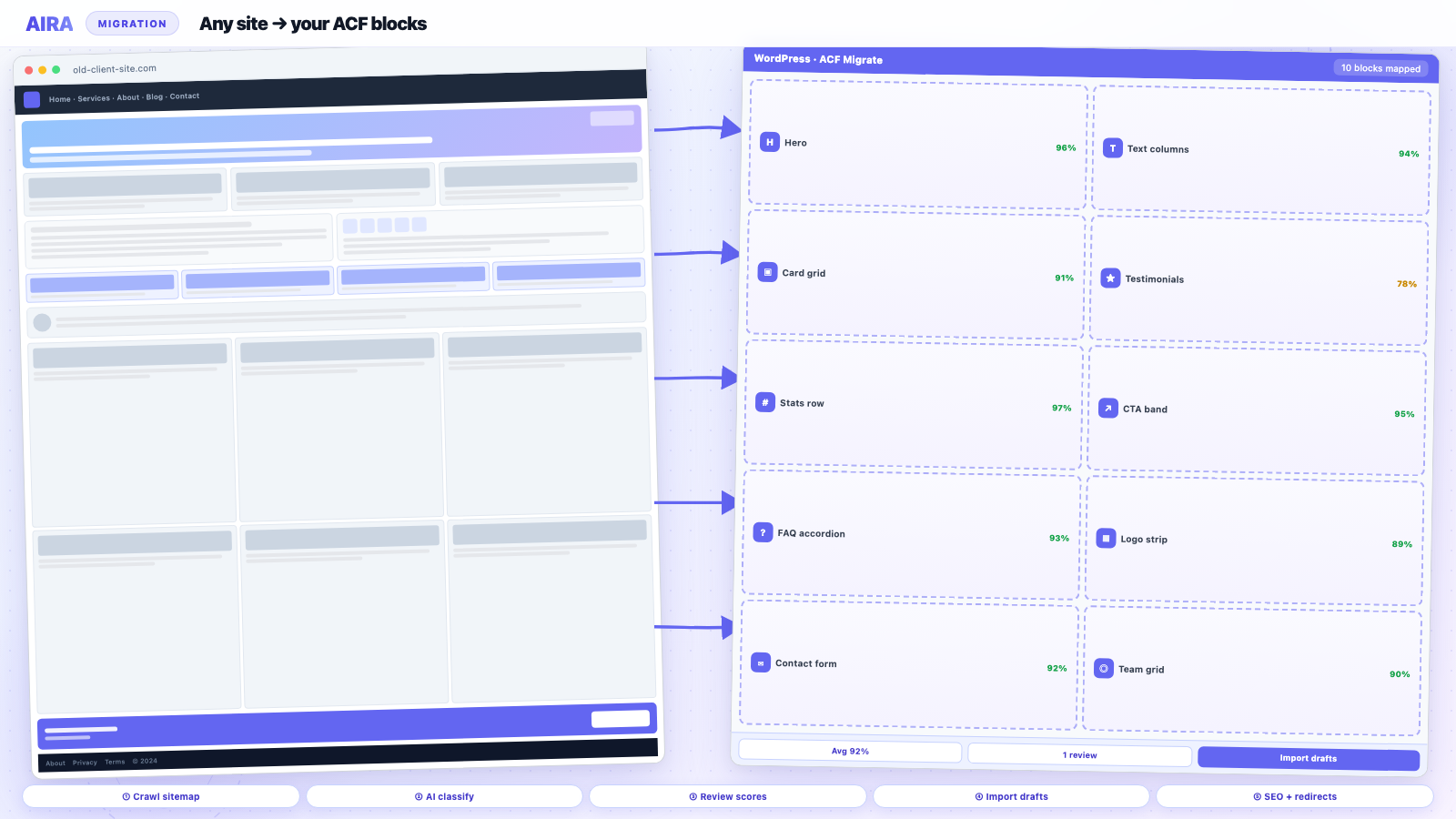
Migrate a website to ACF Gutenberg blocks: export ACF JSON, crawl with an AI ACF blocks importer, review confidence scores, import bundle.json as drafts — one credit per page.
Who this is for
- Agencies: Standardise a repeatable rebuild workflow across Elementor, Divi, and custom-theme exits.
- Freelancers: Scope migration separately from design so quotes stay profitable.
- Developers: Own block registration, mapping rules, and import before editors touch content.
Steps at a glance
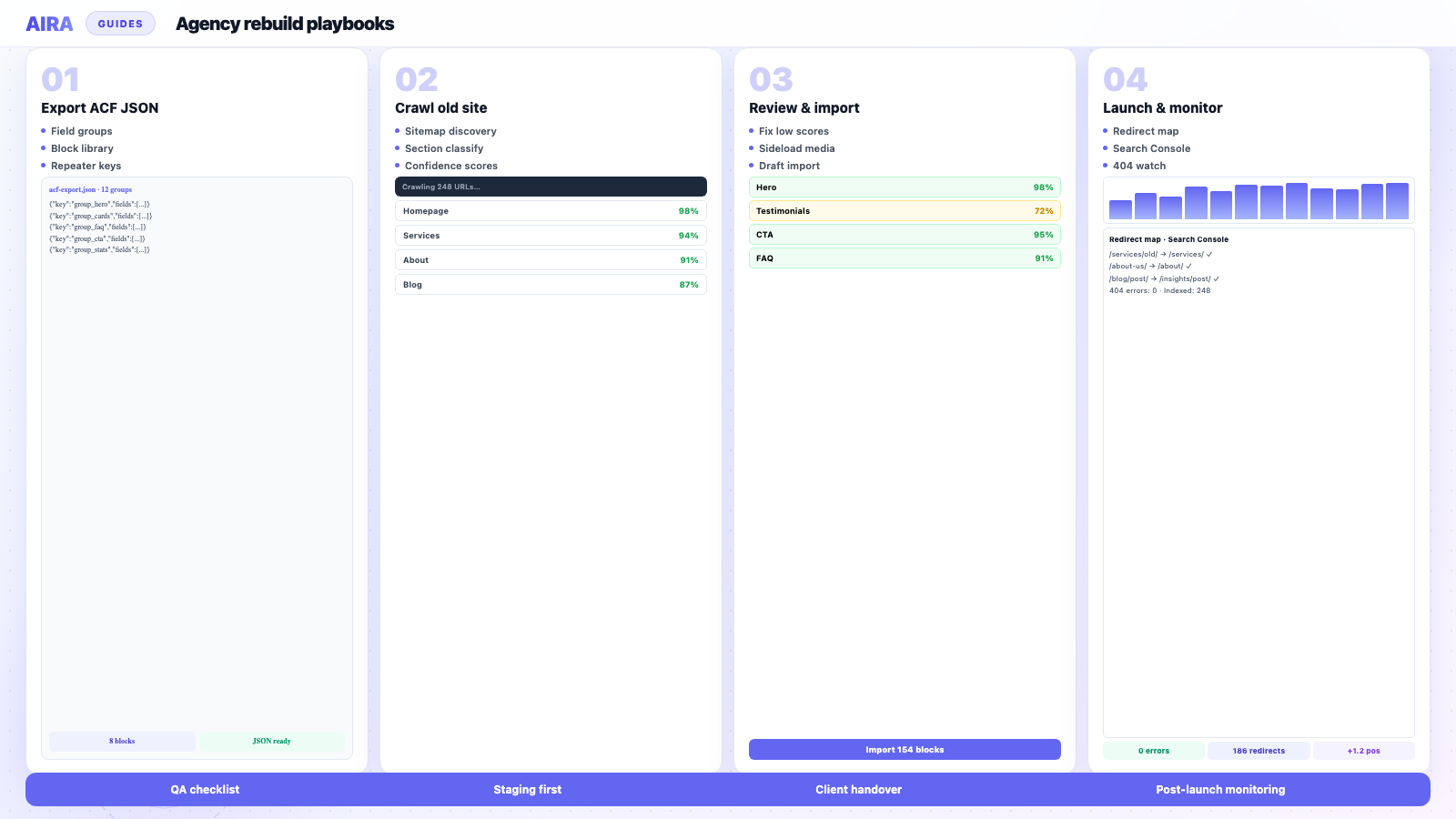
- Register the full ACF block library and export field groups.
- Inventory old URLs, CPTs, and builder-specific debris.
- Classify pages into blocks — crawl or manual map per section.
- Import drafts, sideload media, ship redirect map, run QA checklist.
The hardest part of any WordPress rebuild is not the design or the theme — it is moving years of content into your new block structure. If your new build is based on Advanced Custom Fields, every hero, card grid, stats row and FAQ has to land in the right block with the right fields. Done by hand, a 60-page site is a week of copy-and-paste. This guide walks through how to migrate a website to ACF Gutenberg blocks with an ACF blocks migration tool — export, spec, crawl, review, import, redirect, monitor.
Whether the old site runs Elementor, WPBakery, Divi, flexible content, or plain Classic Editor HTML, the destination is the same — native ACF blocks in Gutenberg. An AI ACF blocks importer like AIRA can convert content to ACF blocks automatically and generate automatic ACF blocks from your existing site; the source markup differs, but the workflow does not.
What you need before you start
- arrow_rightYour new build running WordPress 6.4+ with ACF Pro and your ACF blocks registered.
- arrow_rightAn ACF JSON export of the field groups your pages use.
- arrow_rightA publicly reachable copy of the old site to migrate from.
- arrow_rightThe free ACF Migrate importer plugin installed on the new site.
- arrow_rightA redirect plan if URL structure is changing.
- arrow_rightYoast or Rank Math on the destination if you are migrating SEO metadata.
Step 1 — Register blocks and export field groups
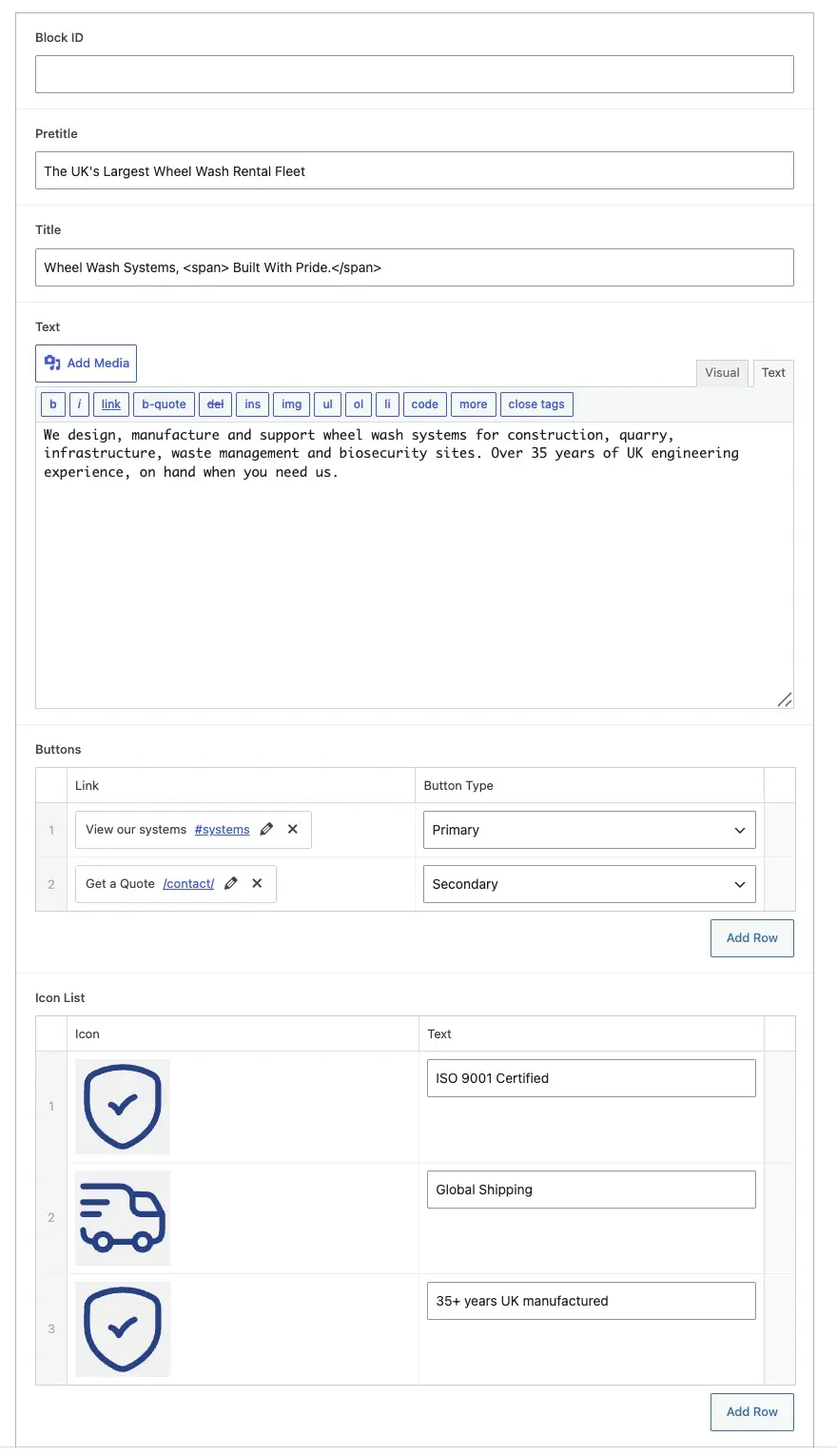
Your field-group export is the blueprint. It tells the migration exactly which blocks exist, what their field keys are, and how repeaters are structured. Register every block first — see how to register ACF blocks. Then in WordPress admin, go to ACF → Field Groups, tick the groups your templates use, and choose Export → Export As JSON. Or use local JSON in acf-json/ — see ACF JSON export explained.
Step 2 — Build a mapping spec
A mapping spec is the rulebook that decides which old-site section becomes which ACF block. Good specs distinguish near-identical blocks (testimonial vs plain quote) and know how to fill repeater sub-fields. With AIRA, you upload the ACF export and the spec is generated — every placeable block, field key and repeater is learned automatically, and AI writes the trigger rules. Save the spec for future projects on the same block library.
Step 3 — Crawl the old site
Point the crawler at the old URL. It discovers the sitemap, reads each page with the full DOM intact, and classifies every section into one of your ACF blocks — attaching a confidence score to each. Use include/exclude path filters and a max-pages cap so you only migrate what matters and skip /tag/ and /author/ archives.
Step 4 — Review flags and commit
Before spending credits, review low-confidence classifications and failed crawls. Re-run with adjusted path filters if needed. Crawling and preview are free in AIRA — you only spend credits when you commit and download the import bundle. See how to use AIRA for the full app walkthrough.
Step 5 — Import as drafts
- 1Open the bundle in the ACF Migrate importer (Tools → ACF Migrate).
- 2Expand each page to see its blocks in order, with confidence scores and review flags.
- 3Reassign any mis-classified block, reorder, or drop junk sections.
- 4Choose Draft and import — nothing goes live until you review and publish.
- 5Verify images sideloaded and internal links rewritten.
Step 6 — Review pass in Gutenberg
- 1Sort by lowest confidence score — fix these first.
- 2Check page title and slug match your URL map.
- 3Count repeater rows: team (6 people?), FAQs (12 items?), logos (8 brands?).
- 4Open in Gutenberg — blocks visible in editor, not empty placeholders.
- 5Preview front-end — compare side-by-side with old site on key pages.
- 6Spot-check image attachment IDs in ACF image fields vs hotlinked URLs.
Step 7 — SEO, redirects and launch
If your URL structure changes, you will lose rankings unless you redirect old paths to new ones. Generate a redirect map (old → new) and import into Redirection, Rank Math, or .htaccess. Migrate Yoast or Rank Math metadata with the bundle. Run the migration QA checklist and SEO preservation guide before cutover. Monitor with post-launch monitoring for four weeks.
Builder-specific notes
The workflow is identical across builders; only the source markup differs. Elementor stores layout in post meta — crawl the rendered page. WPBakery uses shortcodes — same rule. Divi, Beaver Builder, Oxygen — all crawl front-end. See dedicated guides for Elementor, WPBakery, Divi, and flexible content sources.
Mapping quality determines migration quality
The classifier can only place sections as well as your blocks describe themselves. Name blocks for what they are — hero, testimonial, card-grid — not grey-box-left. Design fields to match content types. Define fallback rules for unmatched sections. See how to map website sections to ACF blocks.
Troubleshooting common issues
| Symptom | Likely cause | Fix |
|---|---|---|
| Empty blocks in editor | Field key mismatch | Re-export ACF JSON; regenerate bundle |
| Wrong block type | Ambiguous source section | Reassign in review UI |
| Repeater row count wrong | Classifier merged rows | Manual fix or improve spec |
| Images show URL not attachment | Sideload failed | Re-import; check hotlink blocking |
| SEO fields empty | Plugin not on destination | Install Yoast/Rank Math before import |
Cost and scoping
AIRA pricing is per-page — one credit per page committed. Crawling and classification are free. For agency quoting, price migration per page and map credits to COGS. See how to scope and price a rebuild and AIRA vs manual. Agencies reuse saved specs across clients on the same block library.
Post-import cleanup
- arrow_rightRun shortcode cleanup if any debris remains.
- arrow_rightDeactivate old page builder only after sign-off on staging.
- arrow_rightTrain editors on Gutenberg blocks before cutover.
- arrow_rightKeep staging clone for two weeks as rollback insurance.
Staging workflow before production import
Never import directly to production first. Run the full workflow on staging: register blocks, upload JSON, crawl, commit, import drafts, QA, client review, then promote to production via deploy or re-import. See WordPress staging migration workflow for environment parity checks.
Path filters and crawl scope
- arrow_rightExclude /tag/, /author/, /page/N/ archive paths unless needed.
- arrow_rightInclude only /about/, /services/, /contact/ paths on brochure sites.
- arrow_rightMigrate blog posts separately if they map to core blocks, not ACF.
- arrow_rightSet max-pages cap during pilot crawl to validate mapping before full commit.
- arrow_rightPassword-protected staging: allowlist crawler IP or use temporary public access.
Multilingual migrations
WPML and Polylang sites have duplicate pages per locale. Crawl each language path or use path filters per locale. Field keys are shared across languages — content values differ per post. Redirect maps need every locale variant. Budget page count as pages × languages for credits and quoting.
Timeline expectations
| Site size | Block build | Crawl + review + import | QA + launch |
|---|---|---|---|
| 10 pages | 3–5 days | Half day | 1–2 days |
| 40 pages | 5–8 days | 1–2 days | 2–3 days |
| 100+ pages | 8–12 days | 2–4 days | 3–5 days |
Roles and responsibilities
| Role | Owns | Does not own |
|---|---|---|
| Senior dev | Block library, templates, redirect map | Page-by-page copy-paste |
| Mid dev | Migration review, import, QA fixes | Initial block design |
| Designer | Figma sign-off, visual QA | Field key configuration |
| Client content owner | Copy approval, legal sign-off | Block registration |
| PM | Timeline, phase gates, change requests | Technical import debugging |
Common migration failure modes
- arrow_rightImporting before blocks registered on staging — empty editor fields.
- arrow_rightChanged field keys between crawl and import — silent data loss.
- arrow_rightPublished drafts without front-end QA — broken repeaters live.
- arrow_rightNo redirect map when URLs changed — rankings cliff in week one.
- arrow_rightDeactivated source builder before re-crawl needed — cannot regenerate bundle.
- arrow_rightSkipped SEO plugin install on destination — metadata import fails.
End-to-end checklist
- 1Register blocks and export JSON.
- 2Upload export, generate spec, run pilot crawl on 5 pages.
- 3Review classifications, adjust spec if needed.
- 4Full crawl, commit credits, download bundle.
- 5Import drafts on staging via ACF Migrate plugin.
- 6Gutenberg and front-end QA on top 20 pages.
- 7Load redirects, verify SEO metadata.
- 8Client sign-off, publish incrementally, monitor 4 weeks.
What success looks like
A successful migration: every marketing page exists as a Gutenberg draft with structured ACF blocks, images in the Media Library, internal links pointing at new URLs, SEO metadata populated, redirects loaded, and editors trained before publish. The old builder is deactivated without content loss. Search Console shows stable indexation within four weeks. That is the bar — not 'we copied the HTML somewhere'.
Keep the spec for next time
Save your AIRA mapping spec after the project. The next client on the same block library skips spec generation entirely — one of the highest-ROI habits an agency can build.
Migration is not a theme switch. It is a structured content move from rendered sections to field keys — and it deserves its own phase in the project plan.
Deep dive on import: import an ACF Migrate bundle. Plugin details: ACF Migrate integration. Pricing: AIRA pricing.
Frequently asked questions
Can I migrate a WordPress site to ACF without coding?expand_more
Yes. Export your ACF field groups, crawl the old site with AIRA, review the auto-classified blocks, and import as drafts via the ACF Migrate plugin — no scripts or manual copy-paste required.
Will migrating to ACF blocks break my SEO?expand_more
Not if you carry over titles, meta descriptions and canonicals and set up redirects from old URLs to new ones. The importer migrates SEO fields into Yoast or Rank Math and can generate a redirect map.
Does the source site have to be WordPress?expand_more
No. AIRA crawls any publicly reachable site — Webflow, static HTML, other CMSs. You are rebuilding onto WordPress ACF blocks; the source platform does not matter.
How long does a 50-page migration take?expand_more
Manual: 2–4 dev days. With AIRA: an afternoon for crawl, review, and import once blocks are registered. QA and client review add time on top.
What if my block library is not finished yet?expand_more
Finish registration before crawling. Migrating into a half-built library means reclassifying when you add blocks later. Register the full standard library first.
Can I migrate blog posts and marketing pages together?expand_more
Yes, but consider separate strategies. Blog posts often map to core blocks; marketing pages need ACF section mapping. Use path filters to batch them differently if needed.
What are confidence scores?expand_more
Each classified section gets a score indicating how well it matched your block library. Low scores are flagged for human review before import.
Do images migrate automatically?expand_more
Yes — the importer sideloads images from the old site into your Media Library and attaches them to ACF image fields.
How do I handle URL changes?expand_more
Generate a redirect map during migration and import into your redirect plugin before launch. Test top 20 old URLs resolve via 301.
When should I deactivate the old page builder?expand_more
Only after every page is verified on staging and signed off. Deactivating early on the old site breaks the crawl source if you need to re-run.
What is bundle.json?expand_more
The structured import file describing every page, its blocks in order, field values, confidence scores, and review flags. Upload it to the ACF Migrate plugin on your new site.

Ryan Hale
Head of Front End Development
Ryan Hale is Head of Front End Development at AIRA, where he leads the team building the engine that migrates WordPress sites into native ACF blocks. He has spent more than a decade building and rebuilding WordPress sites for agencies, with deep, hands-on expertise in Advanced Custom Fields, Gutenberg block development, and large-scale content migrations that protect search rankings. He writes about ACF, moving off page builders like Elementor and Divi, and the practical craft of shipping fast, maintainable WordPress rebuilds.
Reviewed to our editorial guidelines.