AIRA vs manual migration: which is right for your rebuild?
Manual copy-paste vs AIRA for WordPress content migration into ACF blocks — honest comparison of time, cost, accuracy, and when each approach makes sense for…
verifiedReviewed by Tommy Smith,Content Director
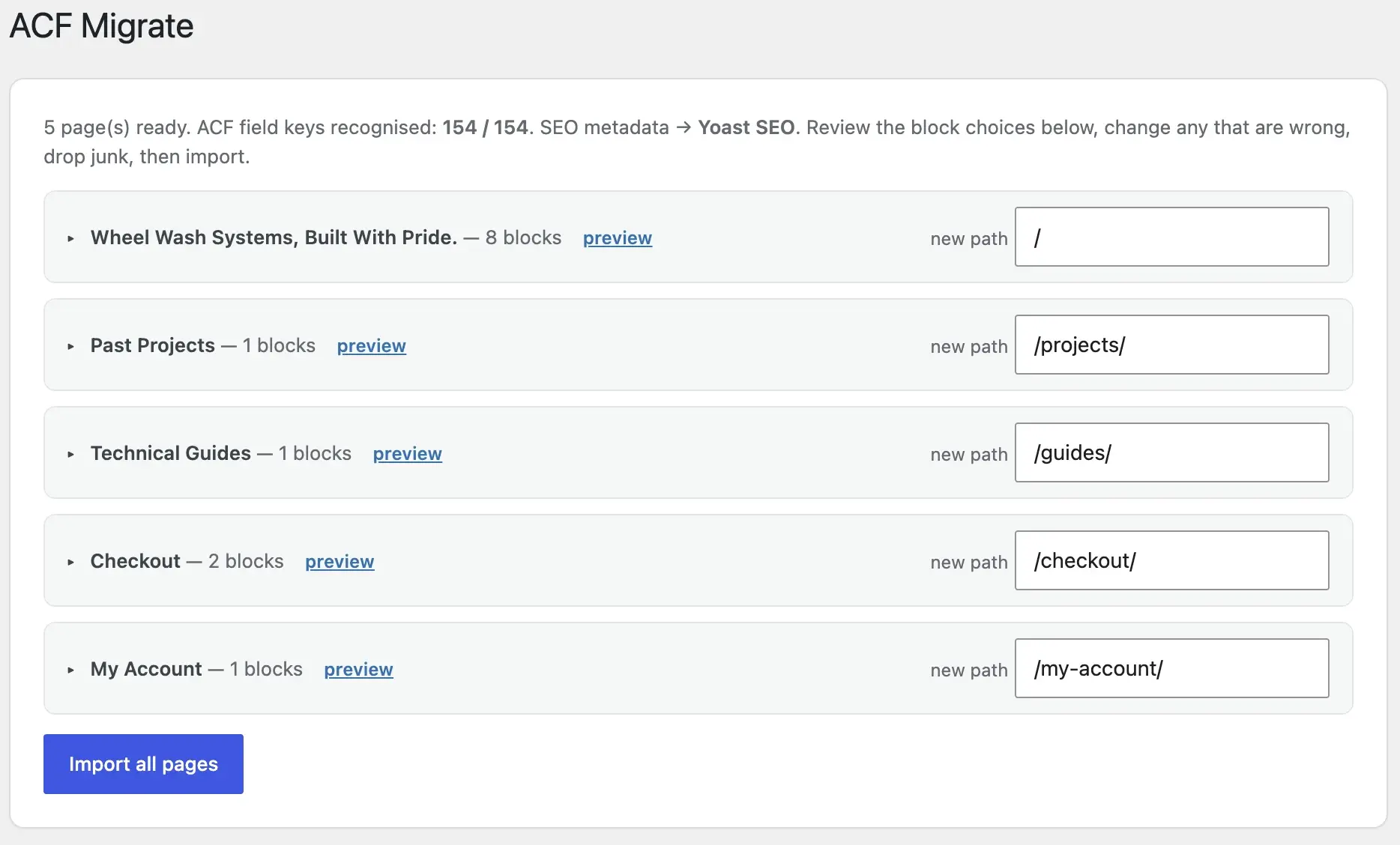
Manual migration works for 1–2 simple pages. AIRA wins on builder-heavy rebuilds — classifying sections into ACF blocks, sideloading media, rewriting links and migrating SEO in hours instead of dev days.
Every agency has done manual migration: open the old page, open the new block editor, copy heading, paste into ACF field, download image, upload to Media Library, fix the link, repeat forty times. It works — until the project is late, images are hotlinked, and a testimonial repeater has the wrong number of rows. The question is not whether manual migration is possible. It is whether it is still the best use of billable dev time on a 50-page rebuild in 2026.
This is an honest comparison — not a sales pitch. Manual migration still wins in specific scenarios. AIRA wins on most builder-heavy agency rebuilds. Understanding where each approach breaks down is how you quote accurately and deliver on time.
Side-by-side comparison
| Factor | Manual copy-paste | AIRA |
|---|---|---|
| Typical 50-page rebuild | 2–4 dev days | 1–3 hours review + import |
| Maps into ACF fields | By hand, per field | AI-classified from your JSON spec |
| Images | Download + re-upload each | Sideloaded to Media Library |
| Internal links | Find-replace or fix by hand | Rewritten to new paths in bundle |
| SEO meta | Re-enter in Yoast/Rank Math | Migrated with page bundle |
| Redirect map | Spreadsheet + manual entry | Generated old → new export |
| Cost model | Hidden in dev hours | 1 credit = 1 page |
| Review before publish | Whatever you remember | Confidence scores + draft import |
Where manual migration still wins
- arrow_rightOne or two simple pages — setup time is not worth it.
- arrow_rightHighly bespoke layouts that do not match any block in your library (rare if your library is broad enough).
- arrow_rightSensitive content you cannot crawl publicly — though password-protected staging can be allowlisted.
- arrow_rightLearning exercise — juniors understanding ACF field structure on a tiny site.
- arrow_rightSame design, host-only move — clone plugins handle that; no section mapping needed.
Where manual migration fails
- arrow_rightPage builders (Elementor, Divi, WPBakery) — copy-paste grabs wrapper markup, not field values.
- arrow_rightRepeaters (cards, FAQs, testimonials) — easy to mis-count rows or swap field order.
- arrow_rightMedia at scale — 200 images manually uploaded is a day gone.
- arrow_rightInternal links — old URLs buried in ACF link fields, not just post_content.
- arrow_rightConsistency — five developers migrate five pages five different ways.
- arrow_rightSEO metadata — re-entering titles and descriptions on 80 pages is soul-destroying.
The real cost maths
A senior dev billing £75/hour spending three days on migration is £1,800 in cost — before margin. Fifty AIRA credits on a Growth plan is a fraction of that, with crawl and review included. Even if you bill migration separately to the client, automating it improves margin and lets the team focus on templates, forms, WooCommerce and launch QA — the work that actually needs craft. See AIRA pricing for current credit costs.
Hidden costs of manual migration
- arrow_rightRe-work when QA finds broken repeaters or hotlinked images.
- arrow_rightClient change requests mid-migration — manual pages are harder to batch-update.
- arrow_rightDeveloper context-switching between migration grunt work and template development.
- arrow_rightOpportunity cost — the same dev could ship two more client sites per quarter.
Hybrid approach: what most agencies do
Most agencies land on hybrid: AIRA for bulk page migration, manual work for global headers, complex forms, CPT structures and edge-case pages. The content migration tools compared guide situates AIRA alongside WXR export, clone plugins and WP-CLI — each has a lane. Use the right tool per asset type, not one hammer for everything.
Decision flowchart
- 1Same design, new host only? → Clone plugin. Stop here.
- 2Rebuilding into ACF blocks? → You need section mapping, not export/import.
- 3Under 5 pages? → Manual might be faster.
- 45+ pages from a builder or Webflow? → Crawl with AIRA, review scores, import drafts.
- 5Need redirects + SEO? → AIRA bundle includes both; manual means spreadsheet work.
- 6WooCommerce marketing pages only? → Crawl pages; leave products in the database.
Accuracy and review
Manual migration feels accurate because a human touched every field. It is also inconsistent — fatigue sets in on page 30. AIRA attaches a confidence score to every classified section. Low-confidence blocks are flagged before you spend a credit. You review, reassign, reorder, then import as drafts. Nothing goes live until you publish. The review step is minutes per page, not hours of copy-paste.
Builder-specific reality
Elementor, Divi, WPBakery and Beaver Builder store layout in proprietary formats — shortcodes, post meta, serialized data. Copying rendered HTML into a Classic block keeps the wrapper divs you were trying to escape. The goal is field-level mapping: hero heading into hero_heading, not a div with inline styles into a WYSIWYG. See migrating off Elementor, WPBakery, and Divi for builder-specific notes.
SEO and redirects: the manual tax
Manual migration often treats SEO as an afterthought — re-enter Yoast titles page by page, build redirect spreadsheets by hand, hope nothing is missed. AIRA migrates Yoast and Rank Math metadata with each page bundle and generates a redirect map when URLs change. That alone can save a day on a 60-page site and prevent ranking disasters. Pair with post-launch monitoring after cutover.
Client conversation
Clients rarely care how content moves — they care that it is accurate, on time, and editable after launch. Frame the choice as: automated mapping with human review vs all-manual with higher risk of inconsistency and overrun. Show a side-by-side of one page: old site section, AIRA classification, imported draft in Gutenberg. The demo sells faster than a feature list.
When to quote manual anyway
Quote manual when the scope is genuinely tiny, when the client insists on air-gapped content handling, or when you are training a junior on ACF structure. Otherwise, price migration per page with tooling cost built in — see how to scope and price a rebuild. Per-page pricing maps cleanly to AIRA credits and keeps margin predictable.
Team workflow comparison
| Task | Manual team split | AIRA-assisted split |
|---|---|---|
| Block library build | Senior dev, 2–3 days | Senior dev, 2–3 days |
| Page migration | Mid dev, 2–4 days | Mid dev, 2–4 hours review |
| SEO metadata | Junior, 1 day spreadsheet | Automatic in bundle |
| Redirect map | Junior, half day | Generated export |
| Image sideload | Anyone, 1 day | Automatic in import |
| Launch QA | Whole team | Whole team |
Risk profile
Manual migration risk concentrates in inconsistency and deadline pressure — wrong repeater counts discovered at QA, hotlinked images in production, internal links pointing at staging. AIRA risk concentrates in misclassification of ambiguous sections — mitigated by confidence scores and draft-only import. Neither approach eliminates QA; AIRA shifts effort from data entry to review.
Portfolio economics
An agency running eight rebuilds a year saves roughly twelve to twenty dev days annually by automating migration — days that convert to additional billable projects or higher margin on existing ones. Standardise the block library, save the AIRA spec once, and marginal cost per migrated page drops on every subsequent client using the same kit.
What AIRA does not migrate
- arrow_rightCustom post type records not exposed as public pages — use WP-CLI or WXR.
- arrow_rightGravity Forms / complex form configurations — rebuild forms separately.
- arrow_rightWooCommerce products — stay in database on same-install rebuilds.
- arrow_rightUser accounts and comments — standard WordPress export tools.
- arrow_rightPlugin settings and global options — manual reconfiguration.
- arrow_rightCustom admin-only content not on the public crawl.
Real project scenario: 60-page Elementor site
A typical agency rebuild: 60 Elementor pages, 12 ACF blocks, URL structure unchanged. Manual path: two developers spend four days copying sections, third day fixing images and links, fourth day on SEO spreadsheet. Total: ~£2,400 internal cost, launch delayed. AIRA path: blocks built in week one, crawl and review Tuesday afternoon, import Wednesday morning, QA Thursday. Credit cost under £50. Dev time shifts to template polish and form rebuilds. Client sees drafts in Gutenberg Wednesday — a week ahead of schedule.
Quality comparison on repeaters
FAQ blocks with twelve questions are where manual migration breaks down. Developer A pastes all twelve into one WYSIWYG. Developer B creates six repeater rows and stops for lunch. Developer C gets the count right but swaps question and answer fields. AIRA classifies the rendered accordion structure and writes twelve repeater rows with correct sub-field keys — you verify the count in review in thirty seconds. Consistency at scale is the operational argument, not just speed.
Getting buy-in from senior developers
Senior devs sometimes resist automation because they have always done it manually and it works. Run a pilot on one complex page — homepage or a service landing page. Compare manual time vs classified import. Let them edit the review UI and judge quality themselves. The conversation shifts from 'will AI break my site' to 'this saves me a day I can spend on the WooCommerce template'. Position AIRA as a junior task replacement, not a senior dev replacement.
Manual migration does not fail because developers are careless. It fails because humans are inconsistent at scale.
Ready to try it? Start with how to use AIRA or the full ACF migration guide.
Related comparisons and workflows
Primary-source timing: migration time benchmark 2026 — 40–60 manual hours vs ~2 hours with AIRA on 50–60 pages. Compare on /compare/manual-migration and /compare/wp-all-import. Full walkthrough: how to use AIRA.
Frequently asked questions
Is AIRA a replacement for my developers?expand_more
No — it replaces copy-paste grunt work. Your team still builds the ACF block library, theme templates, forms, WooCommerce overrides and launch QA. AIRA gets content into the right fields so review and publish is hours, not days.
What if AIRA maps a section wrong?expand_more
Every block gets a confidence score. Low-confidence sections are flagged in review — reassign the block type, adjust fields, or drop junk before import. Nothing goes live until you publish the drafts.
How does AIRA compare to WP All Import?expand_more
WP All Import is excellent for CSV/XML data into custom fields — products, directory listings, structured datasets. AIRA is built for redesigns: reading a rendered site and classifying visual sections into your ACF blocks. Different problems.
Is manual migration more accurate than AI classification?expand_more
Manual feels accurate per page but degrades with fatigue and team inconsistency. AIRA plus human review combines scale with a checkpoint. Most agencies find fewer repeater errors with classified imports than with hand entry.
How much does AIRA cost vs manual dev hours?expand_more
AIRA charges per page committed — see pricing for current credit costs. Fifty pages typically costs far less than two to four dev days at agency rates, before counting re-work and SEO spreadsheet time.
Can I use AIRA on a 5-page site?expand_more
Yes, but manual may be faster once you account for block registration and spec setup. Run a free crawl anyway — it validates your block library and mapping spec for future projects.
Does AIRA work with non-WordPress source sites?expand_more
Yes. AIRA crawls any publicly reachable site — Webflow, static HTML, other CMSs. The source does not have to be WordPress if you are rebuilding onto ACF blocks.
What about password-protected staging sites?expand_more
Crawl password-protected staging with allowlisting. Air-gapped environments with no HTTP access still require manual migration or a custom export path.
Do I still need a QA pass after AIRA?expand_more
Always. Import as drafts, review in Gutenberg, compare front-end to old site on key pages, run the migration QA checklist, then publish incrementally.
When should I choose manual over AIRA?expand_more
One or two simple pages, truly bespoke layouts with no block match, or training exercises on tiny sites. For builder-heavy rebuilds with 5+ pages, automated classification with review wins on time and consistency.
How does AIRA handle images and internal links?expand_more
Images are sideloaded into the Media Library during import. Internal links are rewritten from old URLs to new paths in the bundle. Manual migration requires separate passes for both.

Ryan Hale
Head of Front End Development
Ryan Hale is Head of Front End Development at AIRA, where he leads the team building the engine that migrates WordPress sites into native ACF blocks. He has spent more than a decade building and rebuilding WordPress sites for agencies, with deep, hands-on expertise in Advanced Custom Fields, Gutenberg block development, and large-scale content migrations that protect search rankings. He writes about ACF, moving off page builders like Elementor and Divi, and the practical craft of shipping fast, maintainable WordPress rebuilds.
Reviewed to our editorial guidelines.



