How to map any website section to the right ACF block
Practical guide to mapping website sections to ACF blocks — composite vs atomic blocks, field guide to 15 common sections, naming conventions, fallback rules…
verifiedReviewed by Tommy Smith,Content Director
Map each section to the closest composite ACF block (hero, cards, testimonials, FAQ) and fall back to atomic blocks (WYSIWYG, gallery, quote) when nothing matches. Name blocks for what they are; keep field keys stable.
The make-or-break of an ACF build is mapping: getting each section of a page into the right block, with the content landing in the right fields. Do it well and a migration is a review-and-publish job. Do it badly and you are rebuilding pages by hand at midnight before launch. This guide is the mental model and the practical patterns for mapping any section to the right block — whether you are designing a new library, writing a mapping spec, or reviewing AIRA classifications before import.
Good mapping is mostly good naming. The classifier — human or AI — can only place a section as well as your blocks describe themselves.
The mental model: composite vs atomic
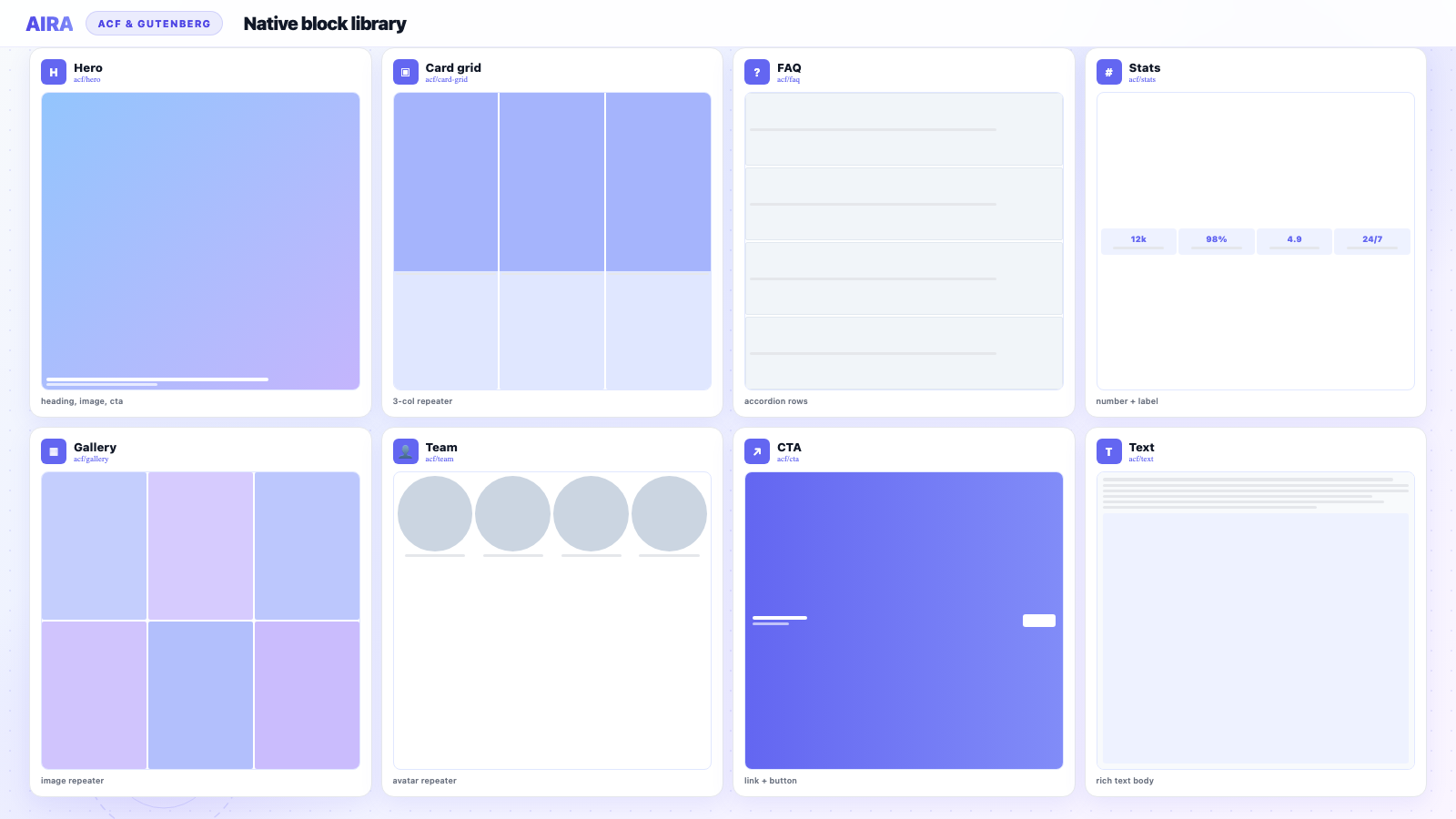
Think of your blocks in two groups. Composite blocks are the structured, repeatable sections — a hero, a cards grid, a testimonials row — each with named fields. Atomic blocks are the catch-alls that guarantee a valid result for anything else: a WYSIWYG text block, a full-width image, a gallery, a quote. Good mapping sends each section to a composite block where one exists, and to an atomic fallback when it does not — so you never drop content.
A field guide to common sections
Here is how the sections you meet on almost every site map to blocks, and the fields that belong in each.
| Section on the page | Map to ACF block | Key fields |
|---|---|---|
| Hero / banner | hero | heading, subheading, CTA, background image |
| Feature grid / cards | cards (repeater) | icon, title, text per card |
| Stats / counters | stats (repeater) | value, label |
| Testimonials | testimonial (repeater) | quote, author, role, avatar |
| Logo strip | logos (repeater) | image, link |
| Call-to-action band | cta | heading, text, button |
| Pricing table | pricing (repeater) | plan, price, features, CTA |
| FAQ accordion | faq (repeater) | question, answer |
| Image + text split | media-text | image, heading, body, alignment |
| Image gallery | gallery | images |
| Team grid | team (repeater) | photo, name, role, bio |
| Contact band | contact | heading, form shortcode or fields |
| Video embed | video | URL, poster image, caption |
| Newsletter signup | cta or newsletter | heading, form embed |
| Timeline / process steps | steps (repeater) | number, title, description |
Designing fields inside a block
- arrow_rightMatch field types to content: image field for images, link field for buttons, WYSIWYG for prose.
- arrow_rightUse a repeater for anything that repeats — cards, logos, FAQs, team members.
- arrow_rightKeep field labels human and specific — both people and classifiers read them.
- arrow_rightAvoid one giant WYSIWYG per block when structured fields would serve editors better.
- arrow_rightSet sensible character limits on headings where design constraints exist.
Repeater vs flexible content
Use a repeater for a uniform list of the same thing (a row of cards). Use flexible content when a section can stack varied block types in any order — though discrete blocks are usually cleaner. Compare in ACF flexible content vs ACF blocks.
Naming conventions that pay off
- arrow_rightName blocks for what they are, not how they look — testimonial, not grey-box.
- arrow_rightKeep field keys identical between sites, or the importer will not recognise them.
- arrow_rightGive blocks and fields descriptive labels — classifiers place sections using names and labels as signals.
- arrow_rightUse consistent prefixes across a library — acf/hero, acf/cards, acf/cta.
- arrow_rightDocument ambiguous pairs — testimonial vs quote, hero vs banner — in your mapping spec.
Fallback rules: never lose content
- arrow_rightNo composite match? Section becomes a generic WYSIWYG text block with inline formatting kept.
- arrow_rightThree or more images in a row become a gallery.
- arrow_rightA lone image becomes a full-width image block.
- arrow_rightA blockquote becomes a quote block.
- arrow_rightA video embed becomes a video block with URL field.
- arrow_rightUnknown widget or embed → WYSIWYG with manual review flag.
Ambiguous sections: how to disambiguate
| Ambiguity | How to decide | Typical block |
|---|---|---|
| Large heading + image + button | Above the fold, full width? | hero |
| Large heading mid-page | Secondary band? | cta or media-text |
| Three columns of icons + text | Uniform items? | cards or features |
| Single pull quote | One quote, no carousel? | quote, not testimonial |
| Multiple quotes with avatars | Repeating pattern? | testimonial |
Writing trigger rules for classifiers
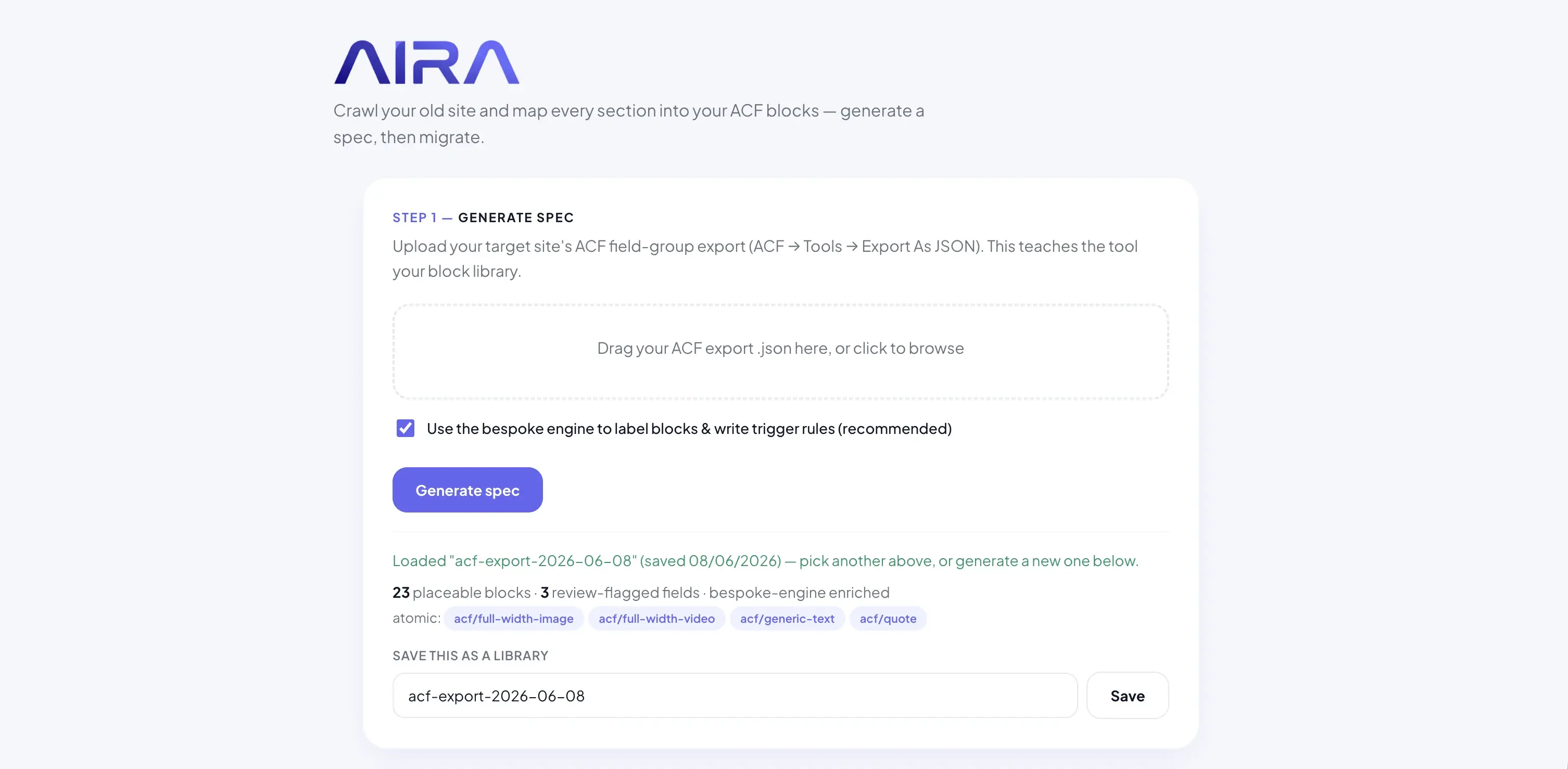
Whether you write rules by hand or let AIRA generate them from your JSON export, good triggers reference structure: repeater-like grids map to cards; accordion patterns map to FAQ; logo images in a horizontal row map to logos. Include negative rules too — a single H1 with background image is hero, not text. Upload your export to AIRA and review generated rules before the full crawl.
Review workflow before import
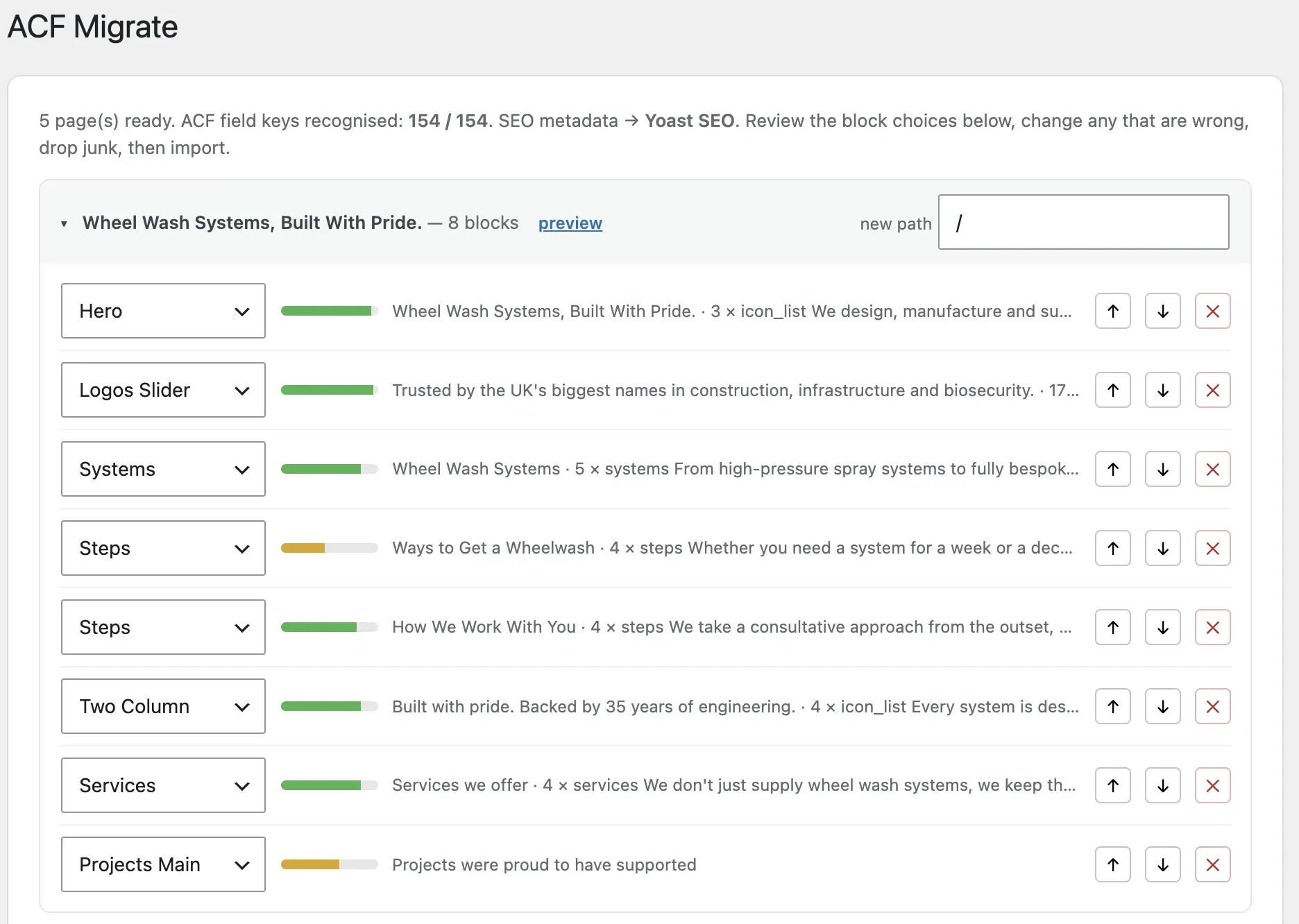
- 1Sort pages by lowest average confidence score.
- 2Check homepage and top 5 analytics landing pages first.
- 3Verify repeater row counts match rendered old pages.
- 4Reassign misclassified sections — testimonial vs quote is the classic.
- 5Drop navigation, footer, and cookie banners the crawler picked up.
- 6Approve and import as drafts only after spot-check passes.
Build a reusable block library
A well-named block library is an asset you reuse on every project, and it pairs with a saved AIRA spec so future migrations are near-instant. If you are deciding how to build the blocks themselves, see ACF blocks vs core Gutenberg blocks and how to register ACF blocks, then put it all together in how to use AIRA. Agencies standardising libraries across clients see migration cost drop sharply on project two.
Builder-specific mapping notes
Elementor sections often map cleanly if your library mirrors common widgets. WPBakery vc_row wrappers should be skipped — content inside maps to real blocks. Divi modules map similarly. Always classify from rendered HTML, not builder internals. See WPBakery migration and Elementor migration.
Testing your mapping spec
- 1Pick 5 representative pages — homepage, about, service, contact, one long-tail landing page.
- 2Run a free crawl and review classifications without committing credits.
- 3Compare auto-mapping to what you would assign manually.
- 4Adjust block labels or spec rules if systematic errors appear.
- 5Re-crawl only if spec changed materially.
Field type reference for classifiers
| Content on old page | ACF field type | Common mistake |
|---|---|---|
| Heading text | Text or Textarea | Putting in WYSIWYG — loses semantic control |
| Long prose paragraph | WYSIWYG | Using plain text — loses bold/links |
| Button with URL | Link field | Storing URL in text field — breaks link picker |
| Background image | Image field | Leaving as hotlinked URL — not in Media Library |
| Icon per card | Image or Icon picker | Using text field for emoji — inconsistent |
| Embed video URL | URL or oEmbed field | Pasting iframe HTML — breaks on filter |
Global sections: header, footer, nav
Headers and footers repeat on every page. Crawlers pick them up on each URL — deduplicate in review rather than importing twelve copies of the same footer CTA. AIRA caches repeated global elements to save processing. Map globals to theme template parts on the new build, not page-level blocks, unless your architecture uses block-based headers intentionally.
Spec documentation template
- 1Block catalogue: name, purpose, key fields, typical row counts.
- 2Ambiguity rules: hero vs cta vs banner decision tree.
- 3Fallback rules: what happens when no composite match.
- 4Skip rules: nav, footer, cookie banners, admin bars.
- 5Builder-specific notes: Elementor section vs column vs widget.
- 6Version and date: which JSON export the spec was built from.
Post-migration mapping drift
After launch, editors add new blocks manually. That is fine — mapping spec is a migration-time tool, not a runtime constraint. Document which blocks are available so editors do not freestyle with core columns and break the design system. Block allow-lists on templates prevent drift on high-value pages like homepage.
Worked example: homepage section walkthrough
- 1Section 1 — full-width image, H1, subtext, button → hero block.
- 2Section 2 — three icon boxes with titles and descriptions → cards repeater (3 rows).
- 3Section 3 — large quote with headshot → testimonial repeater (1 row) not quote block.
- 4Section 4 — client logos in a row → logos repeater.
- 5Section 5 — H2, paragraph, button on coloured background → cta block.
- 6Section 6 — accordion FAQs → faq repeater.
- 7Footer CTA in theme template — skip, not a page block.
Confidence scores and manual overrides
High confidence (80%+) classifications rarely need changes. Medium (50–80%) — spot-check field placement. Low (below 50%) — almost always manual reassignment. Train reviewers to sort by confidence in the import UI, not alphabetically by page title. Fixing twelve low-confidence pages first prevents expensive republish cycles.
Scaling mapping across a portfolio
The first client on a new block library takes longest — you are designing blocks and tuning the spec simultaneously. Client two on the same library: upload the same JSON, reuse the saved spec, crawl, review, import. Marginal mapping effort drops 60–70%. Treat block naming and field design as product decisions, not per-project afterthoughts. Agencies that productise their library migrate faster and quote more confidently.
Good mapping is mostly good naming. The classifier can only place a section as well as your blocks describe themselves.
Pricing: AIRA pricing. Import step: ACF Migrate plugin. Full workflow: migrate to ACF blocks.
The ACF Block Mapping Cheat Sheet
A one-page reference of common website sections, the ACF block to map each one to, and the fields that belong in it — plus naming and fallback rules.
- check_circle15 common sections → ACF blocks
- check_circleThe key fields for each block
- check_circleNaming conventions that improve mapping
- check_circleAtomic fallback rules so nothing is lost
Frequently asked questions
What is ACF block mapping?expand_more
It is the process of deciding which ACF block each section of a page should become, and which field each piece of content goes into — the core of moving an existing site into an ACF-based build.
How does AIRA decide which block a section maps to?expand_more
It reads each section in context and classifies it into the most appropriate block from your library, using block names, field labels and trigger rules, then attaches a confidence score for review.
What happens to a section that does not match any block?expand_more
It falls back to an atomic block — usually a generic WYSIWYG text block — so content is always preserved and importable.
What is a composite block?expand_more
A structured block with named fields for a repeatable section type — hero, cards, testimonial, FAQ. The primary mapping target for migration.
What is an atomic fallback block?expand_more
A simple catch-all block — WYSIWYG, image, gallery, quote — used when no composite block matches. Ensures content is never lost.
How do I handle similar-looking sections?expand_more
Document rules in your spec: hero is above-the-fold full-width with CTA; cta is mid-page band; testimonial has avatars and multiple quotes. Descriptive block labels help classifiers disambiguate.
Should field keys match between staging and production?expand_more
Yes — exactly. Field keys are how WordPress stores values. Mismatched keys between environments cause empty blocks after import.
How many blocks should a standard library include?expand_more
At minimum: hero, text, cards, stats, testimonial, FAQ, CTA, gallery, logos, team, media-text, video, and contact. Add pricing and steps if common in your client verticals.
Can I map Webflow sections the same way?expand_more
Yes — crawl the rendered Webflow site and classify sections into the same composite block library. The source platform does not change the mapping model.
What is the most common mapping mistake?expand_more
Vague block names and missing atomic fallbacks. grey-box-2 tells a classifier nothing; unnamed sections get dropped or forced into wrong blocks.
How do repeaters affect mapping?expand_more
Repeater blocks need correct row counts — one row per card, FAQ item, or team member. Review repeater counts carefully in the import UI before publish.

Ryan Hale
Head of Front End Development
Ryan Hale is Head of Front End Development at AIRA, where he leads the team building the engine that migrates WordPress sites into native ACF blocks. He has spent more than a decade building and rebuilding WordPress sites for agencies, with deep, hands-on expertise in Advanced Custom Fields, Gutenberg block development, and large-scale content migrations that protect search rankings. He writes about ACF, moving off page builders like Elementor and Divi, and the practical craft of shipping fast, maintainable WordPress rebuilds.
Reviewed to our editorial guidelines.