How to rebuild a WooCommerce site on ACF blocks
Rebuilding a WooCommerce storefront on native ACF blocks? How to migrate marketing pages, keep products and orders intact, rebuild shop templates, and launch…
verifiedReviewed by Tommy Smith,Content Director
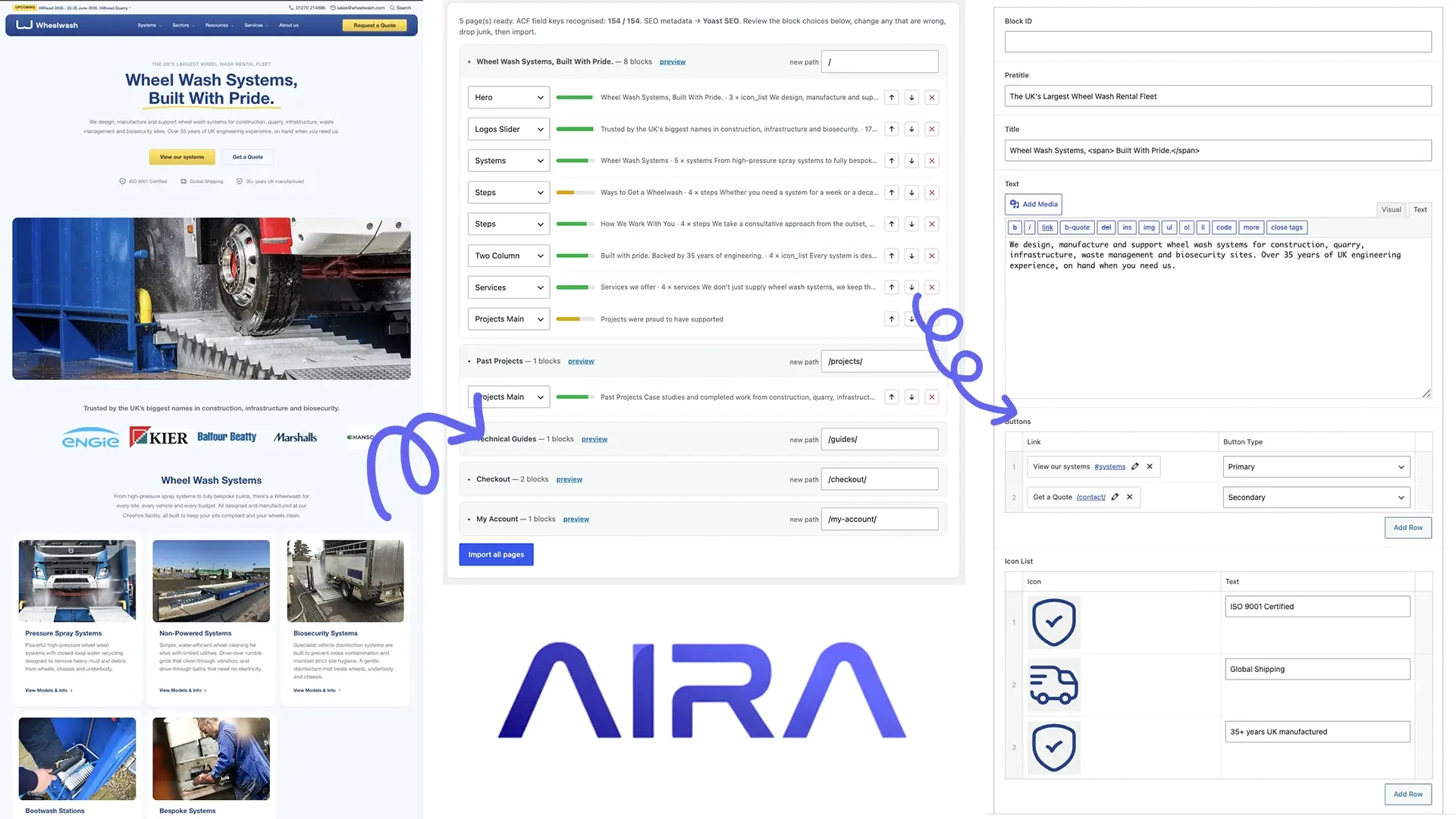
Keep products, orders and customers in the database. Migrate marketing pages into ACF blocks via crawl-and-map. Rebuild shop templates in the theme. Test checkout on staging before launch.
WooCommerce rebuilds sit in an awkward middle ground for agencies. The catalogue — products, categories, orders, customer accounts — usually stays in the same WordPress database. The pain is everything wrapped around it: homepage heroes built in Flatsome UX Builder, category landing pages in Elementor, and shop templates tied to a £59 theme the client has outgrown. Rebuilding on a bespoke ACF block theme means migrating marketing content into structured blocks while deliberately not treating the product database like a page migration problem.
Get this wrong and you ship a beautiful homepage with a broken checkout. Get it right and the client gets a faster shop, editable marketing pages, and zero disruption to order history. This guide is the two-track workflow we use: theme templates for WooCommerce, crawl-and-map for everything else.
What moves vs what stays
| Asset | Typical approach | Notes |
|---|---|---|
| Products & variations | Keep in DB | Same install = no product export |
| Orders & customers | Keep in DB | Critical — never 'migrate' orders as pages |
| Marketing pages | Crawl → ACF blocks | Home, about, landing pages |
| Shop archive template | Rebuild in theme | Not page-builder content |
| Single product template | Rebuild in theme | WC overrides in new theme |
| Cart / checkout | Test endpoints | Theme-agnostic but template-sensitive |
The two-track workflow
- 1Track A — Theme templates: rebuild single-product.php, archive-product.php, cart, checkout wrappers in your new theme before launch.
- 2Track B — Page content: register ACF blocks, export JSON, crawl marketing URLs from the old builder theme.
- 3Classify sections into blocks; flag any [products], [ux_products], or Elementor product widgets for developer wiring.
- 4Import marketing pages as drafts; leave /shop/ and /product/* to WooCommerce routing.
- 5Run checkout QA on staging — coupons, gateways, emails, stock reduction.
- 6Launch with redirect map for any marketing URL changes only.
Builder-specific notes
Flatsome + UX Builder is the most common WooCommerce stack agencies inherit — shortcode-heavy marketing pages with a working shop underneath. Elementor WooCommerce sites add Elementor Pro product templates on top. In both cases, crawl the rendered front-end page, not the builder's internal JSON.
Category and attribute URLs
Product permalinks (/product/widget/) usually survive a theme change unchanged. Product category slugs sometimes change during a rebrand — if /product-category/old-name/ becomes /shop/category/new-name/, each needs a 301. Crawl Search Console for category pages with traffic before assuming 'shop URLs never change'.
Theme template rebuild
WooCommerce templates are not ACF block pages. Shop archive, single product, cart, checkout, and account pages render through WooCommerce template hierarchy — overridden in your theme. Build these before launch, not after. Test with variable products, sale badges, out-of-stock states, and grouped products if the catalogue uses them.
- arrow_rightarchive-product.php — shop page layout, filters, pagination.
- arrow_rightsingle-product.php — gallery, add-to-cart, tabs, related products.
- arrow_rightcart/cart.php and checkout/form-checkout.php — minimal changes unless redesigning.
- arrow_rightmy-account templates — order history, addresses, downloads.
SEO and structured data
- arrow_rightProduct schema comes from WooCommerce + your SEO plugin — verify Rich Results Test after theme swap.
- arrow_rightMarketing page meta migrates via Yoast or Rank Math fields in the import bundle.
- arrow_rightBreadcrumb markup may change with new theme — check category and product pages separately.
- arrow_rightPost-launch: monitor Search Console for /product/ and /product-category/ 404s in weeks 1–4.
- arrow_rightPreserve Yoast metadata on marketing pages.
QA checklist (WooCommerce-specific)
- arrow_rightAdd to cart from shop archive and single product.
- arrow_rightVariable product — select options, correct price updates.
- arrow_rightApply coupon; confirm discount in cart and order email.
- arrow_rightComplete test order with live gateway (or Stripe test mode).
- arrow_rightTransactional emails arrive (order confirmation, not in spam).
- arrow_rightAccount login, order history, downloads (if digital products).
- arrow_rightMarketing pages: no builder shortcodes; product grids show live data.
- arrow_rightMobile checkout flow — shipping and payment fields usable.
Common WooCommerce rebuild mistakes
- arrow_rightMigrating product pages as static ACF block pages — products belong in WooCommerce templates.
- arrow_rightStatic snapshot of 'featured products' section — stale on day one.
- arrow_rightSkipping checkout test on staging — gateway works in admin but AJAX breaks on front end.
- arrow_rightChanging product category slugs without redirects.
- arrow_rightDuplicate schema from new theme + WooCommerce + Yoast.
- arrow_rightNot testing transactional emails on staging SMTP.
Payment gateways and subscriptions
Stripe, PayPal, and WooCommerce Payments are plugin-level — they survive theme changes. WooCommerce Subscriptions and membership plugins need separate QA: renewal emails, failed payment handling, and my-account subscription management. Test a subscription product on staging if the client uses one. Payment gateway webhooks point at your domain — confirm they still resolve after DNS cutover.
Staging with live product data
Same-install rebuilds are simplest: products and orders are already in the database. Separate staging installs need a database clone or product sync — never test checkout with empty product data and assume production will work. Anonymise customer emails on staging clones if developers and testers receive order notifications. Use a payment gateway test mode flag on staging; never process real charges on a staging URL.
Performance and Core Web Vitals
WooCommerce shops are sensitive to performance regressions. A lighter ACF block theme often improves marketing pages; shop pages depend on WooCommerce scripts, cart fragments, and product gallery JS. Benchmark shop archive and single product before and after on identical hosting. See page builder performance problems for the marketing-page case.
Plugins that survive vs plugins that change
| Plugin type | Typical fate on rebuild | Action |
|---|---|---|
| WooCommerce core | Stays | Update; test templates |
| Payment gateway | Stays | Test checkout on staging |
| Flatsome / UX Builder | Removed | Migrate marketing pages only |
| Elementor Pro | Removed | Rebuild WC templates in theme |
| YITH / product add-ons | Stays | Test with new theme CSS |
| Filter plugins (FacetWP, etc.) | Stays | Re-style filter UI |
Client expectations on a live shop
Schedule rebuild cutover in a low-traffic window — Tuesday 6am beats Black Friday. Put the shop in maintenance mode only if necessary; most theme rebuilds cut over without downtime if staging QA was thorough. Tell the client: orders in flight during DNS propagation may need manual reconciliation. One hour of standby support on launch day is cheap insurance against a cart AJAX failure.
Marketing page examples to crawl
- arrow_rightHomepage — hero, featured products, testimonials, USPs.
- arrow_rightAbout and brand story pages — often Flatsome UX Builder sections.
- arrow_rightCategory landing pages built in Elementor — not the WC archive itself.
- arrow_rightSale and campaign landing pages — time-sensitive; migrate content, not countdown logic unless rebuilt.
- arrow_rightFAQ, delivery, and returns pages — legal copy must be exact.
- arrow_rightContact and store locator — form and map embeds need manual rebuild.
What not to migrate as pages
Product descriptions live in WooCommerce product admin — not typically in a page crawl. Cart, checkout, and account pages are WooCommerce endpoints — style them via templates, do not rebuild as ACF block pages. Shop archive at /shop/ is a template — migrating it as a static page breaks pagination and filters. Keep the distinction clear in your project scope document so the client understands why 'the shop page' is a development task, not a content import.
Flatsome and Elementor on WooCommerce: migration notes
Flatsome's UX Builder stores marketing pages as shortcodes — [ux_banner], [ux_products], [section] — similar to WPBakery. Crawl rendered pages, not shortcode source. Elementor Pro adds single-product and archive templates that override WooCommerce — rebuild those in PHP, not ACF blocks. Both builders often put a product carousel on the homepage; classify it as a dynamic block. The shop underneath keeps working; only the marketing wrapper changes.
Launch day for ecommerce rebuilds
Ecommerce launches need a longer standby window than brochure sites — two hours minimum. Smoke test: add to cart, checkout, order confirmation email, and admin order notification. Clear any caching plugin caches after cutover. If using Cloudflare, purge everything. Monitor payment gateway dashboard for failed charges in the first hour. Product feeds (Google Merchant Center) may need re-fetch if product page markup changed significantly.
AIRA crawls marketing URLs — homepage, about, campaign landing pages — and maps them into ACF blocks. Product data stays in WooCommerce admin. That separation keeps the migration scope honest: you are not 'migrating the shop', you are rebuilding shop templates and migrating the marketing wrapper around it. Document that distinction in the proposal and the client will not expect product CSV import as part of a theme rebuild.
Preserve marketing page SEO through Yoast migration — product schema is separate and comes from WooCommerce. After launch, verify Rich Results on three products and one category page. Broken product schema hurts shopping visibility; broken homepage meta hurts brand queries. Test both tracks.
Pair this with the general migration QA checklist, staging workflow, and post-launch monitoring. For agencies quoting the project, see how to scope and price a rebuild.
Same-install WooCommerce rebuilds are the sweet spot for agencies — products stay put, marketing pages migrate into blocks, templates get rebuilt. Fresh-install moves add product export and are a different quote entirely.
Check broken images on marketing pages after import — product images in WooCommerce admin are separate and usually unaffected by theme rebuilds.
What to read next on this store rebuild
WooCommerce rebuilds split three ways: product data (stays in DB or CSV import), marketing pages (crawl to ACF blocks), and CPT-like structures (brands, lookbooks) covered in CPT migration. Product images break silently — read media library migration. Coming from Shopify? See Shopify to WordPress.
Frequently asked questions
Do I need to export and re-import WooCommerce products?expand_more
On a same-install theme rebuild, no — products, orders and customer data stay in the database. You are migrating page-builder marketing content and rebuilding WooCommerce templates. A move to a fresh WordPress install is a different project that includes product CSV/XML export.
Will rebuilding the theme break my payment gateway?expand_more
Usually not — gateways are plugin-level. But checkout page templates, cart fragments and AJAX can break if the new theme doesn't load WooCommerce scripts correctly. Always run a full test order on staging.
Can AIRA migrate WooCommerce product descriptions?expand_more
AIRA crawls public pages and maps sections into your ACF blocks. Standard product descriptions in WooCommerce's product editor aren't typically part of a marketing-page crawl — they're edited in the product admin or migrated via WooCommerce's own tools if you're moving installs.
How do I migrate a Flatsome homepage with product grids?expand_more
Crawl the rendered homepage. Classify static sections (hero, text, testimonials) into ACF blocks. Flag product grid sections for a dynamic WooCommerce block wired to a live query — do not migrate as static HTML.
Should I rebuild cart and checkout pages?expand_more
Usually minimal changes — WooCommerce provides default templates. Focus on ensuring your theme loads WC scripts, styles cart/checkout appropriately, and does not break the checkout block (if using Blocks Checkout). Test end-to-end on staging.
What about Elementor Pro product templates?expand_more
Rebuild as theme overrides (single-product.php), not ACF block pages. Elementor Pro templates are tied to Elementor — they do not survive theme removal. Product layout belongs in WooCommerce template hierarchy.
Do product URLs change on a theme rebuild?expand_more
Product permalinks typically stay the same if WooCommerce permalink settings are unchanged. Category and attribute URLs may change if you restructure — build a redirect map for any that do.
How do I test emails on staging?expand_more
Configure SMTP on staging (WP Mail SMTP, Postmark, etc.). Place a test order and confirm order confirmation, processing, and completed emails arrive. Staging without SMTP gives false confidence.
Can I migrate marketing pages while the old theme is still live?expand_more
Yes — crawl the live marketing URLs while the old builder theme is active. Import drafts on staging with the new ACF theme. Products and shop pages stay on the old theme until cutover.
What is the biggest WooCommerce rebuild risk?expand_more
Broken checkout on launch day. Marketing page migration is visible; checkout failure costs revenue immediately. Always complete a full test order on staging with the payment gateway configured.

Ryan Hale
Head of Front End Development
Ryan Hale is Head of Front End Development at AIRA, where he leads the team building the engine that migrates WordPress sites into native ACF blocks. He has spent more than a decade building and rebuilding WordPress sites for agencies, with deep, hands-on expertise in Advanced Custom Fields, Gutenberg block development, and large-scale content migrations that protect search rankings. He writes about ACF, moving off page builders like Elementor and Divi, and the practical craft of shipping fast, maintainable WordPress rebuilds.
Reviewed to our editorial guidelines.



