How to migrate from Shopify to WordPress (WooCommerce and ACF blocks)
A practical guide to migrating Shopify to self-hosted WordPress with WooCommerce and ACF blocks — products, collections, URLs, checkout differences, and SEO…
verifiedReviewed by Tommy Smith,Content Director
Export Shopify products and customers via CSV or a migration app, rebuild your storefront on WordPress with WooCommerce and ACF blocks for marketing pages, map /products/ and /collections/ URLs to WooCommerce permalinks with 301 redirects, reimplement checkout and payment gateways natively in WooCommerce, and accept that Shopify apps need WordPress plugin equivalents — not one-to-one imports.
Shopify-to-WordPress migrations spike when merchants hit platform fees, need editorial content control, want a real blog and landing page workflow, or hire an agency that builds on WooCommerce and ACF — not Liquid templates. The migration is two projects: ecommerce (products, variants, orders, customers, payment) and everything else (marketing pages, blog, about, landing pages). This guide focuses on the full agency playbook, cross-linking WooCommerce ACF rebuild for store-specific block patterns.
What Shopify gives you to work with
| Data | Export path | Gaps |
|---|---|---|
| Products & variants | CSV export, Matrixify app | Metafields need app or API |
| Customers | CSV export | Passwords cannot be migrated — reset flow required |
| Orders | CSV or app | Historical orders often archived, not live migrated |
| Blog posts | CSV or RSS | Layout not included |
| Pages | No full export | Migrate from rendered storefront |
| Theme/layout | Liquid — not portable | Rebuild in ACF blocks |
| Discounts | Manual rebuild | Rules differ in WooCommerce |
| Shipping zones | Manual rebuild | Carrier API keys need re-entry |
Discovery: inventory before you quote
- 1Product count — simple vs variable, variant count, digital vs physical.
- 2Collections (manual vs automated) and how they map to WooCommerce categories/tags.
- 3Shopify apps installed — subscriptions, reviews, upsells, loyalty, ERP sync.
- 4Payment methods — Shopify Payments cannot port; Stripe/PayPal need new gateway setup.
- 5Markets and multi-currency — Shopify Markets vs WooCommerce multi-currency plugin.
- 6Blog, pages, and landing pages — volume and layout complexity.
- 7Domains, email (Klavyio etc.), and third-party integrations.
Under-scope discovery and you eat margin on app replacement. Document every Shopify app with: what it does, WooCommerce equivalent, monthly cost change, and whether data migrates.
Recommended migration phases
- 1Discovery — inventory products, collections, discounts, shipping zones, payment methods, Shopify apps and WordPress equivalents.
- 2Build WordPress — WooCommerce, payment gateway, ACF block library for marketing pages, product category templates.
- 3Import products — CSV to WooCommerce or WP All Import; map variants, images, SEO fields.
- 4Migrate content pages — crawl rendered Shopify pages (home, about, landing) into ACF blocks.
- 5URLs and redirects — map /products/handle and /collections/handle to WooCommerce permalinks.
- 6Cutover — DNS, payment testing, cart/checkout QA, Search Console monitoring.
Product and image migration
WooCommerce CSV import handles simple and variable products with documented column mapping. Shopify CSV export columns map to: SKU, Name, Description, Price, Compare-at price, Variant inventory, Image src. Multiple images per product use additional rows or pipe-separated URLs depending on importer. Map Shopify metafields to ACF product fields if the client used metafields for specs, care instructions, or size guides.
Variant limits: WooCommerce handles variations differently than Shopify — attribute names must be consistent (Size, Colour not size vs Size). Inventory management plugins (ATUM, etc.) may be needed if the client outgrows native stock. Media specifics: media library migration guide.
Collections → WooCommerce categories and tags
Shopify collections are not one-to-one with WooCommerce categories. Manual collections map cleanly; automated collections (by tag, price, inventory) need WooCommerce dynamic category plugins or manual maintenance. Decide taxonomy strategy before import — merging 'Summer Sale' and 'Featured' into one category tree is an IA decision, not an importer setting. Collection hero images and descriptions become ACF term meta or category description fields.
Marketing pages and ACF blocks
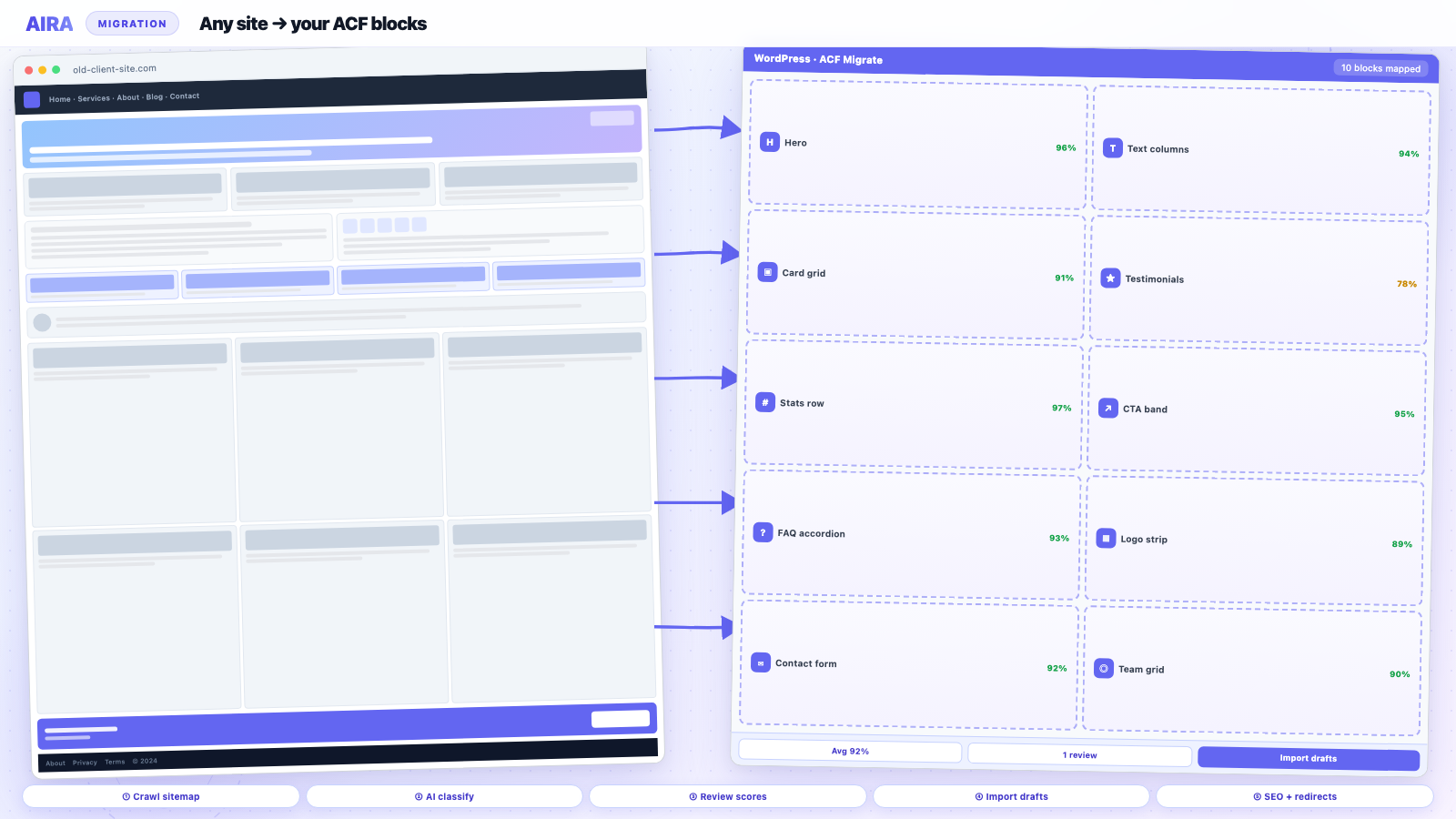
Shopify Online Store 2.0 pages are section-based — similar migration problem to Webflow or Squarespace. Crawl the live storefront and classify hero, feature grids, testimonials, and FAQ into ACF blocks. Collection pages may become WooCommerce category archives with ACF blocks above the product grid in the taxonomy template. Do not hand-rebuild fifty campaign landing pages if crawl-and-map can draft them for review.
Shopify's blog uses a distinct URL pattern (/blogs/news/article-handle) — migrate posts via RSS or crawl; map into WordPress posts with ACF block content or classic editor depending on layout complexity. See blog post migration guide.
URL structure and SEO
- arrow_rightShopify product URLs: /products/{handle} — WooCommerce default: /product/{slug}/ — redirect every handle.
- arrow_rightCollections: /collections/{handle} → /product-category/{slug}/ or custom structure.
- arrow_rightBlog: /blogs/news/{post} → /blog/{post}/ or matching slug.
- arrow_rightCarry over title and meta — Shopify SEO fields map to Yoast, Rank Math, or SEOPress product schema.
- arrow_rightProduct schema and Google Merchant Center — resubmit feed after cutover; verify GTIN/MPN in WooCommerce.
- arrow_rightPreserve collection and product URLs that earned backlinks — prioritize redirect QA on top-traffic URLs from Analytics.
Redirect mechanics: redirect map after redesign. SEO preservation: rebuild without losing SEO.
Checkout, payments, and tax
Shopify Checkout is hosted and cannot be migrated — WooCommerce uses your own checkout (Cart and Checkout Blocks or classic shortcode) with Stripe, PayPal, or Mollie. Reconfigure tax nexus, VAT display, and EU OSS rules if selling internationally. Test: guest checkout, account creation, failed payment, refund flow, and email receipts. Shipping zones and flat-rate vs carrier-calculated rates rebuild manually.
Shopify apps → WooCommerce plugins
| Shopify app type | WooCommerce direction |
|---|---|
| Product reviews | WooCommerce Reviews, Judge.me, Stamped |
| Subscriptions | WooCommerce Subscriptions |
| Upsells / bundles | YITH, WooCommerce Product Bundles |
| Email marketing | Klaviyo plugin, Mailchimp for WooCommerce |
| Loyalty points | Points and Rewards plugins |
| ERP / inventory sync | Reconfigure API — not automatic |
No app mapping is plug-and-play — budget configuration and client training per integration.
Orders and historical data
Many agencies import active products and customers but archive old orders as CSV/PDF for accounting rather than live-importing thousands of Shopify orders into WooCommerce. If live order history is required, use Matrixify or a specialist migration service — budget accordingly. Be explicit in the SOW about what 'order migration' means. Customer order lookup in 'My Account' with no historical orders frustrates B2C clients who expect continuity.
Shopify Plus and headless edge cases
Shopify Plus with custom checkout.liquid or headless Hydrogen frontends may not match standard Online Store 2.0 crawl patterns. Confirm what URLs return HTML for crawl-based content migration. Headless setups often separate product API from content pages — you may migrate marketing from a subdomain while products come from CSV only.
Cutover and post-launch
Run staging workflow with test transactions in payment gateway sandbox mode. At go-live: freeze Shopify product edits, run final product CSV delta import, switch DNS, verify SSL, place real test order with refund, monitor post-launch for 404s on top product URLs. Keep Shopify plan active read-only briefly as rollback insurance if the SOW allows.
Ecommerce QA checklist
- 1Top twenty product URLs redirect and display correct images, price, stock.
- 2Variable product — each variation add-to-cart works.
- 3Cart tax and shipping calculate for primary markets.
- 4Payment succeeds; order confirmation email arrives.
- 5Customer account creation and password reset.
- 6Collection/category pages paginate; filters work if FacetWP or similar installed.
- 7Merchant Center feed validates; no widespread product disapprovals.
- 8Analytics ecommerce events fire (GA4 purchase event).
Worked example: DTC brand, 120 SKUs, Shopify Basic
A direct-to-consumer skincare brand on Shopify Basic has 120 SKUs (40 variable products), eight collection pages, twelve marketing pages, and forty blog posts. Migration to WooCommerce on WP Engine: Matrixify product export; WP All Import with image sideload; crawl twelve marketing pages and home into ACF blocks; category template with ACF hero + product grid; Stripe checkout; Judge.me for reviews; Klaviyo plugin; 312 redirects from Shopify URL export; password-reset email to 4,200 customers at cutover. Products: four dev-days. Content crawl: two dev-days. Checkout/apps: three dev-days. Redirects/SEO QA: two dev-days. Client did not migrate order history — archived CSV in Google Drive.
Platform migration hub: page builder migration. AIRA workflow: how to use AIRA.
Pricing and scoping Shopify migrations
Quote Shopify exits in phases: discovery (fixed fee), build (theme + WooCommerce + blocks), data migration (per SKU tier or capped hours), apps/integrations (per app), cutover (fixed). Product count alone is a poor estimator — forty products with eight options each and subscription billing beats two hundred simple products for dev time. Include redirect QA hours explicitly; Shopify merchants feel migration failure first as product 404s and broken collection links, not as a misaligned hero block.
International stores and Shopify Markets
Shopify Markets handles multi-country pricing, domains, and duties. WooCommerce needs WooCommerce Multilingual (WPML), multi-currency plugins, and often separate payment methods per region. If the client sells in UK and EU with different VAT display, rebuild tax rules before launch — do not assume WooCommerce defaults match Shopify Markets behaviour. hreflang on product pages across country subfolders adds complexity parallel to multilingual migration.
Email, SMS, and retention flows
Shopify Email and abandoned-cart automations live in Shopify's marketing stack. On WooCommerce, Klaviyo, Omnisend, or Mailchimp plugins need reconnection to the new cart events — rebuild flows, do not assume templates import. SMS integrations (Postscript, etc.) need API re-keying. A silent launch where transactional emails still send from Shopify while the site runs on WordPress confuses customers — switch notification sender domain and SPF/DKIM records as part of cutover.
When to recommend staying on Shopify
Shopify is the right platform when the client needs fully managed checkout scale, minimal technical staff, and ecommerce is ninety percent of the business with little editorial content ambition. Migrate when WordPress's content flexibility, ownership, plugin ecosystem, or agency's standard ACF stack justifies the rebuild cost. Honest scoping builds trust — sometimes the answer is Shopify plus a headless blog on WordPress, not full platform replacement.
Post-launch: Merchant Center and paid search
Google Merchant Center product feeds reference URLs, images, and availability. Regenerate the feed from WooCommerce after cutover — disapproved products during transition hurt Shopping campaigns immediately. Meta and Pinterest catalog feeds need the same URL updates. Paid search landing pages that pointed at Shopify campaign URLs need redirects to new WordPress landing paths. Coordinate with the client's performance marketing agency before DNS switch so tracking pixels and feed URLs update in the same maintenance window. Schedule a feed validation check forty-eight hours after launch and again at day seven.
Ecommerce migration reading list
Products import via CSV; marketing pages crawl to ACF blocks like Webflow migration. Store rebuild patterns: WooCommerce on ACF blocks. Product images: media library migration. URL changes: redirect map.
Frequently asked questions
Can I migrate Shopify to WordPress without WooCommerce?expand_more
Only if you are leaving ecommerce behind — rare for store migrations. Most Shopify-to-WordPress projects are really Shopify-to-WooCommerce with WordPress handling content and marketing pages.
Will product URLs stay the same after migrating from Shopify?expand_more
Only if you deliberately match permalinks and set 301 redirects. WooCommerce defaults differ from Shopify's /products/ pattern — plan redirects before cutover.
How long does Shopify to WordPress take?expand_more
Product count and app complexity dominate. A fifty-product store with simple pages is often two to four weeks including block library build; hundreds of variants with subscriptions and custom metafields can run months.
Can AIRA migrate Shopify pages?expand_more
Yes — crawl public Shopify storefront URLs and map sections into ACF blocks for marketing pages, about, and custom landing pages. Product records themselves import via WooCommerce CSV or WP All Import, not page crawl.

Ryan Hale
Head of Front End Development
Ryan Hale is Head of Front End Development at AIRA, where he leads the team building the engine that migrates WordPress sites into native ACF blocks. He has spent more than a decade building and rebuilding WordPress sites for agencies, with deep, hands-on expertise in Advanced Custom Fields, Gutenberg block development, and large-scale content migrations that protect search rankings. He writes about ACF, moving off page builders like Elementor and Divi, and the practical craft of shipping fast, maintainable WordPress rebuilds.
Reviewed to our editorial guidelines.



