Migrating WordPress blog posts into ACF blocks (vs marketing pages)
Blog posts and marketing pages need different migration strategies on ACF rebuilds. A deep guide to migrating WordPress posts — Classic Editor HTML, Gutenberg…
verifiedReviewed by Tommy Smith,Content Director
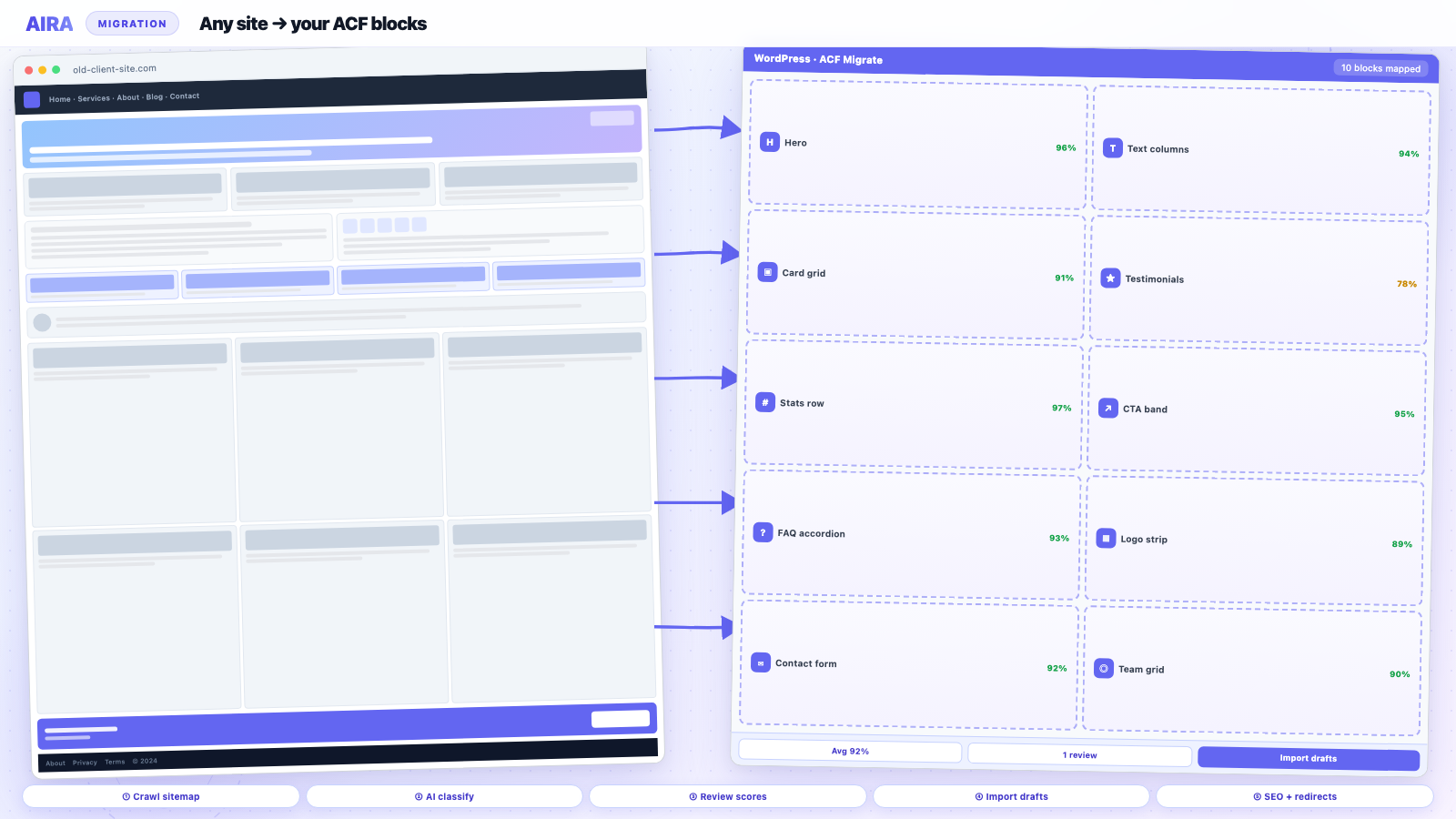
Blog posts built in page builders need per-post crawl migration into ACF blocks — unlike marketing pages, posts often mix builder layout with standard editor content. Bulk WXR works for simple HTML posts; crawl builder-heavy posts individually and preserve categories, authors and SEO meta.
Agency rebuilds concentrate migration effort on marketing pages — homepage, services, about, contact — because that is what the client reviews in sign-off meetings. Blog archives get deprioritised: 'posts are just text, they will be fine.' Then staging reveals four hundred articles with Divi shortcodes in the post body, featured images hotlinking to the old CDN, and category URLs that no longer match the new permalink structure. Blog post migration is a different problem from marketing page migration. The content model is simpler, the volume is higher, and the acceptable output format is often core Gutenberg blocks rather than bespoke ACF section blocks. Getting the strategy wrong means either wasting credits mapping blog posts like landing pages, or bulk-converting posts in a way that leaves builder debris forever.
Posts vs pages: why the strategy splits
| Factor | Marketing pages | Blog posts |
|---|---|---|
| Typical structure | Hero, cards, CTAs, repeaters | Title, prose, images, quotes |
| Target blocks | Bespoke ACF library | Core blocks or simple ACF text block |
| Volume | 10–80 pages | 50–2,000+ posts |
| Editor expectation | Pixel-polished layout | Readable article flow |
| Migration cost driver | Section classification | Volume + shortcode cleanup |
Marketing pages justify AI section mapping into a rich ACF block library because each section maps to named fields your editors will maintain for years. Blog posts rarely need a testimonial repeater or stats row block — they need clean paragraphs, headings, images, embeds, and pull quotes. Applying the same per-page mapping workflow to 500 posts is expensive and unnecessary unless each post was built in a page builder as a mini landing page.
Audit the post corpus first
Before choosing a migration path, segment the post archive. Run SQL or a plugin export to answer: what percentage of posts are pure Classic Editor HTML, what percentage contain builder shortcodes, how many use custom post templates, and whether categories/tags need URL changes. A site where ninety percent of posts are clean Classic HTML is a bulk conversion job. A site where half the posts are Elementor canvas layouts is a selective mapping job on high-traffic posts only, with bulk fallback for the long tail.
Segmentation checklist
- 1Export post count, date range, and author list.
- 2Search post_content for builder prefixes: et_pb_, vc_, fusion_, ux_, brizy_.
- 3Identify top 50 posts by organic traffic from Search Console — migrate these first.
- 4Note posts with custom fields (ACF meta, Yoast focus keyphrase, featured video).
- 5List category and tag slug changes planned for the new IA.
- 6Flag sticky posts, featured series, and cornerstone content hubs.
Path A: Classic Editor and simple HTML posts
Posts written in Classic Editor store HTML in post_content — paragraphs, headings, images, lists, blockquotes. WordPress includes a block converter: open the post in Gutenberg and it offers to convert classic content to blocks. At scale, use the Convert to Blocks bulk tool or WP-CLI commands where available. The output is core paragraph, heading, image, and list blocks — perfectly adequate for most editorial content and fully compatible with a theme that styles .entry-content prose.
Watch for inline styles from paste-from-Word era, fixed-width images, and align attributes that your new theme handles differently. A global find-replace on post_content for old upload URLs is still required — converting to blocks does not fix hotlinked images.
Path B: Gutenberg-native posts
If the old site already used core blocks, migration may be as simple as WXR export/import on the same block markup — or database copy of wp_posts and wp_postmeta for the post table only. Block comments survive when post IDs and attachment IDs are remapped correctly. On a fresh install, WXR import re-creates posts but media IDs shift — run attachment URL replacement after import.
Path C: Page builder posts
Posts built in Elementor, Divi, or WPBakery are mini landing pages — treat high-traffic ones like marketing pages: crawl the rendered article URL and map sections if the layout is complex. For the long tail of low-traffic builder posts, consider: crawl + simplified text block import (strip layout, preserve prose), manual rebuild of top performers only, or retire outdated posts and 301 to hub pages. Not every eleven-year-old press release deserves a bespoke migration.
Path D: AIRA for high-value posts
When a post is structurally rich — embedded CTAs, multi-column sections, custom ACF fields per post — add its URL to the AIRA crawl alongside marketing pages. The classifier maps sections into your block library the same way. Review confidence scores; blog posts with a single low-confidence CTA band are quick fixes. Import as drafts under the post post type, not pages.
Categories, tags, and archive templates
Post content is half the blog migration. Archive templates are the other half. Category description fields, custom category images, and redesigned permalink structures (/blog/category/name/ vs /insights/name/) need redirects. Rebuild archive.php or your ACF-driven blog index block on the new theme. Verify pagination: /insights/page/2/ must resolve. Tag pages often get noindexed — decide deliberately rather than accidentally inheriting old SEO settings.
Author and date archives
Author archive URLs may change if you rename display names or switch to a custom byline field. Date archives (/2024/03/) are usually disabled on agency builds but may exist on old sites with traffic — check Analytics before dropping them without redirects.
Featured images and embedded media
- arrow_rightFeatured images: import attachment records or sideload; verify og:image on single post template.
- arrow_rightIn-content images: replace old domain in img src and srcset.
- arrow_rightEmbeds: YouTube, Twitter, Spotify blocks often survive conversion — test a sample.
- arrow_rightPDF attachments: update file URLs in download links.
- arrow_rightImage galleries: convert to core gallery block or ACF gallery block per theme standard.
SEO metadata per post
Yoast and Rank Math store per-post title, description, canonical, and schema in post meta. WXR export includes much of this; AIRA page bundles include SEO fields for crawled URLs. After bulk import, spot-check top-traffic posts — auto-generated titles on the new theme are a common regression. See Yoast preservation and Rank Math guide.
Recommended agency workflow
- 1Segment post corpus; pull top 50 URLs by traffic.
- 2Migrate marketing pages via AIRA first — higher client visibility.
- 3Bulk-convert Classic HTML posts to core blocks; URL-replace media.
- 4Selectively crawl builder-heavy posts worth saving.
- 5Retire or merge thin legacy content; 301 to relevant hubs.
- 6Rebuild blog index and single post templates on new theme.
- 7QA pagination, category links, RSS feed, and social cards.
Related: Classic Editor to Gutenberg migration, shortcode cleanup, and staging workflow.
RSS, feeds, and syndication
Podcast clients, email newsletter tools, and aggregator sites subscribe to /feed/ or category-specific feeds. Permalink structure changes break feed URLs external systems cached years ago. After migration, validate /feed/, /category/name/feed/, and custom post type feeds if exposed. FeedBurner redirects (still lingering on older sites) need updating or retirement. If the new theme changes excerpt length or removes featured images from feeds, newsletter layouts break — spot-check one issue in Mailchimp or the client's ESP before go-live.
Editorial workflow after migration
Post-migration, editors need clear rules: which blocks are allowed in articles, how featured images are set, default category for new posts, and whether legacy categories were merged or retired. A style guide paragraph prevents someone pasting Divi shortcodes back into posts because 'it worked on the old site.' If the client used Editorial Workflow or PublishPress plugins, reinstall and reassign permissions on the new site — role capabilities do not migrate with posts.
When to retire vs migrate old posts
- arrow_rightRetire: thin SEO doorway posts from 2014 with no traffic and outdated offers.
- arrow_rightRetire: duplicate posts targeting keyword variants — consolidate into one updated article with 301.
- arrow_rightMigrate: cornerstone content with backlinks and steady organic traffic.
- arrow_rightMigrate: posts linked from product docs, sales decks, or email nurture sequences.
- arrow_rightRewrite: posts with wrong brand voice but strong URLs — keep slug, replace body.
Block patterns for editorial consistency
Register block patterns for common article structures — intro + pull quote + CTA, how-to with numbered steps, case study summary. Editors insert a pattern instead of free-styling each post. Patterns reduce the chance that post-migration content drifts back into one-off layout hacks. Pair patterns with a simple ACF sidebar block for newsletter signup if that was on every old post via a builder widget.
Realistic timelines by volume
| Volume | Classic HTML bulk | Builder-heavy mix |
|---|---|---|
| Under 50 posts | Half day | 2–3 days selective |
| 50–200 posts | 1–2 days | 1–2 weeks |
| 200–1000 posts | 3–5 days + scripting | Phased by traffic tier |
| 1000+ posts | Automated pipeline required | Top 100 manual, rest bulk |
Worked example: SaaS blog with 400 Elementor posts
A B2B SaaS site has twelve marketing pages in Elementor and four hundred blog posts — but only sixty posts drive meaningful organic traffic. The agency crawls twelve marketing pages plus sixty posts through AIRA (seventy-two credits). The remaining three hundred forty posts bulk-export via WXR, batch-convert Classic/HTML segments, run a SQL replace on old CDN image URLs, and noindex thin posts from 2016. Category /blog/ becomes /resources/ with redirect rules. Single post template rebuilt once in the theme. Total blog effort: three days, not three weeks. The client gets a maintainable editorial experience; SEO keeps its winners.
Internal linking between posts and pages
Posts link to service pages, pillar guides, and other posts. After migration, in-content links in post_content may rewrite — but related-posts blocks, sidebar CTAs in ACF, and auto-generated read-more modules may still reference old paths. Crawl top posts specifically for outbound internal links. Update cornerstone posts manually if they are revenue-critical — the automated pass misses links inside custom HTML blocks.
Co-authors, bylines, and guest posts
Multi-author blogs may use Co-Authors Plus, custom byline fields, or guest author CPTs. Author archive URLs (/author/jane/) change when display names or slug conventions change. Migrate author taxonomy and guest CPT before fixing author links in post content. Featured guest posts on the homepage may pull from a custom query — rebuild that query on the new theme, not just the single post template.
Scheduled and future posts
WXR export includes scheduled posts with future post_date values. Verify scheduled posts survived import with correct timezone — wp-admin Settings → General timezone must match client expectation or posts publish at the wrong local time. Sticky post flags and post_password protected posts (client portals) need explicit QA.
Posts vs pages vs CPTs — three migration tracks
Blog posts with builder shortcodes need per-post crawl; simple HTML posts bulk-import faster. News or insights CPTs that look like blog posts follow CPT migration. After post migration, run shortcode cleanup on remaining debris. Marketing pages: how to migrate into ACF blocks.
Frequently asked questions
Should I migrate all blog posts into custom ACF blocks?expand_more
Usually no. Core Gutenberg blocks are the right target for editorial prose. Reserve ACF blocks for posts that are genuinely layout-heavy or for the blog index template — not for every 500-word article. Your ACF library should optimise for marketing pages editors maintain quarterly; blog posts are weekly or daily — simplicity wins.
How do I fix Divi shortcodes in old posts without remigrating each one?expand_more
Run a post_content search for et_pb_ shortcodes. High-traffic posts:get manual rebuild or crawl mapping. Low-traffic posts: consider core block conversion with layout stripped, or 301 to updated content.
Do AIRA credits apply to blog posts?expand_more
Yes — one credit per post URL in the committed bundle, same as pages. Use path filters to crawl only posts that need section mapping; bulk-convert simple HTML posts outside AIRA to save credits.
What about custom post types that look like blog posts?expand_more
News, insights, or resources CPTs follow the same segmentation logic. See the [custom post type migration guide](/blog/wordpress-custom-post-type-migration-guide) for CPT-specific registration and archive handling.

Ryan Hale
Head of Front End Development
Ryan Hale is Head of Front End Development at AIRA, where he leads the team building the engine that migrates WordPress sites into native ACF blocks. He has spent more than a decade building and rebuilding WordPress sites for agencies, with deep, hands-on expertise in Advanced Custom Fields, Gutenberg block development, and large-scale content migrations that protect search rankings. He writes about ACF, moving off page builders like Elementor and Divi, and the practical craft of shipping fast, maintainable WordPress rebuilds.
Reviewed to our editorial guidelines.