AI content migration tools compared (honest roundup)
Manual copy-paste, WP All Import, clone plugins, LLM scripts, and AIRA — an honest comparison of ACF blocks migration tools that convert content to ACF blocks…
verifiedReviewed by Tommy Smith,Content Director
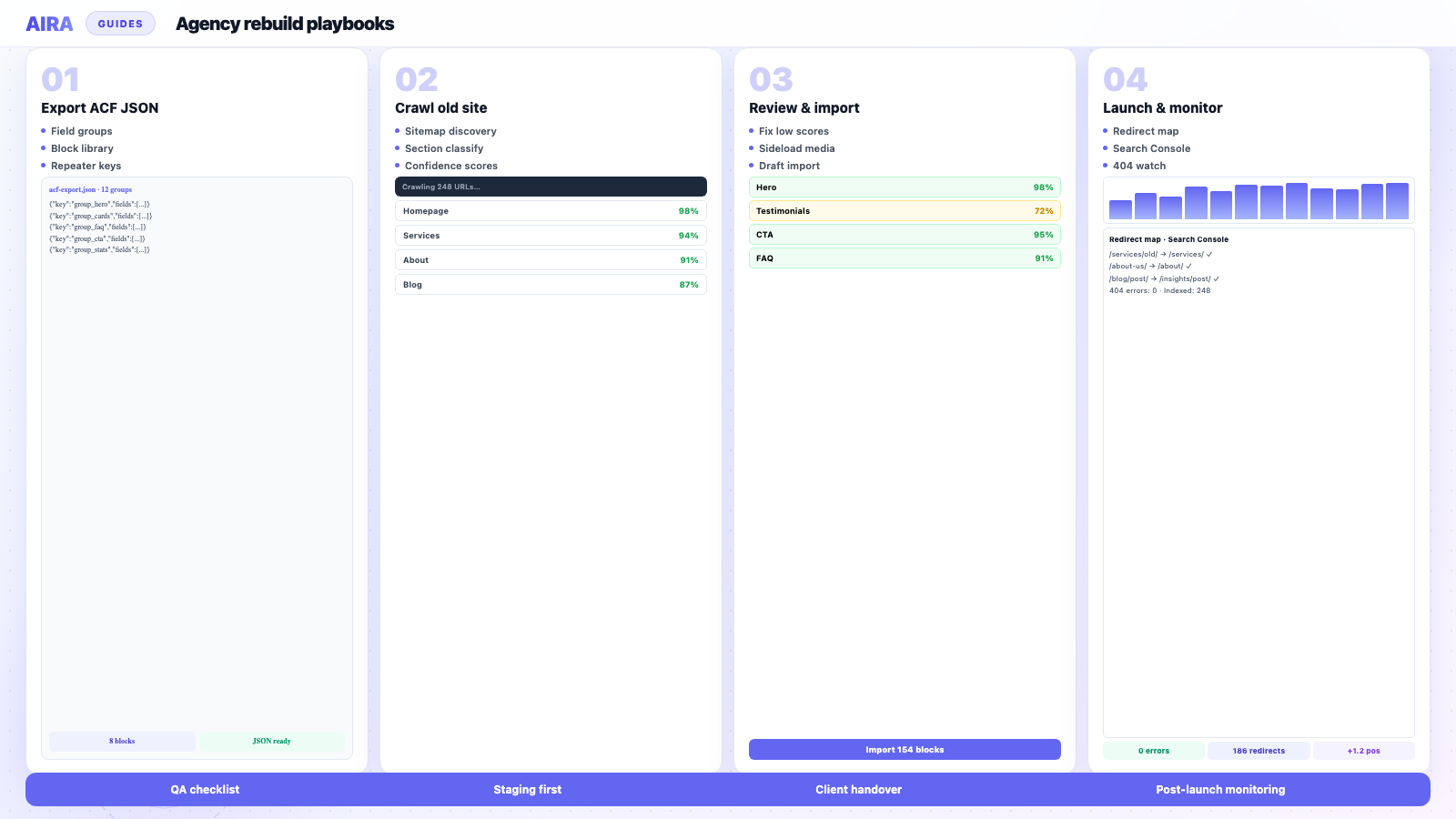
Clone plugins move databases; importers move rows; ACF blocks migration tools classify rendered sections and convert content to ACF blocks — pick based on whether your bottleneck is hosting, structured data, or layout rebuild.
Who this is for
- Agencies: Honest comparison of AIRA, manual work, import plugins, and generic AI scrapers.
- Freelancers: Picking one primary tool per rebuild without tool sprawl.
- Developers: Evaluating output format — real blocks vs HTML blobs vs CSV fields.
Steps at a glance
- Match tool to problem — rendered sections vs database clone vs CSV.
- Test one page from each shortlisted tool on the same source URL.
- Compare output editability in Gutenberg after import.
- Factor hidden cost — mapping hours, media QA, redirect work.
Agency group chats fill weekly with the same question: which ACF blocks migration tool do we use? The honest answer is several — because 'migration' means at least three different jobs. Cloning a WordPress install between hosts is not rebuilding Elementor into ACF Gutenberg blocks. Importing WooCommerce SKUs from CSV is not classifying a homepage hero. Running a Python script with GPT-4o is not the same as an AI ACF blocks importer with media sideloading and Gutenberg serialization. This roundup compares six approaches — including tools that convert content to ACF blocks and generate automatic ACF blocks from your existing site — without pretending one wins every column.
What problem each category solves
Clone tools move the database. Import tools move rows. AI migration tools move rendered layout into structured blocks — three different jobs, three different budgets.
Before the table, name your bottleneck. If the client is switching hosts with the same theme, a clone plugin may suffice. If the client is leaving Elementor for ACF blocks, clone plugins import the problem verbatim. If the client has two thousand products in a spreadsheet, you need an importer. If the client has two hundred service pages in Divi, you need rendered-section classification — the problem AI WordPress content migration describes. Many rebuilds touch all four.
Comparison table
| Approach | Best for | Block rebuild fit | Determinism | Typical agency pain |
|---|---|---|---|---|
| Manual copy-paste | Tiny sites, legal copy, load-bearing templates | High — human maps sections | Fully human | Slow, expensive at scale, inconsistent juniors |
| WP All Import | CSV/XML, products, meta, repeaters | Low — needs custom field mapping | High with tested templates | Setup complexity, invisible meta, no layout from HTML |
| Migrate Guru | Same WordPress stack, host change | None — clones source site | High for full-site clone | Brings builder bloat; not a redesign path |
| All-in-One WP Migration | Small full-site moves, dev handoffs | None — database export/import | High for identical destination | Size limits, plugin conflicts, not layout transform |
| Generic LLM scripts | One-off experiments, prototypes | Variable — prompt-dependent | Low — brittle, unmaintained | No media pipeline, no review UI, breaks on edge cases |
| AIRA | Builder → ACF block rebuilds, crawlable pages | High — purpose-built classification | Hybrid — AI judgement + code for crawl/import | Not for DB-only meta; needs review workflow |
Manual copy-paste
Opening the old page and new editor side by side is still the accuracy benchmark everything else is measured against. For twelve pages, a meticulous junior with a component checklist often beats tool setup. For legal text, pricing tables tied to stakeholder sign-off, and homepage heroes where the client counts pixels, manual remains gold standard. The failure mode is scale: inconsistent field naming, missed alt text, and quiet omissions on page seventy-four of ninety. Compare economics on manual migration vs AIRA before you assume tools always win.
- arrow_rightPros: maximum control, zero surprise automation, works behind login if you have access.
- arrow_rightCons: linear cost per page, hard to parallelise without style drift.
- arrow_rightBest paired with: a written block mapping doc and QA spreadsheet.
WP All Import
WP All Import is the agency workhorse for structured data — WooCommerce products, ACF repeaters from CSV, user records, taxonomy assignments. It is not an AI layout tool. It does not look at rendered Divi and invent blocks; it maps columns to field keys when you already know the shape of the data. Excellent for SKUs, dealer locators fed by spreadsheet, and migrating post meta when you have export files from the old system. Steep learning curve on first project; dependable on project five with saved templates.
On block rebuilds, common pattern: WP All Import for products and directory CPT meta; separate path for page bodies. See also wordpress content migration tools compared for the broader non-AI landscape from earlier in our library.
Migrate Guru
Migrate Guru optimises host-to-host WordPress moves with minimal configuration — excellent when the destination is the same site, different server. It is not a redesign tool. If you Migrate Guru an Elementor site to a new host, you still have Elementor. Agencies sometimes misuse clone tools on rebuild SOWs because the client said 'migration' when they meant 'modernise'. Clarify vocabulary in kickoff: clone vs rebuild.
- arrow_rightPros: fast full-site clone, handles large media libraries, low dev overhead.
- arrow_rightCons: copies plugin debt, shortcodes, builder lock-in; no ACF block transformation.
- arrow_rightUse on: host changes, duplicate staging, same-stack disaster recovery.
All-in-One WP Migration
All-in-One WP Migration exports a bundled `.wpress` file and imports on another WordPress install — beloved for small site handoffs and dev-to-staging moves. Size limits on free tiers push agencies to paid extensions for larger stores. Same limitation as Migrate Guru: it moves the database whole. For ACF block rebuilds, it is a transport mechanism at best — import old site to a sandbox, then migrate content out via crawl, manual, or AI. Plugin conflicts on import are common; budget time for a staging smoke test.
Generic LLM scraping scripts
The weekend GitHub repo temptation
A developer pipes sitemap URLs through fetch, dumps HTML into Claude or GPT with a prompt 'output ACF block JSON', and celebrates when three pages look brilliant. Then the fourth page has a tabbed section the prompt never saw, images hotlink to the old CDN, and internal links point at staging. Scripts lack confidence scoring, sideloading, idempotent re-runs, and reviewer UI. They are prototypes, not deliverables — fine for R&D, risky as client-facing methodology without hardening.
- arrow_rightPros: cheap to start, flexible prompts, good for proving one hard page.
- arrow_rightCons: no media pipeline, brittle selectors, prompt drift, no credit governance, maintenance dies when author leaves.
- arrow_rightFailure mode: demo pages perfect, long tail collapses, PM still owes full corpus.
AIRA
AIRA targets the gap clone tools and importers leave open: migrating rendered page-builder layouts into a defined ACF block library. Crawl public URLs, classify sections with AI, sideload images, rewrite links where configured, import block markup to WordPress — with fallbacks for low-confidence sections. Deterministic code owns sitemap discovery and import mechanics; AI owns judgement calls like 'features grid vs icon row'. It is not a host clone and not a CSV importer. Agencies use it on the long tail while seniors hand-build templates and WP All Import handles structured SKUs.
- arrow_rightPros: built for builder → block rebuilds, review on staging, credits cover AI without client API keys.
- arrow_rightCons: needs crawlable URLs, defined block library, human review — not fire-and-forget.
- arrow_rightPair with: WXR for authors/dates, WP All Import for meta-heavy CPTs, manual for legal/homepage.
Operational detail: how to use AIRA. Fit decision tree: when to use AI content migration. Positioning vs manual: /compare/manual-migration.
Side-by-side: what each tool imports
| Data type | Manual | WP All Import | Clone plugins | LLM scripts | AIRA |
|---|---|---|---|---|---|
| Post titles & dates | Manual | check_circle | check_circle | Partial | Via WP / sidecar |
| Builder layout → blocks | check_circle | cancel | cancel | Sometimes | check_circle |
| WooCommerce products | cancel | check_circle | check_circle | cancel | cancel |
| ACF repeaters from CSV | cancel | check_circle | If in DB | cancel | cancel |
| Media sideload | Manual | Configurable | Clone | Rare | check_circle |
| Internal link rewrite | Manual | Rules | N/A | Ad hoc | Configurable |
| Review workflow | Implicit | Post-import QA | Post-import QA | None | Staging review |
Cost models agencies underestimate
- 1Licence fees — WP All Import Pro, All-in-One extensions, Migrate Guru bundles.
- 2Labour — manual hours scale linearly; AI shifts labour to review.
- 3Senior rescue time — when junior manual work needs rebuilds.
- 4Credits — AI crawl/classify per URL; still usually below manual opportunity cost at volume.
- 5Rework — wrong tool choice shows up as launch-week hero fixes and redirect fires.
A clone plugin quote looks cheap until you add three weeks rebuilding blocks. A script looks free until a senior re-migrates forty pages. Model total delivery cost, not tool sticker price.
Recommended combinations by project type
Page-builder marketing site → ACF blocks
AIRA or manual for page bodies; WXR for blog metadata; Redirection plugin for URLs; exclude legal and homepage from bulk crawl. Matches most page builder exit projects we see.
WooCommerce rebuild with content refresh
WP All Import for products; AIRA for category landing and marketing pages; manual for checkout; clone tool only if you need a temporary sandbox of the old store.
Host change only, no redesign
Migrate Guru or All-in-One WP Migration — do not sell AIRA unless they are also changing themes.
Twenty-page brochure site
Manual often wins; AI optional if Divi source is painful and block library already exists.
How to run a tool bake-off without wasting the week
- 1Pick five URLs: homepage, long interior, blog post, CPT single, ugly edge case.
- 2Define success criteria: block accuracy, image handling, link integrity, reviewer minutes.
- 3Run each tool only on its lane — do not judge WP All Import on hero layout.
- 4Document failures with screenshots — sales remembers edge cases.
- 5Choose hybrid stack; write exclusions in SOW.
What we would not recommend in 2026
- arrow_rightClone plugins as your 'Elementor removal' strategy.
- arrow_rightLLM scripts as production methodology without a maintained pipeline.
- arrow_rightAI migration for lesson content trapped in custom tables.
- arrow_rightSingle-tool RFPs that forbid hybrid approaches.
- arrow_rightSkipping redirect QA because 'the content migrated fine'.
Worked example: tool stack for 140-page Divi rebuild
Manufacturing client, Divi on SiteGround → ACF blocks on Kinsta. Stack: AIRA crawl for 110 interior service and location pages; manual rebuild for homepage, about, and careers; WP All Import for distributor CPT from client spreadsheet; WXR import for blog authors and dates only; Migrate Guru used once to clone old site to a sandbox for reference — not production path; Redirection with 410 for retired products. Credits: ~120 URLs crawled after exclusions. Timeline: two weeks content migration parallel to block library build. Clone-only quote would have shipped Divi on Kinsta — faster DNS day, failed redesign goal.
Security, data handling, and client due diligence
Agencies increasingly ask where content goes during AI migration — especially public-sector and healthcare clients. Clone plugins keep data inside WordPress exports you control. WP All Import pulls from files the client supplies. AI crawl tools fetch public URLs and send section markup to models for classification; understand your vendor's retention policy, whether EU hosting is available, and if you can run migrations under an NDA. Generic LLM scripts often leak the worst operational habits: pasting full page HTML into consumer chat accounts with no data-processing agreement. AIRA runs classification server-side with credits — no client API keys in browser devtools — but you should still document the workflow in your DPIA or vendor appendix when procurement asks.
- arrow_rightAsk vendors: is content used for model training? Can you delete project data after import?
- arrow_rightPrefer crawl of public staging mirrors over production when pre-launch content is sensitive.
- arrow_rightDo not pipe authenticated member content through personal ChatGPT accounts — ever.
- arrow_rightLog which tools touched which URL types for audit trails on regulated rebuilds.
Bottom line
There is no single winner — only mismatched expectations. Clone tools move WordPress; importers move data files; AI migration moves layout judgement into blocks; manual still anchors correctness where stakes are high. AIRA exists because agencies kept duct-taping LLM scripts next to WP All Import and calling it a strategy. Pick tools per URL type, document hybrids honestly, and reserve manual migration comparisons for client conversations about speed vs control — not for religious wars in Slack.
What to read next on AI and migration
Side-by-side pages: vs manual migration, vs WP All Import, vs Migrate Guru, vs All-in-One WP Migration. Strategy: when to use AI and agency workflows 2026.
Frequently asked questions
Is AIRA a replacement for Migrate Guru or All-in-One WP Migration?expand_more
No. Migrate Guru and All-in-One clone or export whole WordPress sites between environments. AIRA migrates rendered page content into ACF blocks on a rebuild. You might clone to a sandbox for reference, then use AIRA for the actual redesign migration.
Can WP All Import and AIRA be used on the same project?expand_more
Yes — and often should be. Typical split: WP All Import for products, repeaters, or CSV-driven CPTs; AIRA for marketing page bodies from rendered HTML. Merge on staging with clear ownership per post type.
Why not just write our own LLM script instead of paying for AIRA?expand_more
You can for experiments. Production rebuilds need crawl governance, media sideloading, import idempotency, reviewer workflow, and maintenance when APIs and source sites change. Internal scripts rarely survive the first senior departure unless funded as product engineering.
Which tool is best for Elementor to ACF blocks?expand_more
Clone plugins keep Elementor. WP All Import only helps if you have structured export files. AIRA or manual migration addresses layout transformation — AI for volume with review, manual for load-bearing templates. Most agencies use AIRA plus manual hybrid.
How do I compare costs fairly between manual and AI migration?expand_more
Run a pilot: measure minutes per reviewed page for AI, minutes per manually migrated page for the same URL types, add setup and licence costs, multiply by corpus size. Include senior rework hours — cheap manual that needs fixing is not cheap.

Ryan Hale
Head of Front End Development
Ryan Hale is Head of Front End Development at AIRA, where he leads the team building the engine that migrates WordPress sites into native ACF blocks. He has spent more than a decade building and rebuilding WordPress sites for agencies, with deep, hands-on expertise in Advanced Custom Fields, Gutenberg block development, and large-scale content migrations that protect search rankings. He writes about ACF, moving off page builders like Elementor and Divi, and the practical craft of shipping fast, maintainable WordPress rebuilds.
Reviewed to our editorial guidelines.



