When to use AI for content migration vs when not to
Decision guide for agencies — when an ACF blocks migration tool or AI ACF blocks importer earns its place on rebuilds, and when manual work is safer.
verifiedReviewed by Tommy Smith,Content Director
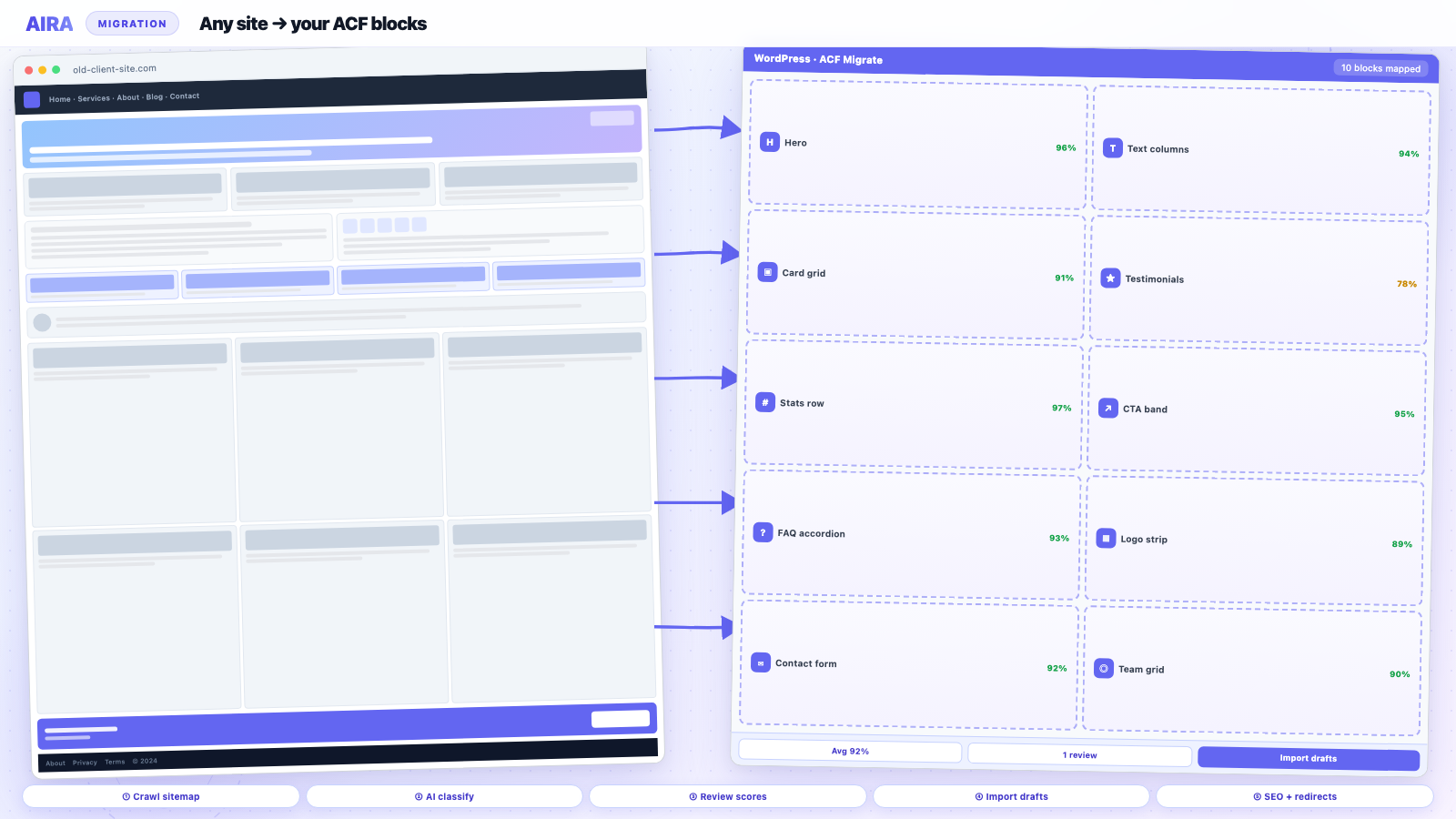
Use an ACF blocks migration tool when you have a defined block library, rendered pages to crawl, and room for human review — skip it when correctness depends on database meta, bespoke plugin tables, or legal copy.
Who this is for
- Agencies: Deciding AI vs manual per client risk profile and site complexity.
- Freelancers: Avoiding AI on jobs where it creates more cleanup than it saves.
- Developers: Setting technical guardrails for classification confidence thresholds.
Steps at a glance
- Use AI when sections are visual and repetitive across many pages.
- Skip AI when content is bespoke app logic, Woo checkout, or custom PHP templates.
- Always review low-confidence blocks and repeater counts.
- Fall back to manual for ≤3 simple pages — setup time matters.
Sales wants AI on every rebuild deck. Engineering knows the homepage will break if you crawl a password-protected staging site. Both are right in different rooms. AI content migration is not a moral choice — it is a fit question. The agencies wasting money in 2026 are not the ones avoiding AI; they are the ones applying it where the source of truth is a database row the crawler never sees, then blaming the tool when testimonials import without attribution or product tables flatten into paragraphs. This guide is a decision framework: when AI migration belongs in the SOW, when to pair it with imports, and when to fall back to manual work without apologising for being 'old-fashioned'.
Definitions so the team stops arguing past each other
AI content migration means classifying rendered page sections into structured block fields with model judgement — not typing 'rewrite this site' into a chat box and hoping for Gutenberg.
In this article, AI migration means using an ACF blocks migration tool or AI ACF blocks importer to crawl rendered HTML, classify sections into your ACF block types, convert content to ACF blocks, and import as block markup — with fallbacks when confidence is low. That is distinct from WXR database import, manual copy-paste, and one-off LLM scripts. Compare approaches in AI content migration tools compared and how AI is changing WordPress content migration.
The decision matrix at a glance
| Scenario | AI migration fit | Better alternative |
|---|---|---|
| 50+ interior service pages, builder-rendered | Strong | AI + reviewer |
| Blog archive, consistent article layout | Strong | AI or hybrid import |
| Homepage with bespoke animations | Weak | Manual rebuild |
| WooCommerce product descriptions in meta | Weak | CSV / WP All Import |
| Members-only content behind login | None without auth crawl | Export / manual |
| Legal, privacy, regulatory pages | Weak | Manual + legal sign-off |
| Multilingual paired pages | Medium | AI per locale + WPML QA |
| Repeating landing pages, same section order | Very strong | AI with path filters |
When AI migration is the right default
You have a real block library
AI needs a finite set of targets. If your destination is 'Gutenberg core blocks only' or an undocumented pile of ACF flexible layouts from 2019, classification accuracy suffers. A labelled block library — hero, features, testimonial, CTA, FAQ, text+image — gives the model anchors. Agencies that complete mapping sections to ACF blocks before the first crawl see higher first-pass approval rates and fewer reviewer mutinies.
Source content is visible on public URLs
Crawl-based AI migration reads what visitors see. Marketing sites with public service pages, about sections, and resource libraries are ideal. If half the site is behind a membership plugin or staging basic auth without crawl credentials, the pipeline never sees it — scope manual export for those URLs or configure authenticated crawl if your tool supports it.
Volume justifies review overhead
AI saves time when page count times manual minutes hurts. Migrating twelve pages manually is often faster than setting path filters, training the reviewer, and running credits. Migrating two hundred interior pages is where AI economics flip — especially on fixed-price rebuilds where manual migration silently destroys margin. Use how to scope and price a rebuild to model reviewer time explicitly.
- arrow_rightLong-tail service area pages with repeating section patterns.
- arrow_rightOld page-builder sites (Elementor, Divi, WPBakery) heading to ACF blocks.
- arrow_rightPost-builder marketing sites where WXR carries little layout fidelity.
- arrow_rightInterior pages where 'close enough' structurally is acceptable before editor polish.
- arrow_rightAgency rebuilds with a dedicated reviewer and staging workflow already in place.
When to pair AI with other tools
Hybrid is normal, not failure. Use WXR or WP All Import for posts, authors, dates, and taxonomies; use AI for body content into blocks. Use CSV for WooCommerce SKUs; use AI for category landing prose. Use manual rebuild for navigation and header/footer; use AI for everything below the fold on internal pages. How to use AIRA documents path filters and exclusions so you do not waste credits crawling `/cart` and `/my-account` when those templates are net-new anyway.
- 1Import structural WordPress data via WXR.
- 2Crawl rendered pages for block mapping.
- 3Merge: keep imported slug and meta, replace post_content with block import.
- 4Manual pass on templates AI should not touch.
- 5Single redirect map from the union of old URLs.
When not to use AI migration
Correctness lives in the database, not the DOM
ACF repeaters stored only in post meta, flexible content with nested logic, product attributes, subscription settings — crawlers read HTML, not your meta graph. If moving this data correctly is the migration, you need export tools, PHP, or WP All Import with meta mapping. AI might format a readable paragraph about a product; it will not reliably reconstruct fourteen variant attributes unless they are visible on the page.
Legal, medical, and compliance copy
Models paraphrase. Privacy policies, cookie disclosures, medical claims, and financial disclaimers must not drift. Migrate verbatim with human proofreading or legal review — not AI summarisation. A 'helpful' rewrite that changes obligation wording is a liability event, not a efficiency win.
Load-bearing templates with tight tolerances
Homepage hero with campaign-specific layout, pricing tables tied to CRM SKUs, interactive calculators, multi-step quote forms — these are senior dev and designer territory. AI drafts are fine for exploration; they are not the primary production path when the client measures success in conversion rate, not paragraph count.
Sources you cannot reproduce or re-crawl
If the old site comes down before review finishes and you have no crawl archive, you cannot fix mistakes cheaply. AI migration assumes you can re-run or diff against source renders. Decommissioning the legacy site before sign-off removes your safety net — AI or manual.
Honest limitations to put in the SOW
- arrow_rightClassification confidence varies by section — ambiguous layouts become generic text blocks by design.
- arrow_rightImages require sideloading and alt text review; broken media is a hosting/path issue, not an AI issue.
- arrow_rightInternal links need rewriting rules; crawlers do not automatically know your new CPT slug structure.
- arrow_rightShortcodes and embedded scripts do not survive as magic — they need explicit handling or rebuild.
- arrow_rightThird-party embeds (Typeform, HubSpot, maps) may need re-embedding, not text extraction.
- arrow_rightAI does not replace WPML translation pairing or hreflang QA on multilingual rebuilds.
Writing these limitations in the proposal prevents the client assuming AI means 'identical pixel-perfect clone'. Compare against manual migration so they understand what speed costs: reviewer time, not zero labour.
Red flags in discovery — walk away from AI-first
- 1Client insists every page including checkout is AI-migrated in one night.
- 2Source site is mostly PDFs and gated downloads, not HTML pages.
- 3No block library — destination is 'we will figure out Gutenberg later'.
- 4Custom plugin stores page body outside post_content with no front-end render.
- 5Zero budget for review or staging — they want straight to production.
- 6Regulated industry with no legal review capacity on the client side.
These are sales qualification problems. Saying no to AI on that project is not saying no to AI — it is matching tool to risk.
Practical decision workflow for producers
- 1List URL types: marketing, blog, CPT, account, legal, system.
- 2Mark source of truth per type: HTML render vs database meta vs manual rebuild.
- 3Confirm block library covers 80%+ of marketing sections.
- 4Run a twenty-URL pilot; record reviewer minutes and correction categories.
- 5Choose hybrid imports for data-heavy types; AI for long-tail marketing HTML.
- 6Document exclusions in SOW: homepage, legal, checkout, etc.
- 7Allocate redirect and QA owners separately from migration operator.
Worked example: regional B2B services firm
A heating installer network has 180 location pages on Divi, twelve core service pages, eight legal/policy documents, a WooCommerce-adjacent quote form (Gravity Forms), and a blog with 60 posts. Decision: AI crawl for location pages and blog bodies into ACF blocks; manual rebuild for homepage and service hub templates; Gravity Forms migrated via export/import plugin; legal pages copied verbatim; WooCommerce not in scope. Pilot on fifteen location pages averaged eleven minutes review each versus an estimated ninety minutes manual. Legal and homepage excluded from credits. Result: AI on ~70% of URLs, manual on load-bearing ~30% — honest hybrid, not ideology.
Worked example: membership site — AI wrong tool
A course platform stores lesson content in custom tables with conditional shortcodes; only teasers render publicly. Crawling public URLs captures marketing fluff, not lessons. Decision: no AI content migration for lesson corpus — custom export script to ACF blocks on member templates; AI only for public landing pages. If the sales team had promised 'AI migrates the whole site', the project would have shipped empty lesson bodies. Discovery question that saved them: where does the canonical content live?
How to talk to clients without overselling
Use plain language: 'We use AI to draft structured page layouts from your old site; your team reviews before anything goes live. Complex shop, account, and legal pages are handled separately for accuracy.' Link to wordpress migration QA checklist as the accountability counterpart to AI speed. Clients respect honesty; they remember launches where shortcuts became their problem.
AI is our first draft machine — not our sign-off department.
Bottom line
Use AI migration when rendered HTML is the truth, blocks are defined, volume is high, and review is budgeted. Do not use it when meta, law, or money-critical templates are the truth. Most real rebuilds are hybrid — and the agencies shipping on time are the ones who decided per URL type before kickoff, not the ones who picked a tool and forced the project to fit.
What to read next on AI and migration
Agency context: how AI is changing workflows in 2026. Tool picks: AI migration tools compared and migration tools overview. Workflow: migrate into ACF blocks.
Frequently asked questions
Is AI migration accurate enough for client-facing sites?expand_more
Yes, with review — for the URL types where HTML render is the source of truth and you have fallback blocks for uncertain sections. It is not accurate enough without review, or for legal, pricing, and database-driven templates where the HTML is incomplete.
Should we use AI or manual migration for a 30-page site?expand_more
Often manual or light hybrid wins below forty to fifty marketing pages unless layouts are extremely repetitive or the builder source is painful. Run a five-page time trial both ways; setup overhead dominates small sites.
Can AI replace WP All Import on my rebuild?expand_more
No — they solve different problems. WP All Import moves structured data from CSV/XML into fields. AI migration classifies rendered sections into blocks. Most rebuilds use WP All Import for products, users, or meta and AI for page body layout.
What happens when AI classifies a section wrong?expand_more
Good pipelines import a fallback text block or flag low confidence rather than dropping content. Reviewers change block type or fix fields on staging before publish — same as correcting a junior dev's manual migration.
When is authenticated crawl required?expand_more
When must-see content only appears behind login — member portals, wholesale pricing, staging preview. Without it, scope manual export or delay AI migration until those pages are publicly renderable on a mirror.

Ryan Hale
Head of Front End Development
Ryan Hale is Head of Front End Development at AIRA, where he leads the team building the engine that migrates WordPress sites into native ACF blocks. He has spent more than a decade building and rebuilding WordPress sites for agencies, with deep, hands-on expertise in Advanced Custom Fields, Gutenberg block development, and large-scale content migrations that protect search rankings. He writes about ACF, moving off page builders like Elementor and Divi, and the practical craft of shipping fast, maintainable WordPress rebuilds.
Reviewed to our editorial guidelines.



