How to migrate from WordPress.com to self-hosted WordPress
A practical guide to moving WordPress.com (or WordPress.com Business) to self-hosted WordPress — what exports include, what breaks, Elementor and plugin…
verifiedReviewed by Tommy Smith,Content Director
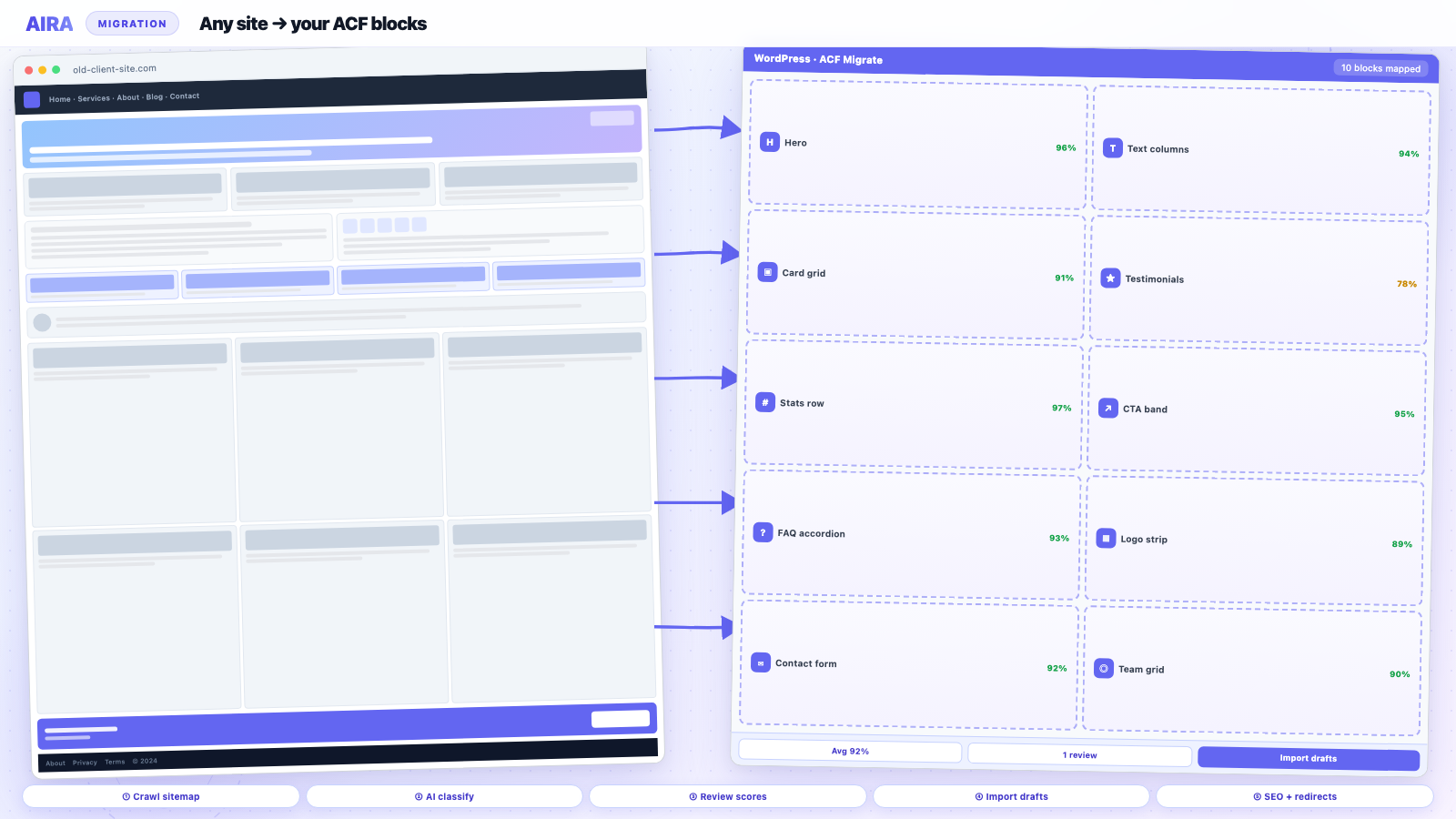
Export your WordPress.com site via Tools → Export (or use a migration plugin on Business plans), build your self-hosted WordPress site with ACF blocks, import content as a starting point then migrate rendered pages into blocks for builder-heavy layouts, map WordPress.com URLs to your new structure with 301 redirects, and verify Jetpack-dependent features have self-hosted replacements.
Clients say 'our site is on WordPress' but half the time they mean WordPress.com — hosted, plan-limited, and not the open-source CMS agencies build on. Moving to self-hosted WordPress unlocks custom themes, any plugin, proper staging, and the ACF block workflows this site is built around. The migration is not a database clone: WordPress.com's export is a filtered WXR, some plans restrict plugin use, and URLs may include WordPress.com path patterns or custom domains that need redirect planning. This guide covers what transfers, what does not, and how to land on a maintainable self-hosted build.
WordPress.com vs self-hosted: what agencies need to know
| Capability | WordPress.com (typical) | Self-hosted |
|---|---|---|
| Custom theme / ACF blocks | Business plan or higher | Full control |
| Any plugin | Plan-dependent allowlist | Full control |
| Database access | No direct access | Full access |
| Export | WXR via Tools | WXR + DB + files |
| Hosting | Automattic infrastructure | Your choice |
| Staging environment | Limited / plan-dependent | Full staging stack |
| wp-cli / SSH | Not available | Available on most hosts |
WordPress.com plan tiers and what they mean for migration
Free and Personal plans are heavily constrained — no custom plugins, limited theme choice, and content stored in WordPress.com's block editor patterns. Premium adds more themes and support. Business unlocks plugin installation (from an allowlist) and custom CSS — many WordPress.com sites that 'use Elementor' are on Business or Commerce. Commerce adds WooCommerce on WordPress.com's hosted stack. Each tier exports roughly the same WXR shape but the underlying content complexity differs: a Free-plan blog migration is mostly posts; a Business-plan marketing site may have plugin data WXR never touches.
| Plan | Migration complexity | Typical content pattern |
|---|---|---|
| Free / Personal | Low–medium | Blog, simple pages, core blocks |
| Premium | Medium | Styled pages, limited customisation |
| Business | Medium–high | Plugins, forms, marketing layouts |
| Commerce | High | WooCommerce products + content |
Step 1: Export from WordPress.com
On WordPress.com, go to Tools → Export and download a WXR file. This includes posts, pages, comments, and media references — but not theme files, custom plugin data, or full builder layouts stored outside standard post content. Business-plan sites with plugins may have additional data in plugin tables that WXR does not cover; inventory those plugins before export.
- arrow_rightDownload the WXR and store a second copy — exports are easy to overwrite.
- arrow_rightExport media — use the media library download or ensure sideloading from live URLs during migration.
- arrow_rightScreenshot WordPress.com-specific settings: custom CSS, fonts, navigation labels, homepage static front page setting.
- arrow_rightCrawl the live site (custom domain if connected) for a complete URL list and rendered content.
- arrow_rightExport subscriber list if the site uses WordPress.com newsletters — before canceling the plan.
- arrow_rightDocument connected domains: primary, redirects, email DNS if WordPress.com manages mail.
Step 2: Build the self-hosted destination
Provision hosting, point DNS when ready (not on day one), install WordPress, and build your ACF block library before bulk import. Register CPTs and taxonomies if the WordPress.com site used them via plugins. Import ACF field groups as JSON — see ACF JSON export. Self-hosted is your chance to exit WordPress.com's block patterns and land content in agency-standard ACF blocks your team maintains across clients.
Match permalink structure to the old site where possible — changing /blog/%postname%/ to /%postname%/ alone generates dozens of redirects. If the client wants cleaner URLs, price the redirect work explicitly.
Step 3: Import content — and know the limits
WordPress importer on staging brings across WXR content as posts and pages. Expect flat, unstyled content — WordPress.com block markup may import as core blocks, but layout-heavy pages need remapping into your ACF structure. For pages that were visually complex on WordPress.com, crawl the live rendered site and classify sections into ACF blocks the same way you would for Elementor or Divi migrations.
Blog posts vs marketing pages
WordPress.com blogs often migrate acceptably via WXR alone — posts are single-column content with featured images. Marketing pages built from WordPress.com's section patterns or third-party blocks on Business plans need section mapping into your hero, features, testimonial, and CTA blocks. See blog post migration vs marketing pages for when to crawl vs when to import.
WordPress.com Commerce and WooCommerce
WordPress.com Commerce runs WooCommerce on Automattic's infrastructure — products, orders, and customer data may not export cleanly through WXR alone. Plan a product CSV export, customer export, and manual payment gateway reconfiguration on self-hosted WooCommerce — similar discipline to Shopify migration. Product images need media library migration attention; SKUs and stock levels should be verified row by row after import.
Jetpack and WordPress.com-only features
- arrow_rightStats — replace with Google Analytics, Plausible, or Fathom.
- arrow_rightCDN/image optimization — replace with host CDN, ShortPixel, Imagify, or Cloudflare.
- arrow_rightRelated posts — replace with theme query or lightweight plugin.
- arrow_rightSubscriptions/newsletters — migrate to Mailchimp, Brevo, or Newsletter plugin; export subscribers first.
- arrow_rightWordPress.com-specific blocks — map to ACF equivalents or core blocks.
- arrow_rightAutomattic backup — replace with host backups plus UpdraftPlus or similar.
- arrow_rightSocial auto-posting — reconfigure with self-hosted plugin or Zapier.
Jetpack itself can run on self-hosted WordPress but agencies often strip it in favour of leaner, purpose-specific plugins — document what the client actually used vs what shipped by default.
Forms, comments, and community features
WordPress.com forms may be native blocks or plugin-based on Business plans. Rebuild forms in Gravity Forms or Contact Form 7 on self-hosted — see forms migration guide. Comments import with WXR but commenter avatars and Gravatar settings may need reconfiguration. Membership or paywall features on WordPress.com require dedicated self-hosted plugins (MemberPress, Restrict Content Pro) — scope as new build work, not migration.
URLs, custom domains, and redirects
If the site used a custom domain on WordPress.com, DNS moves to the new host at cutover — plan TTL reduction to 300 seconds forty-eight hours before launch. URL paths may change when moving from WordPress.com's default structures to your permalink setup. Build a 301 map from crawled WordPress.com URLs to new paths. WordPress.com may offer a Site Redirect upgrade on some plans — still maintain redirects on self-hosted for long-term control.
- arrow_rightMap every indexable URL from crawl — not just pages in the WXR.
- arrow_rightRedirect attachment URLs if permalink structure changed.
- arrow_rightPreserve feed URLs if subscribers exist.
- arrow_rightCarry over title and meta from SEO plugin or rendered page.
Full SEO checklist: rebuild without losing SEO and redirect map guide.
Staging and cutover
Run the full migration on staging first — see staging workflow. QA content, forms, and redirects before DNS. At cutover: lower TTL, switch DNS A/AAAA records to new host, verify SSL certificate provisions, place test form submission, submit sitemap, monitor Search Console for 404s for four weeks per post-launch monitoring.
Cutover sequence
- 1Freeze content edits on WordPress.com twelve to twenty-four hours before DNS switch.
- 2Final crawl or export for last-minute posts.
- 3Import deltas on staging; quick QA.
- 4Switch DNS; verify SSL and homepage.
- 5Cancel WordPress.com plan only after client signs off — keep redirect upgrade active briefly if purchased.
Common WordPress.com migration mistakes
- arrow_rightAssuming WXR equals full site — layout and plugin data are missing.
- arrow_rightChanging permalinks without redirect budget.
- arrow_rightForgetting email DNS when moving domain management off WordPress.com.
- arrow_rightDeactivating WordPress.com before DNS propagates — leaves gap.
- arrow_rightNot replacing Jetpack-dependent features the client relied on daily.
- arrow_rightSkipping media sideload — broken featured images on every post.
Worked example: Business-plan agency site to ACF blocks
A consultancy site on WordPress.com Business has thirty pages, eighty blog posts, Contact Form via plugin, and custom domain. Rebuild on Kinsta with ACF block theme. Migration: WXR import posts (eighty) as starting point; crawl thirty marketing pages and home into ACF blocks; rebuild forms in Gravity Forms; sideload twelve hundred images via crawl import; map two hundred ten URLs in redirect spreadsheet; switch DNS Saturday 06:00 GMT; client training Monday on Gutenberg + ACF blocks. WordPress.com export saved roughly two days on blog body copy; crawl-and-map saved roughly five days vs manual page rebuild. Total content migration: six dev-days plus two QA-days.
Full AIRA workflow reference: how to use AIRA. Agency scoping: how to scope and price a rebuild.
Hosting choice after WordPress.com
Self-hosted means picking a host — managed WordPress (Kinsta, WP Engine, Flywheel) for clients who want WordPress.com-like hand-holding, or conventional hosts (SiteGround, Cloudways, DigitalOcean) for developers who want SSH and staging control. Match host to client technical capacity: a client who relied on WordPress.com support will need managed hosting and a maintenance retainer. Document PHP version, memory limits, and whether Imagick is available — image-heavy migrations fail on under-provisioned tiers.
Training clients off WordPress.com admin
WordPress.com admin is simpler than self-hosted wp-admin — fewer menus, fewer ways to break the site. After migration, clients see plugins, themes, updates, and ACF field groups. Schedule a handover session covering: editing ACF blocks vs full-page builders, who updates plugins, and where staging lives. Provide a one-page 'edit the homepage' doc. Support tickets spike in week two if training is skipped — budget an hour of client training in every WordPress.com exit SOW.
When WordPress.com migration should block launch
Delay DNS cutover if: top ten organic URLs still 404 on staging, forms do not send mail on new host, SSL not provisioned, or redirect map covers less than ninety-five percent of crawled indexable URLs. WordPress.com's Site Redirect is not a substitute for testing your self-hosted redirect list — Automattic's redirect only works while you pay for it.
Self-hosted rebuild companions
WordPress.com exit is a content + hosting project — use staging workflow for cutover. Block library setup: how to migrate into ACF blocks. Commerce sites: WooCommerce rebuild. SEO: rebuild without losing SEO.
Frequently asked questions
Can I export everything from WordPress.com?expand_more
No. WXR export covers posts, pages, and comments with limits on media and no theme or arbitrary plugin data. Complex layouts and plugin-stored content need migration from the rendered live site or manual rebuild.
Will I lose my domain moving off WordPress.com?expand_more
No — custom domains transfer by updating DNS to your new host. Plan the DNS switch at cutover and keep redirects for any URL path changes.
Is WordPress.com Business the same as self-hosted?expand_more
No. Business adds plugin access on Automattic's hosting but you still do not own the database or server. Self-hosted WordPress.org on your own host is the full open-source platform agencies standardize on.
How long does WordPress.com to self-hosted take?expand_more
A blog-heavy site with simple pages: one to two weeks. A Business-plan marketing site with forms and complex layouts: three to six weeks including ACF block library build, crawl migration, and redirect QA.

Ryan Hale
Head of Front End Development
Ryan Hale is Head of Front End Development at AIRA, where he leads the team building the engine that migrates WordPress sites into native ACF blocks. He has spent more than a decade building and rebuilding WordPress sites for agencies, with deep, hands-on expertise in Advanced Custom Fields, Gutenberg block development, and large-scale content migrations that protect search rankings. He writes about ACF, moving off page builders like Elementor and Divi, and the practical craft of shipping fast, maintainable WordPress rebuilds.
Reviewed to our editorial guidelines.



